

Utilities macOS
Barrier for macOS
Share one keyboard, mouse and clipboard between a Mac and other computers with Barrier, a free software KVM. The project is no longer maintained or receiving security fixes.
- Operating system
- macOS; publisher README excludes GUI support before macOS 10.12 Sierra
- Architecture
- Intel, as listed by Softpedia; native Apple silicon support unverified
- Download package
- DMG disk image
Historical 2021 release, no longer maintained. The publisher's older minimum-version statement does not establish compatibility with current macOS. No installer execution or compatibility testing performed.
Link checked · Download guidance
What is Barrier?
Barrier lets one computer's keyboard and mouse control other computers over a network. Move the pointer to the edge of a configured screen, or use a hotkey, to switch which machine receives input. Clipboard sharing supports moving copied content between machines. It is intended for a desk with several computers, including mixed Mac, Windows and Linux systems.
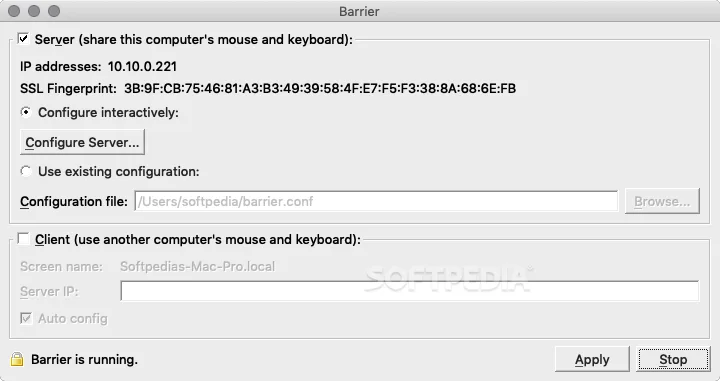
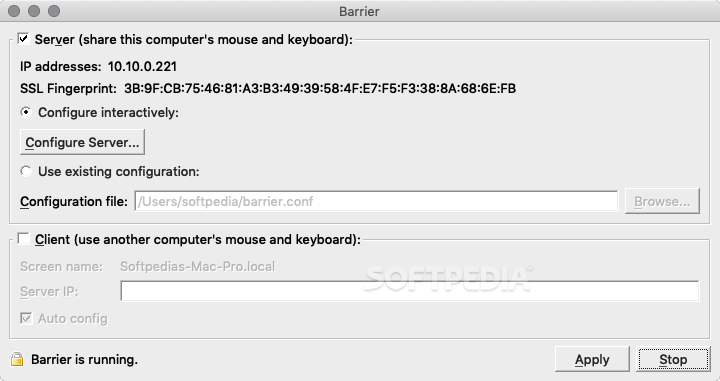
The computer with the physical keyboard and mouse acts as the server; the other computers are clients. Barrier must be installed on each participating machine. Its server configuration uses a screen layout to match the positions of your computers, and client screen names must match the configuration exactly. Network connectivity between the machines is required.
This entry links to the publisher's Barrier 2.4.0 Mac DMG from November 1, 2021, not a new 2026 release. The publisher now warns that Barrier is no longer maintained and no longer receives improvements or security fixes; its primary developers moved to InputLeap. Compatibility with current macOS releases and native Apple silicon support is not established here. The screenshot shows the historical Mac configuration interface, not a newly tested installation.
What it offers
- Use one computer's keyboard and mouse to control other networked computers.
- Switch computers by moving the pointer across a screen edge or using a keypress.
- Share clipboard contents between participating computers.
- Arrange client screens in the server configuration and connect clients using the server's IP address or auto configuration.
Good to know
- The publisher states that Barrier is no longer maintained and receives no improvements or security fixes.
- The linked Mac DMG dates from November 1, 2021; compatibility with current macOS versions and native Apple silicon support is unverified.
- Barrier must be installed on every participating computer, with network connectivity and matching client screen names.
- Barrier is not compatible with Synergy, according to the publisher's README.
Product images
Sources
References used for this listing. Retrieval dates do not indicate hands-on testing.
- Barrier for Mac - Download — protected normal-browser observation ↗Retrieved
- Barrier — publisher README ↗Retrieved
- Barrier v2.4.0 — publisher release and maintenance warning ↗Retrieved
- Barrier v2.4.0 — publisher asset listing ↗Retrieved
- Barrier — publisher GPL license ↗Retrieved
- Barrier - Download (Mac) - Softpedia — historical Mac screenshot gallery ↗Retrieved
More in utilities
View category ↗
1.1.1.1 with WARP 2026.8.2115.0
Encrypt traffic from your Mac to Cloudflare’s network with WARP, or use DNS-only mode for encrypted DNS queries to the 1.1.1.1 resolver.
1.1.1.1 with WARP 2026.8.2115.0
Encrypt traffic between your Windows PC and Cloudflare, or use encrypted DNS only, with the free 1.1.1.1 with WARP app.

3uTools 9.12.005
Manage iPhone and iPad photos, music, apps and backups from Windows with 3uTools, a free utility that also includes device checks and firmware flashing tools.