
Utilities Windows
Battery Limiter
Get an alarm when your laptop reaches a chosen battery level. Battery Limiter for Windows reminds you to unplug the charger; it is not a universal hardware charging cap.
- Operating system
- Windows; Softonic lists Windows Vista
- Architecture
- Not specified in the consulted sources
- Download package
- Publisher ZIP download (setup.zip)
No Windows 10/11 build guarantee or architecture claim is made. The archive was not downloaded or inspected; publisher installation notes mention setup.exe and dependency checks.
Link checked · Download guidance
What is Battery Limiter?
Battery Limiter watches your laptop battery level and sounds an alarm at the threshold you choose. Its main-window slider sets the upper alarm limit from 30% to 96%, with 90% as the publisher’s stated default. When the alarm sounds, unplug the laptop to stop it and continue on battery power. This suits a desk-based charging routine where you want a reminder rather than another percentage display.
Settings include a lower-charge alarm, theme colors and custom alarm sounds. The publisher’s 1.0.8 release notes add support for multiple audio formats, including MP3. Stealth mode keeps the main interface hidden with a tray icon, while the manual describes a visual notification for the alarm.
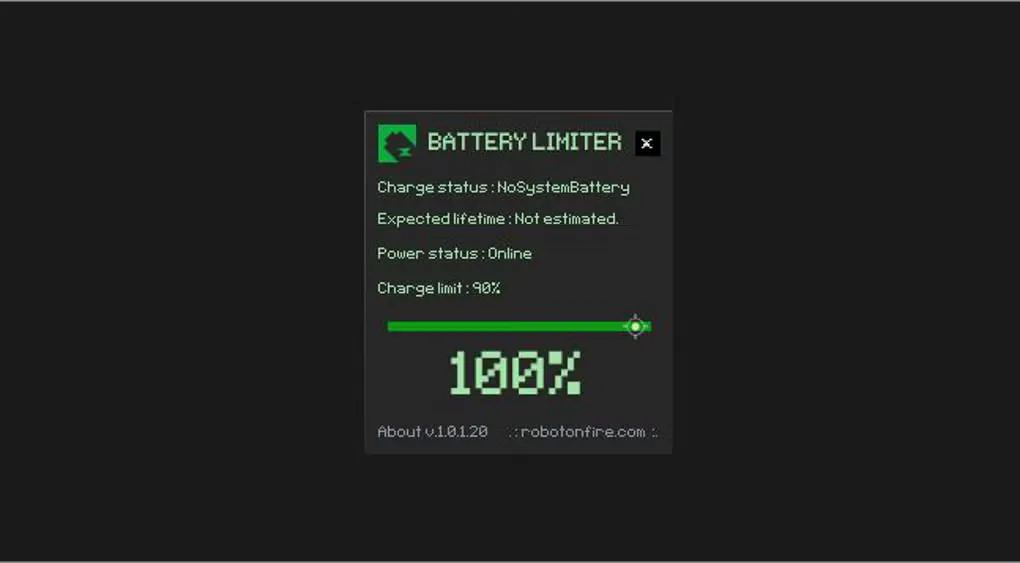
Do not confuse the alarm threshold with a built-in battery charging controller: the normal workflow still requires you to disconnect power. The optional “so smart” feature can connect to smart devices such as smart plugs, but automatic charger control depends on that separate setup. The gallery image shows an older interface, not a newly installed 1.0.8 build. Exact current Windows build support and processor architecture are not established by the sources used here.
What it offers
- Choose an upper battery alarm threshold from 30% to 96% using the main-window slider.
- Enable a separate lower-charge alarm in settings.
- Use a tray-based stealth mode with a visual alarm notification.
- Customize theme colors and alarm sounds; version 1.0.8 adds formats including MP3.
- Optionally connect smart devices through the publisher’s “so smart” feature.
Good to know
- The standard alarm does not itself enforce a universal hardware charge cap; you must unplug the charger.
- Automatic charger control through “so smart” requires a separate compatible smart-device setup.
- The publisher describes preventing sleep during monitoring; the 1.0.5 notes allow sleep while not charging.
- Current Windows build compatibility and processor architecture were not verified; the screenshot depicts an older release.
Product images
Sources
References used for this listing. Retrieval dates do not indicate hands-on testing.
- Battery limiter | robotonfire ↗Retrieved
- Battery Limiter User Manual V1 ↗Retrieved
- Battery Limiter - Download ↗Retrieved
More in utilities
View category ↗
1.1.1.1 with WARP 2026.8.2115.0
Encrypt traffic from your Mac to Cloudflare’s network with WARP, or use DNS-only mode for encrypted DNS queries to the 1.1.1.1 resolver.
1.1.1.1 with WARP 2026.8.2115.0
Encrypt traffic between your Windows PC and Cloudflare, or use encrypted DNS only, with the free 1.1.1.1 with WARP app.

3uTools 9.12.005
Manage iPhone and iPad photos, music, apps and backups from Windows with 3uTools, a free utility that also includes device checks and firmware flashing tools.