

Development Windows
Beekeeper Studio for Windows
Write SQL, browse database tables and edit records with Beekeeper Studio for Windows. Free Community features cover common databases; additional tools and database connectors require a paid license.
- Operating system
- Windows
- Architecture
- x64 (x86_64)
- Download package
- EXE installer
Separate ARM64, portable EXE and enterprise MSI packages are offered. Minimum Windows version was not established from the sources used.
Link checked · Download guidance
What is Beekeeper Studio?
Beekeeper Studio is a SQL editor and database manager for working with database connections, queries and table data in one desktop application. Its editor offers syntax highlighting and autocomplete, while tabs let you keep queries and tables open together. You can browse, filter and edit table rows or create and modify table structures without writing every schema change by hand.
The free Community features include connections to PostgreSQL, MySQL, SQLite and SQL Server. The same app also contains paid features: import/export, backup/restore and direct editing of SQL query results require an upgrade, while AI Shell and cloud workspaces are included in higher paid plans. Check the publisher’s plan comparison for the database and workflow you need rather than assuming every advertised feature is free.
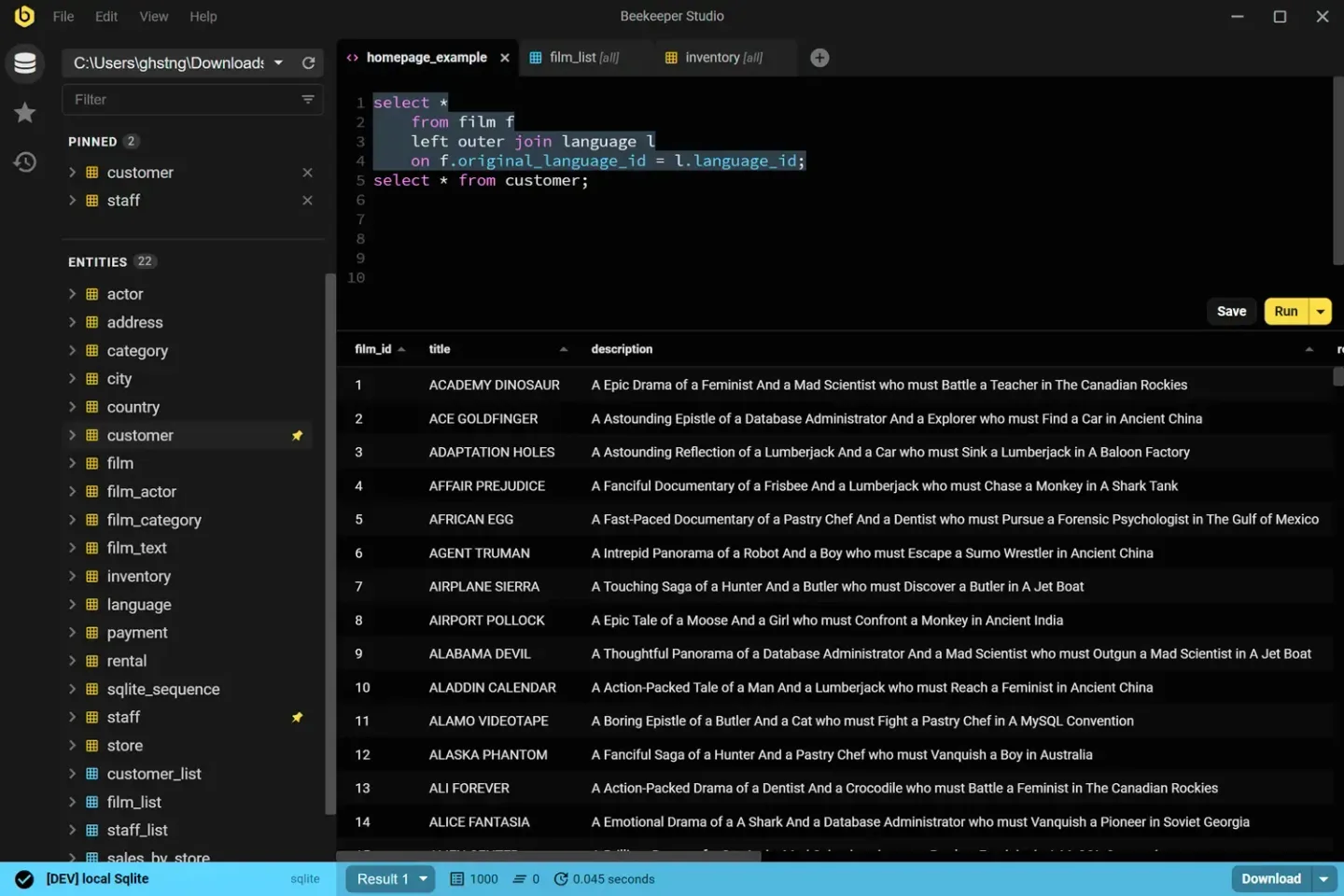
This entry links to the publisher’s version 6.2.0 Windows x64 EXE installer on GitHub. ARM64, portable and MSI packages are separate choices. The screenshot is a publisher-provided Windows interface example, not evidence that this installer was installed or tested. Beekeeper Studio is a trademark of Beekeeper Studio, Inc.; this listing is not an official publisher page.
What it offers
- Write and run SQL with syntax highlighting and autocomplete.
- Browse, filter and edit table data in a spreadsheet-style view.
- Create and modify tables, indexes, relations and triggers.
- Keep multiple queries and tables open in tabs; organize saved queries and connections into folders.
- Connect to PostgreSQL, MySQL, SQLite and SQL Server with free Community features.
Good to know
- Import/export, backup/restore and direct editing of SQL query results require a paid plan; AI Shell and cloud workspaces require higher paid plans.
- Database availability varies by edition: for example, Oracle and MongoDB connections are not included in Community.
- This download is the x64 installer, not the separate Windows ARM64, portable or MSI package.
Product images
Sources
References used for this listing. Retrieval dates do not indicate hands-on testing.
- Beekeeper Studio — official product features and screenshot gallery ↗Retrieved
- Download Beekeeper Studio — Windows package choices ↗Retrieved
- Beekeeper Studio Community Edition — license and edition boundaries ↗Retrieved
- Beekeeper Studio Pricing — plan comparison ↗Retrieved
- Publisher GitHub release API — v6.2.0 ↗Retrieved
- Publisher repository README — licensing and core features ↗Retrieved
- Beekeeper Studio Trademark Guidelines ↗Retrieved
More in development
View category ↗
010 Editor 17.0
Inspect and edit binary files on Mac with 010 Editor, a paid text and hex editor with Binary Templates, file comparison and a 30-day trial.
010 Editor 17.0
Inspect and edit binary files with 010 Editor for Windows, a text and hex editor with Binary Templates, file comparison and scripting. Includes a 30-day trial.
10x Editor
Edit and navigate C++ projects on Windows with a built-in parser, workspace search and Visual Studio project support. A paid license is required after the 30-day trial.