

Utilities Windows
Beyond Compare for Windows
Compare files and folders, inspect text differences and synchronize directories with Beyond Compare for Windows. Free evaluation; continued use requires a paid license.
- Operating system
- Windows 10 and 11
- Architecture
- x86 and x64; Windows 11 ARM via emulation
- Download package
- English EXE installer
Version 5.2.7, build 32913. Free evaluation of Standard/Pro; paid license required for continued use. ARM devices use emulation.
Link checked · Download guidance
What is Beyond Compare?
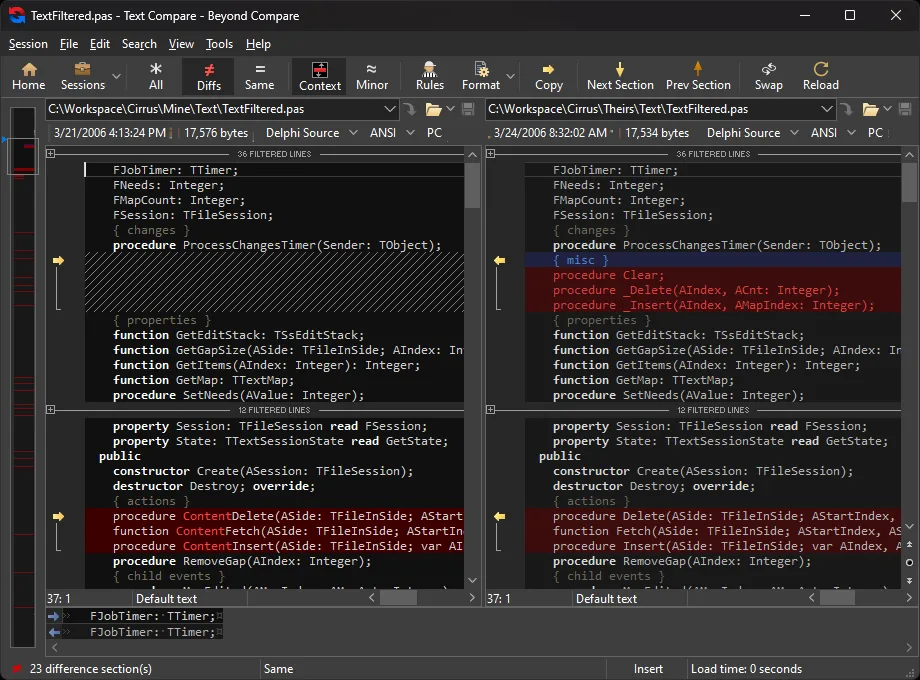
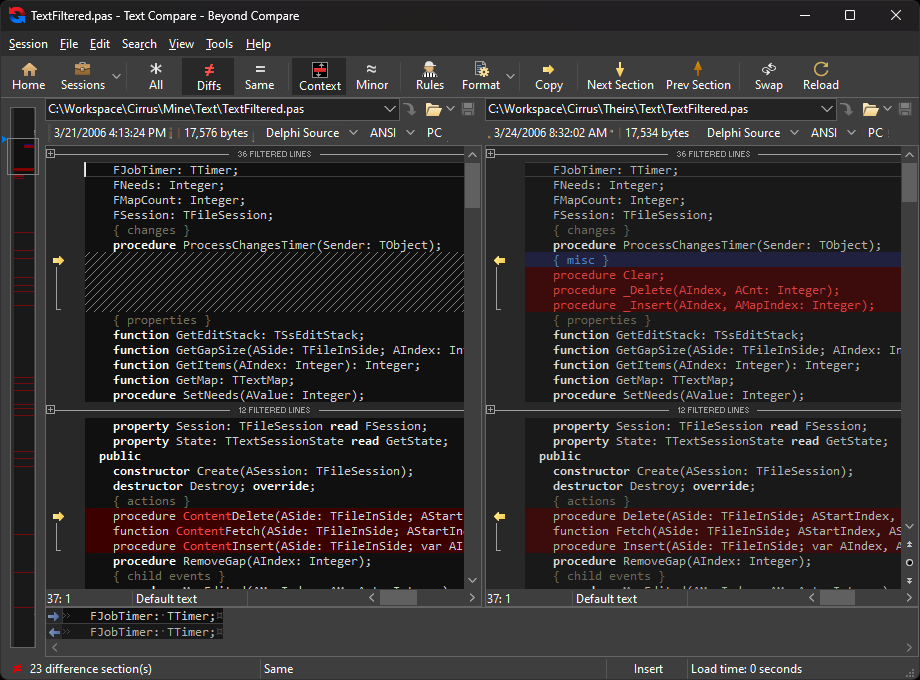
Beyond Compare helps you find what changed between files or folders before deciding what to copy or edit. Use it to review source-code changes, check two directory trees or reconcile a working folder with another location. Text comparison includes syntax highlighting and configurable rules, while dedicated viewers handle images, tables and binary data. Folder synchronization and command-line scripting support repeated comparison and copy tasks.
The Windows download is the English EXE installer for version 5.2.7, build 32913. It includes Standard and Pro functionality for evaluation; the purchased license determines which features remain available. Text Merge and Folder Merge, built-in SFTP and several cloud connections require Pro, so evaluating those tools does not mean they are included with a Standard license.
Windows 10 and 11 are supported. On Windows 11 ARM devices, the application runs through emulation rather than as a native ARM build. The publisher notes that emulation can affect performance and that the Explorer extension is available through Show More Options, not the top-level right-click menu.
What it offers
- Compare folder trees and filter the files and differences shown.
- View and edit text differences with syntax highlighting and configurable comparison rules.
- Inspect images, tables and binary data in dedicated comparison viewers.
- Synchronize folders and automate repetitive tasks with scripts called from the command line.
- With Pro, merge text or folders and connect through built-in SFTP.
Good to know
- Free evaluation is not a perpetual free license; continued use requires purchase.
- Text Merge, Folder Merge and built-in SFTP require a Pro license rather than Standard.
- Windows 11 ARM uses emulation, which can affect performance; the Explorer extension requires Show More Options.
Product images
Sources
References used for this listing. Retrieval dates do not indicate hands-on testing.
- Scooter Software — Download Beyond Compare ↗Retrieved
- Scooter Software — Beyond Compare features ↗Retrieved
- Scooter Software — Standard vs. Pro ↗Retrieved
- Scooter Software — Licensing ↗Retrieved
- Scooter Software — Windows platform compatibility ↗Retrieved
- Scooter Software — Windows setup options ↗Retrieved
- Scooter Software — Legal Information ↗Retrieved
More in utilities
View category ↗
1.1.1.1 with WARP 2026.8.2115.0
Encrypt traffic from your Mac to Cloudflare’s network with WARP, or use DNS-only mode for encrypted DNS queries to the 1.1.1.1 resolver.
1.1.1.1 with WARP 2026.8.2115.0
Encrypt traffic between your Windows PC and Cloudflare, or use encrypted DNS only, with the free 1.1.1.1 with WARP app.

3uTools 9.12.005
Manage iPhone and iPad photos, music, apps and backups from Windows with 3uTools, a free utility that also includes device checks and firmware flashing tools.