
Utilities Windows
BIMcollab Zoom
View and combine IFC building models on Windows, inspect object properties and manage BCF issues. A paid Zoom license adds clash detection, IDS checks and quantity take-offs.
- Operating system
- Windows 11
- Architecture
- Windows ARM unsupported; exact MSI architecture not stated in the inspected evidence
- Download package
- MSI deployment installer
8 GB RAM minimum; 16 GB or more recommended. Dedicated graphics supporting OpenGL 3.3. Publisher identifies x86/x64 Windows devices as supported; exact MSI machine type was not inspected.
Link checked · Download guidance
What is BIMcollab Zoom?
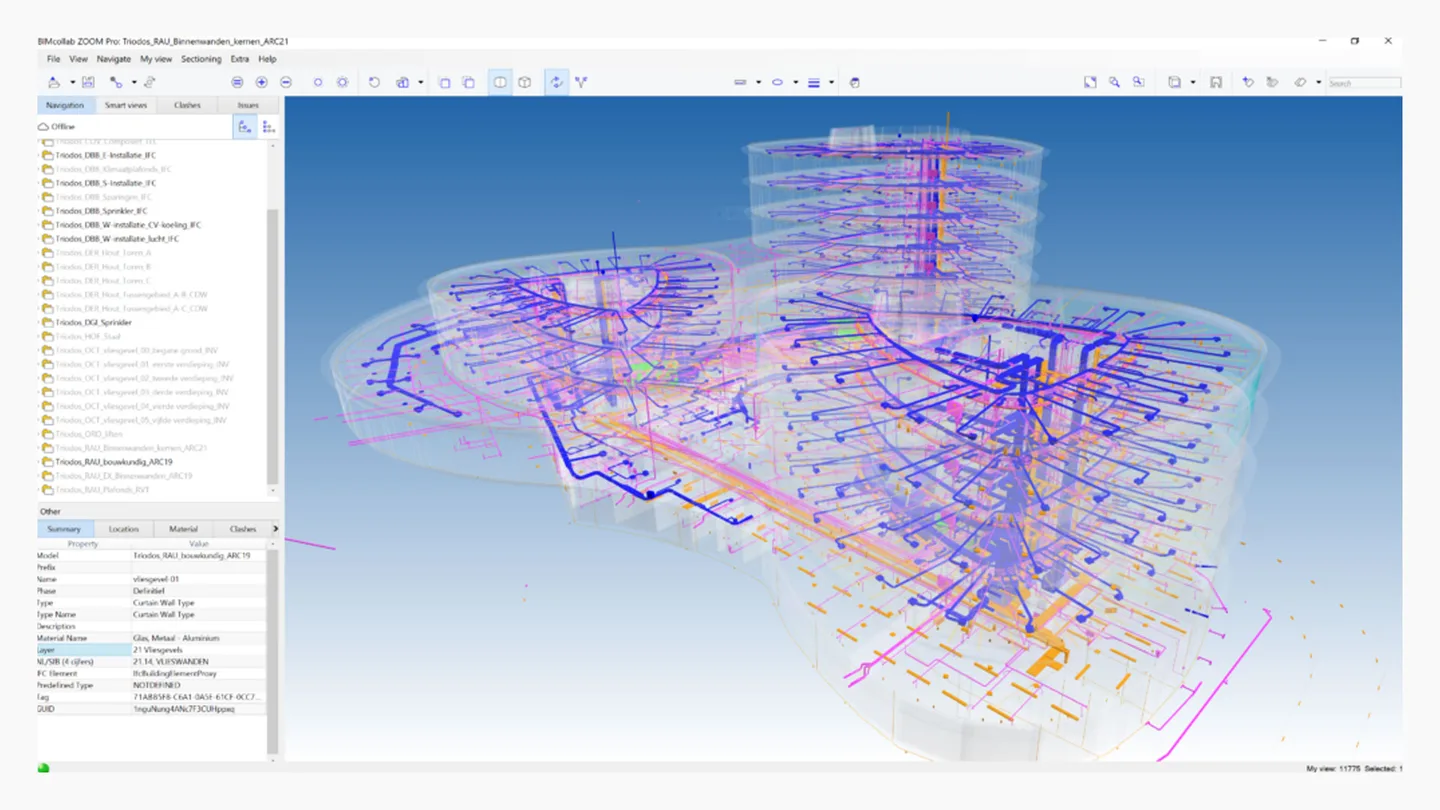
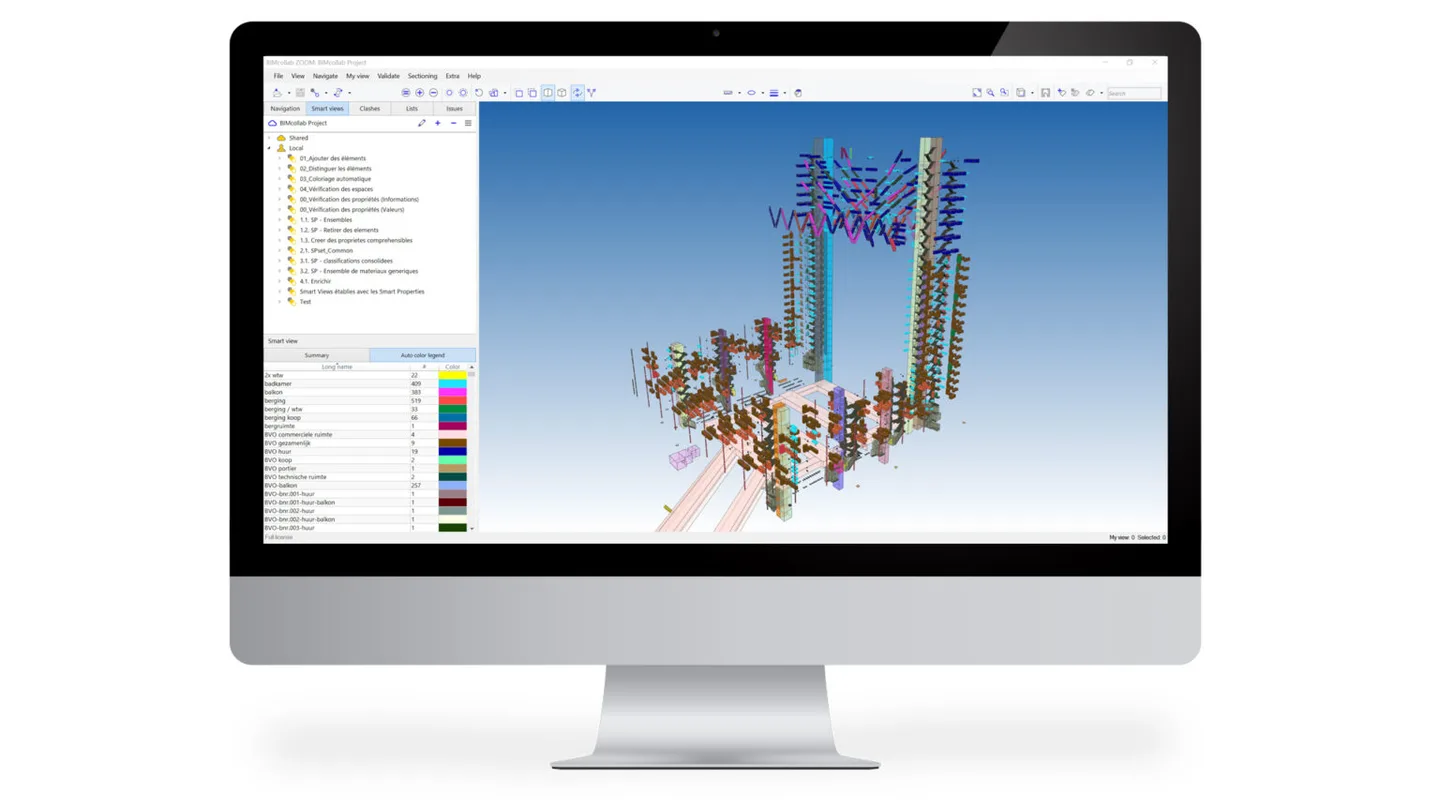
BIMcollab Zoom is a desktop IFC viewer and model-checking tool for building-design coordination. Load models from different disciplines into one federated view, inspect object properties, use clipping and measurement tools, and record issues in BCF format. Smart Views provide property-based filtering and coloring to make model information easier to inspect.
The same application starts in Free mode for IFC viewing and basic issue management. Geometry clash detection, IDS validation, quantity take-offs and Smart Issues require a Full license. First launch prompts for a BIMcollab ID; the publisher also requires network access and administrator rights for installation.
The linked package is the publisher’s Windows MSI deployment installer. The download center identifies release 9.10, and HEAD verification resolved the package to build 23.20261014.1. This takes precedence over Softonic’s older 9.9.3 listing. Windows 11 and a dedicated OpenGL 3.3-capable graphics card are listed requirements; Windows ARM is not supported. The screenshots are publisher illustrations of an earlier interface, not a recording of this release.
What it offers
- Combine multiple IFC models into a federated project and inspect model object properties.
- View IFC4 models and E57 point clouds; use clipping, measurements and annotations.
- Create and exchange BCF issues for design coordination.
- Filter and color model components by their properties with Smart Views; availability depends on license and project context.
- With a Full license, run geometry clash and IDS checks, manage Smart Issues and extract quantities using Lists.
Good to know
- Free mode covers IFC viewing and basic issue management, not the Full-license clash detection, IDS validation or quantity take-offs.
- First launch requires a BIMcollab ID login; network access and administrator installation rights are listed by the publisher.
- Windows ARM is unsupported. Dedicated OpenGL 3.3 graphics are required; remote or virtual graphics drivers can limit functionality.
Product images
Sources
References used for this listing. Retrieval dates do not indicate hands-on testing.
- BIMcollab Zoom - Download — Softonic Windows listing ↗Retrieved
- Model Checking & Clash Detection with BIMcollab Zoom - BIMcollab ↗Retrieved
- Download BIMcollab Zoom ↗Retrieved
- Download center — BIMcollab Zoom MSI ↗Retrieved
- System requirements BIMcollab — Zoom Windows ↗Retrieved
- Set up BIMcollab Zoom — Free vs Full license mode ↗Retrieved
- BIMcollab Zoom — features beyond IFC model viewing ↗Retrieved
- Smart Views for insight in any model - BIMcollab Zoom ↗Retrieved
- BIMcollab Zoom licenses — publisher pricing and feature comparison ↗Retrieved
More in utilities
View category ↗
1.1.1.1 with WARP 2026.8.2115.0
Encrypt traffic from your Mac to Cloudflare’s network with WARP, or use DNS-only mode for encrypted DNS queries to the 1.1.1.1 resolver.
1.1.1.1 with WARP 2026.8.2115.0
Encrypt traffic between your Windows PC and Cloudflare, or use encrypted DNS only, with the free 1.1.1.1 with WARP app.



3uTools 9.12.005
Manage iPhone and iPad photos, music, apps and backups from Windows with 3uTools, a free utility that also includes device checks and firmware flashing tools.