
Utilities Windows
BitMeter II
Monitor upload and download speeds, review traffic history and set usage alerts with BitMeter II, a freeware bandwidth meter for Windows.
- Operating system
- Windows; legacy help names Windows 2000 and XP, and Softonic lists Vista
- Architecture
- Not specified in the consulted publisher documentation
- Download package
- ZIP archive
Publisher requires Microsoft .NET Framework 1.1 or later. Its online help accompanies version 3.5.5; no Windows 10/11 build support or archive contents were verified.
Link checked · Download guidance
What is BitMeter II?
BitMeter II displays the traffic passing through your computer's network adapters as a scrolling graph, with numerical upload and download speeds below it. It is useful for watching a transfer in progress or checking how much data the computer has used over time. You can choose which network adapters to monitor and adjust the graph's scale, colours and units.
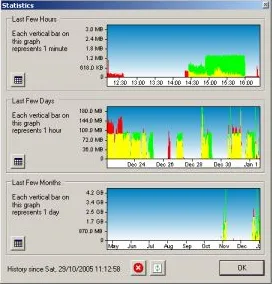
The Statistics window groups recorded traffic into historical views, while numerical totals can be exported to a spreadsheet. Alerts can notify you when a transfer total or speed crosses a chosen threshold. For a metered connection, the ISP Restrictions screen accepts a monthly quota and warns as you approach it. A floating, partially transparent graph and click-through mode let the display remain visible without intercepting clicks intended for windows underneath.
This is the Windows BitMeter II application, not BitMeter OS. The publisher specifies Microsoft .NET Framework 1.1 or later, and its legacy help names Windows 2000 and XP; Softonic lists Windows Vista. Those sources do not establish compatibility with current Windows 10 or 11 builds. The download link leads to the publisher's ZIP archive; its HTTP headers were checked, but the archive was not downloaded, inspected or run.
What it offers
- Scrolling upload/download graph with numerical speeds and selectable network adapters.
- Historical traffic statistics, numerical totals and spreadsheet export.
- Speed and transfer-volume alerts, plus monthly quota warnings.
- Floating, transparent and click-through display options.
Good to know
- Requires Microsoft .NET Framework 1.1 or later according to the publisher; Windows 10/11 build compatibility is not established by the legacy documentation.
- The publisher FAQ warns that capturing the loopback adapter can show background traffic; disable that adapter's capture if it distorts the usage view.
Product images
Sources
References used for this listing. Retrieval dates do not indicate hands-on testing.
- BitMeter II - Codebox Software ↗Retrieved
- BitMeter Help Online - Frequently Asked Questions ↗Retrieved
- BitMeter Help Online - Welcome ↗Retrieved
- BitMeter II - Download ↗Retrieved
More in utilities
View category ↗
1.1.1.1 with WARP 2026.8.2115.0
Encrypt traffic from your Mac to Cloudflare’s network with WARP, or use DNS-only mode for encrypted DNS queries to the 1.1.1.1 resolver.
1.1.1.1 with WARP 2026.8.2115.0
Encrypt traffic between your Windows PC and Cloudflare, or use encrypted DNS only, with the free 1.1.1.1 with WARP app.

3uTools 9.12.005
Manage iPhone and iPad photos, music, apps and backups from Windows with 3uTools, a free utility that also includes device checks and firmware flashing tools.