

Development Windows
Bluefish for Windows
Edit websites, scripts and source code with Bluefish, a free, open-source editor with syntax support, project tools and regular-expression search.
- Operating system
- Windows; publisher does not specify a minimum Windows version on the download page
- Architecture
- x64 (64-bit)
- Download package
- EXE installer
Selected publisher download is the Windows 64-bit package. Remote-file, site-transfer and ZenCoding support is limited or unavailable in native Windows builds.
Link checked · Download guidance
What is Bluefish?
Bluefish is a text and code editor for programmers and web developers. It brings multiple documents, project settings, snippets and bookmarks into one workspace, with language support for HTML, CSS, JavaScript, PHP, Python and more. Code folding, matching-tag highlighting and completion help when working directly with source files.
Search and replace supports regular expressions and files on disk, while configurable external tools let you connect your own processing or error-checking commands. This entry links to the publisher-listed Bluefish 2.4.2 Windows 64-bit EXE installer.
The Windows package does not have every feature listed for other platforms. The publisher marks remote-file support, site upload/download and ZenCoding as unavailable or limited in native Windows and Mac packages. Do not choose this build on the assumption that those cross-platform features are fully available. The screenshot is a historical Windows interface from the source gallery, labelled Bluefish 1.3.8, not a capture of version 2.4.2.
What it offers
- Edit multiple documents with project-specific settings and bookmarks.
- Work with syntax support for HTML, CSS, JavaScript, PHP, Python and other languages.
- Use code folding, matching block markers, auto-completion and tag closing.
- Search and replace with regular expressions, including files on disk.
- Create reusable snippets and configure external programs or text filters.
Good to know
- The publisher marks remote files, site upload/download and ZenCoding as unavailable or limited in native Windows packages.
Product images
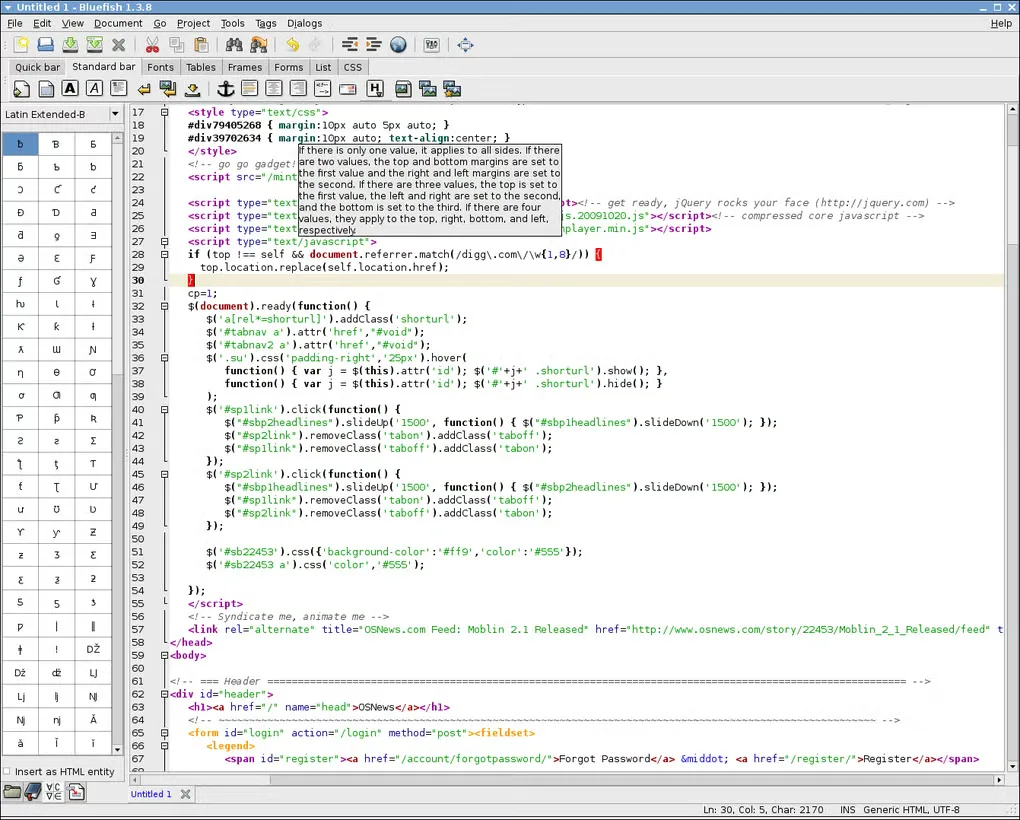
Sources
References used for this listing. Retrieval dates do not indicate hands-on testing.
More in development
View category ↗
010 Editor 17.0
Inspect and edit binary files on Mac with 010 Editor, a paid text and hex editor with Binary Templates, file comparison and a 30-day trial.
010 Editor 17.0
Inspect and edit binary files with 010 Editor for Windows, a text and hex editor with Binary Templates, file comparison and scripting. Includes a 30-day trial.
10x Editor
Edit and navigate C++ projects on Windows with a built-in parser, workspace search and Visual Studio project support. A paid license is required after the 30-day trial.