

Utilities macOS
BlueStacks for macOS
Play Android games on an Apple Silicon Mac with BlueStacks Air, using Mac keyboard and trackpad controls and separate game instances.
- Operating system
- macOS on Apple Silicon; exact minimum macOS version not established by the retrieved installation guide
- Architecture
- Apple Silicon (M1–M4 listed by publisher)
- Download package
- PKG installer
Minimum 8 GB RAM; 16 GB recommended. This is BlueStacks Air, not the legacy Intel Mac edition.
Link checked · Download guidance
What is BlueStacks?
BlueStacks Air is the Mac edition of the BlueStacks Android app player. It lets you browse the BlueStacks Store, install mobile games and launch them from the app player home screen. For supported games, pre-configured controls adapt touch input to the Mac keyboard and trackpad. Retina-display optimization is part of the publisher’s Mac offering.
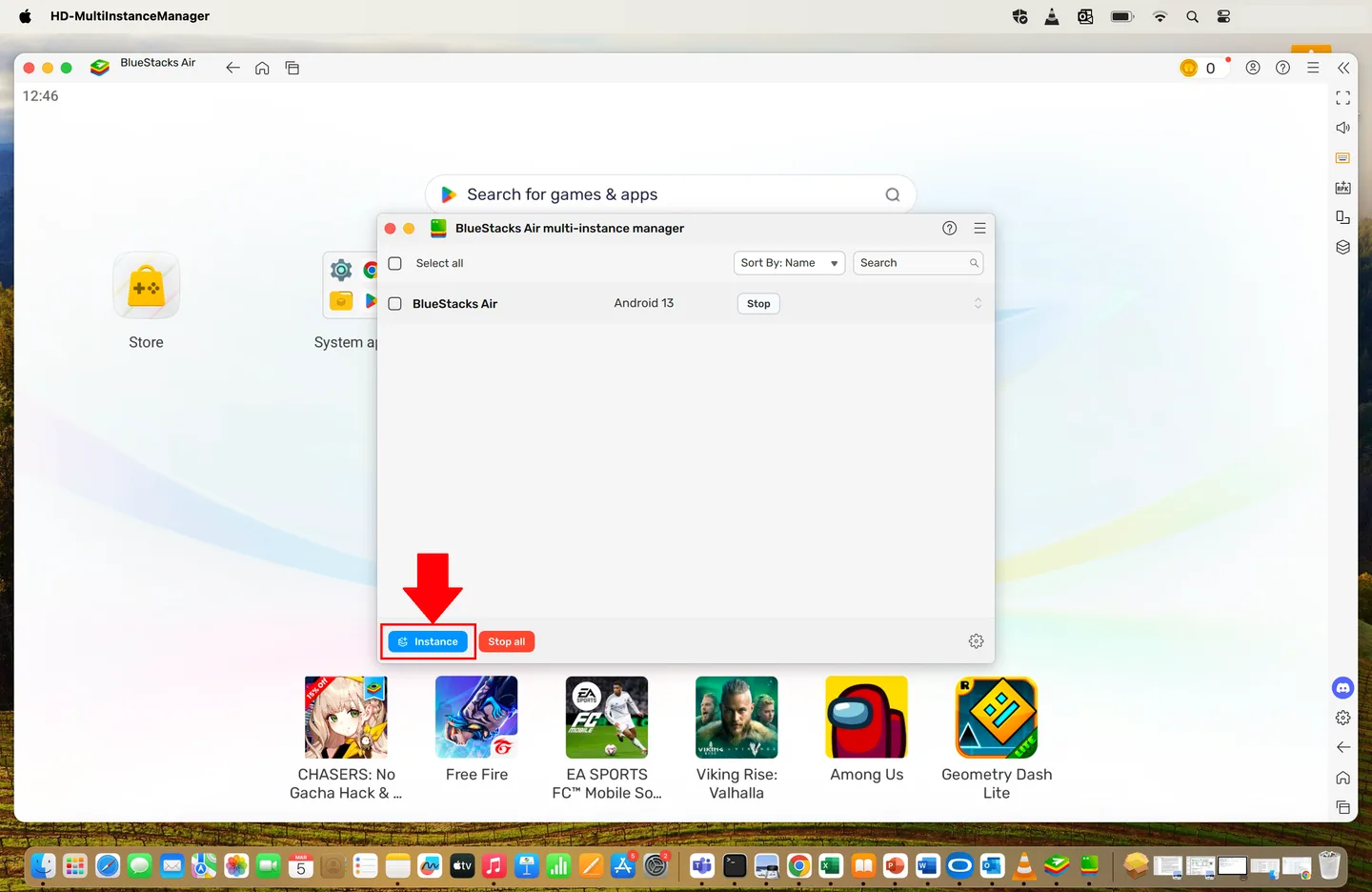
The Multi-instance Manager can create a fresh Android environment or clone an existing one with its apps and settings. This is useful for keeping game accounts separate or running several games together. Each instance has configurable CPU, memory, resolution and performance settings.
This download is a macOS PKG for BlueStacks Air, not the Windows installer or the older Intel Mac edition. The publisher lists Apple Silicon M1–M4 and at least 8 GB of RAM, with 16 GB recommended. Multiple instances share your Mac’s resources, so allocate CPU and memory according to how many you intend to run. The emulator is free; optional Prime membership adds paid benefits such as ad-free gaming.
What it offers
- Install Android games through the BlueStacks Store and launch them from the home screen.
- Use pre-configured Mac keyboard and trackpad controls in supported games.
- Create fresh instances or clone existing apps and settings with the Multi-instance Manager.
- Adjust CPU cores, memory allocation, resolution, DPI and performance mode per instance.
Good to know
- The current Air edition targets Apple Silicon Macs; the publisher lists M1–M4 with at least 8 GB RAM, not Intel Mac support.
- Running multiple instances divides available CPU and memory; the publisher recommends 16 GB RAM for BlueStacks Air.
- Free use does not include all paid Prime benefits, such as ad-free gaming.
Product images
Sources
References used for this listing. Retrieval dates do not indicate hands-on testing.
- BlueStacks App Player for Mac – Play Top Mac Games ↗Retrieved
- How to install and play games with BlueStacks Air on Mac – BlueStacks Support ↗Retrieved
- How to create and manage instances using the Multi-instance Manager on BlueStacks Air – BlueStacks Support ↗Retrieved
- Release Notes - BlueStacks Air – BlueStacks Support ↗Retrieved
- Download BlueStacks - App Player on PC - Windows and Mac ↗Retrieved
- BlueStacks for Mac - Download ↗Retrieved
More in utilities
View category ↗
1.1.1.1 with WARP 2026.8.2115.0
Encrypt traffic from your Mac to Cloudflare’s network with WARP, or use DNS-only mode for encrypted DNS queries to the 1.1.1.1 resolver.
1.1.1.1 with WARP 2026.8.2115.0
Encrypt traffic between your Windows PC and Cloudflare, or use encrypted DNS only, with the free 1.1.1.1 with WARP app.

3uTools 9.12.005
Manage iPhone and iPad photos, music, apps and backups from Windows with 3uTools, a free utility that also includes device checks and firmware flashing tools.