
Utilities macOS
BookMaker
Arrange PDFs into two-up booklet layouts with BookMaker for Mac, then export an imposed PDF for viewing and printing in a separate PDF application.
- Operating system
- Publisher lists macOS Yosemite through Big Sur “or above” for BookMaker v2.
- Architecture
- 64-bit macOS; CPU architecture not specified
- Download package
- ZIP archive
Minimum display: 1280 × 800. Separate PDF viewer required. Native Apple Silicon support and compatibility with specific newer macOS releases are unconfirmed.
Link checked · Download guidance
What is BookMaker?
BookMaker is a dedicated PDF imposition tool for preparing two-up book layouts. It is designed for saddle-stitched or perfect-bound work: the input is an existing PDF, and the output is an imposed PDF ready to open in a separate viewer for printing. This is a booklet-production workflow, rather than an application for writing a book.
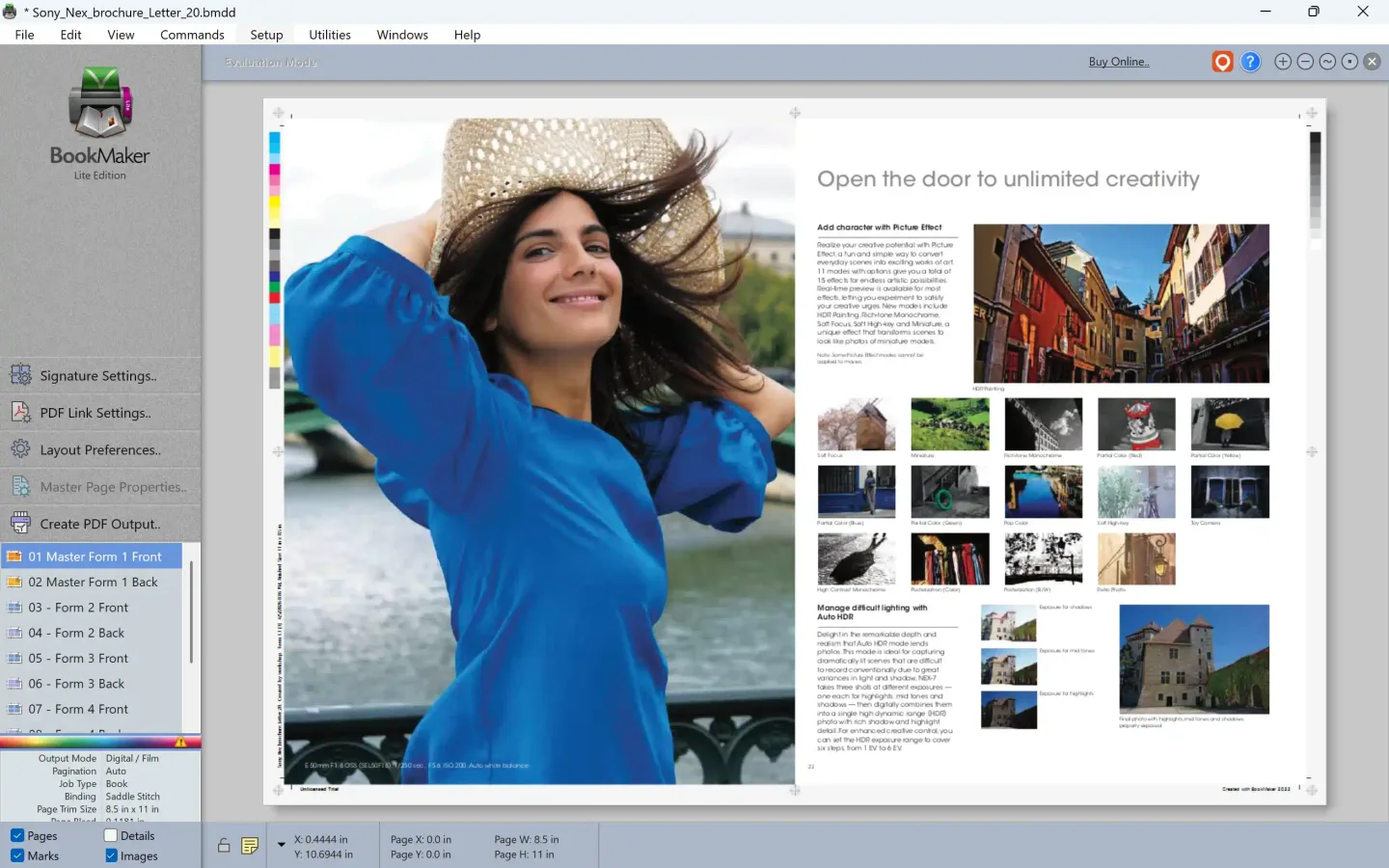
The publisher describes a drag-and-drop starting point that creates a book layout automatically. Add further PDFs through the PDF Links window, adjust crop marks, color bars and slug lines, then use Export to PDF to generate the result. The Mac download is a ZIP archive listed under BookMaker version 2.0.3; the archive contents have not been downloaded or inspected.
BookMaker is commercially licensed, with single-user and three-user purchase options. Although the product page links to a free trial, the sources consulted do not establish its duration or output restrictions; do not apply the adjacent Imposition Studio seven-day offer to BookMaker. The older BookMaker v2 requirements name macOS Yosemite through Big Sur “or above,” a 1280 × 800 display and a separate PDF viewer. That wording does not establish compatibility with a particular newer macOS release or native Apple Silicon support. The publisher’s illustrated interface uses Windows window chrome and is shown here as a BookMaker product illustration, not as evidence of a Mac installation.
What it offers
- Create two-up PDF layouts for saddle-stitched or perfect-bound books.
- Start a layout by dragging a PDF into the BookMaker window.
- Add additional PDF files through the PDF Links window.
- Adjust crop marks, color bars and slug lines before exporting the imposed PDF.
Good to know
- Focused on two-up book imposition rather than a full imposition system.
- Viewing and printing the exported PDF requires a separate PDF viewer, such as Preview or Adobe Reader.
- The published macOS requirements are dated; native Apple Silicon support and compatibility with specific newer macOS releases are not established.
- A paid license is offered; BookMaker trial duration and output restrictions are not established by the sources consulted.
Product images
Sources
References used for this listing. Retrieval dates do not indicate hands-on testing.
More in utilities
View category ↗
1.1.1.1 with WARP 2026.8.2115.0
Encrypt traffic from your Mac to Cloudflare’s network with WARP, or use DNS-only mode for encrypted DNS queries to the 1.1.1.1 resolver.
1.1.1.1 with WARP 2026.8.2115.0
Encrypt traffic between your Windows PC and Cloudflare, or use encrypted DNS only, with the free 1.1.1.1 with WARP app.


3uTools 9.12.005
Manage iPhone and iPad photos, music, apps and backups from Windows with 3uTools, a free utility that also includes device checks and firmware flashing tools.