

Utilities Windows
Bopup Scanner for Windows
Find computers on a LAN, view NetBIOS user names, MAC and IP addresses, and export scan results with Bopup Scanner, a free portable Windows utility.
- Operating system
- Publisher lists Windows 95/98/Me/NT 4.0/2000/XP/2003/Vista/2008/7/8/2012/10
- Architecture
- Not specified by the publisher
- Download package
- ZIP archive containing a portable Windows program
No setup required according to the publisher. Windows 11 support is not listed; architecture and runtime compatibility were not tested.
Link checked · Download guidance
What is Bopup Scanner?
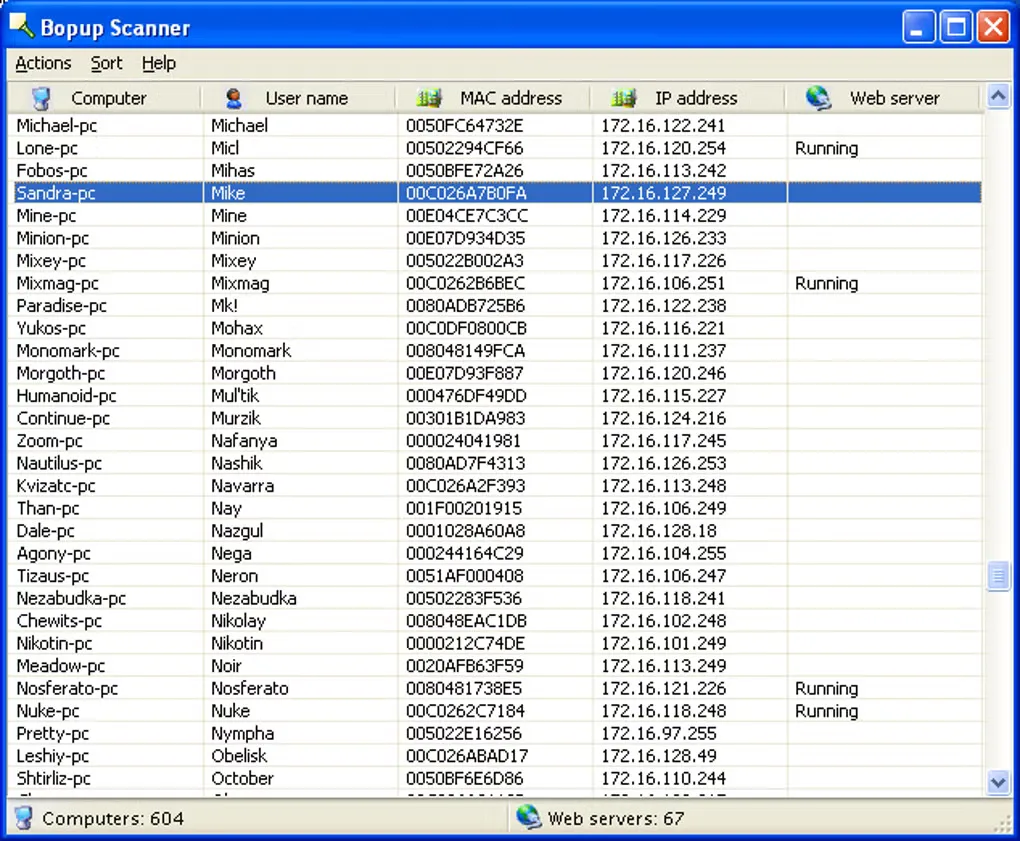
Bopup Scanner helps you inspect computers on a local network without installing a scanner on the PC you use. It lists active computers with NetBIOS user names, MAC addresses and IP addresses, and marks detected HTTP servers. You can open a remote computer's shared folders in Windows Explorer or save the results to a text file.
For a defined scan, enter a start and end IP address and adjust the host-resolution timeout. Command-line options let you supply an IP range and an output-file path for use in batch files. The publisher distributes the portable program as a ZIP archive and states that it is free for both home and commercial use.
The publisher lists version 2.1.9 with an October 29, 2016 release date and Windows support through Windows 10. Windows 11 compatibility is not established by that list. Its documented web-server detection checks TCP ports 80 and 8080; that feature should not be treated as a scan of every service or port.
What it offers
- List active LAN computers with NetBIOS user names, MAC addresses and IP addresses.
- Detect HTTP servers on TCP ports 80 and 8080 and mark them in the results.
- Open remote shared folders in Windows Explorer and save the scan list to a text file.
- Specify an IP range and host-resolution timeout; use command-line options for batch-file workflows.
- Run the portable utility without installation, including from a USB flash drive.
Good to know
- The publisher's listed release is dated October 29, 2016, and its supported-system list ends at Windows 10; Windows 11 compatibility is not confirmed.
- The documented HTTP-server check covers TCP ports 80 and 8080, not an unrestricted port scan.
Product images
Sources
References used for this listing. Retrieval dates do not indicate hands-on testing.
More in utilities
View category ↗
1.1.1.1 with WARP 2026.8.2115.0
Encrypt traffic from your Mac to Cloudflare’s network with WARP, or use DNS-only mode for encrypted DNS queries to the 1.1.1.1 resolver.
1.1.1.1 with WARP 2026.8.2115.0
Encrypt traffic between your Windows PC and Cloudflare, or use encrypted DNS only, with the free 1.1.1.1 with WARP app.

3uTools 9.12.005
Manage iPhone and iPad photos, music, apps and backups from Windows with 3uTools, a free utility that also includes device checks and firmware flashing tools.