
Utilities Windows
BrowserOS
Browse with a built-in AI assistant that can explain pages or carry out web tasks. BrowserOS for Windows supports your own AI providers and local models for chat.
What is BrowserOS?
BrowserOS combines a Chromium-based browser with an AI assistant for the pages you are using. Chat Mode can summarize an article, answer questions about its contents, translate text or extract information without switching to a separate chat window. Agent Mode goes further by clicking, typing and navigating through a workflow described in plain English.
The original BrowserOS is the browser you drive, with an agent built in. It is not BrowserOS neo, the separate product designed for external AI agents. This entry links to the original Windows EXE installer explicitly listed in the publisher’s original-BrowserOS download section. The publisher supports importing Chrome bookmarks, passwords and extensions.
AI access is a separate decision from installing the browser. The included model is rate-limited; you can configure your own provider credentials or connect Ollama or LM Studio. The documentation recommends local models for page chat rather than complex agent tasks. Choosing a cloud provider sends requests to that provider, so running the browser locally does not mean all AI processing stays on your PC.
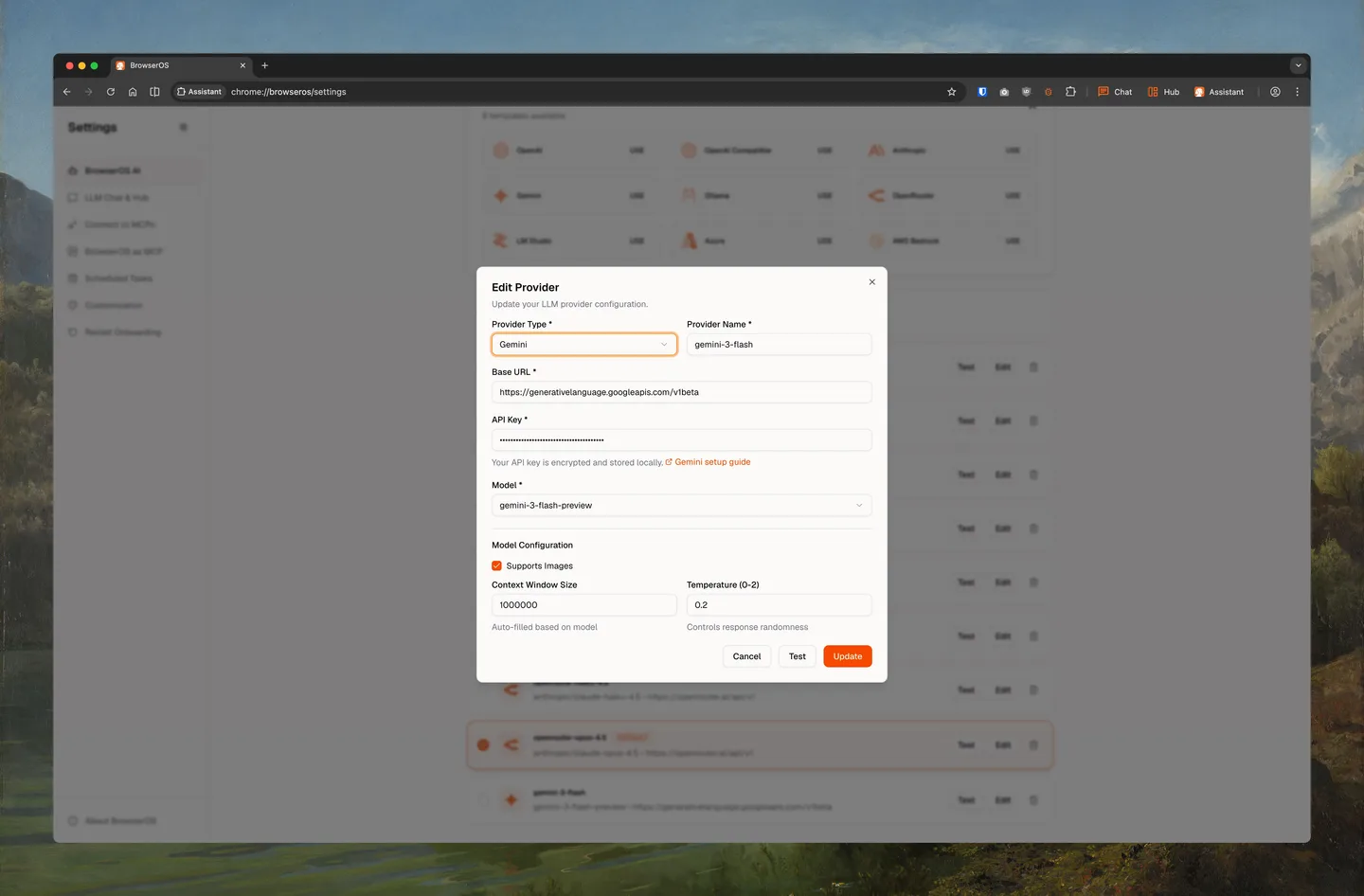
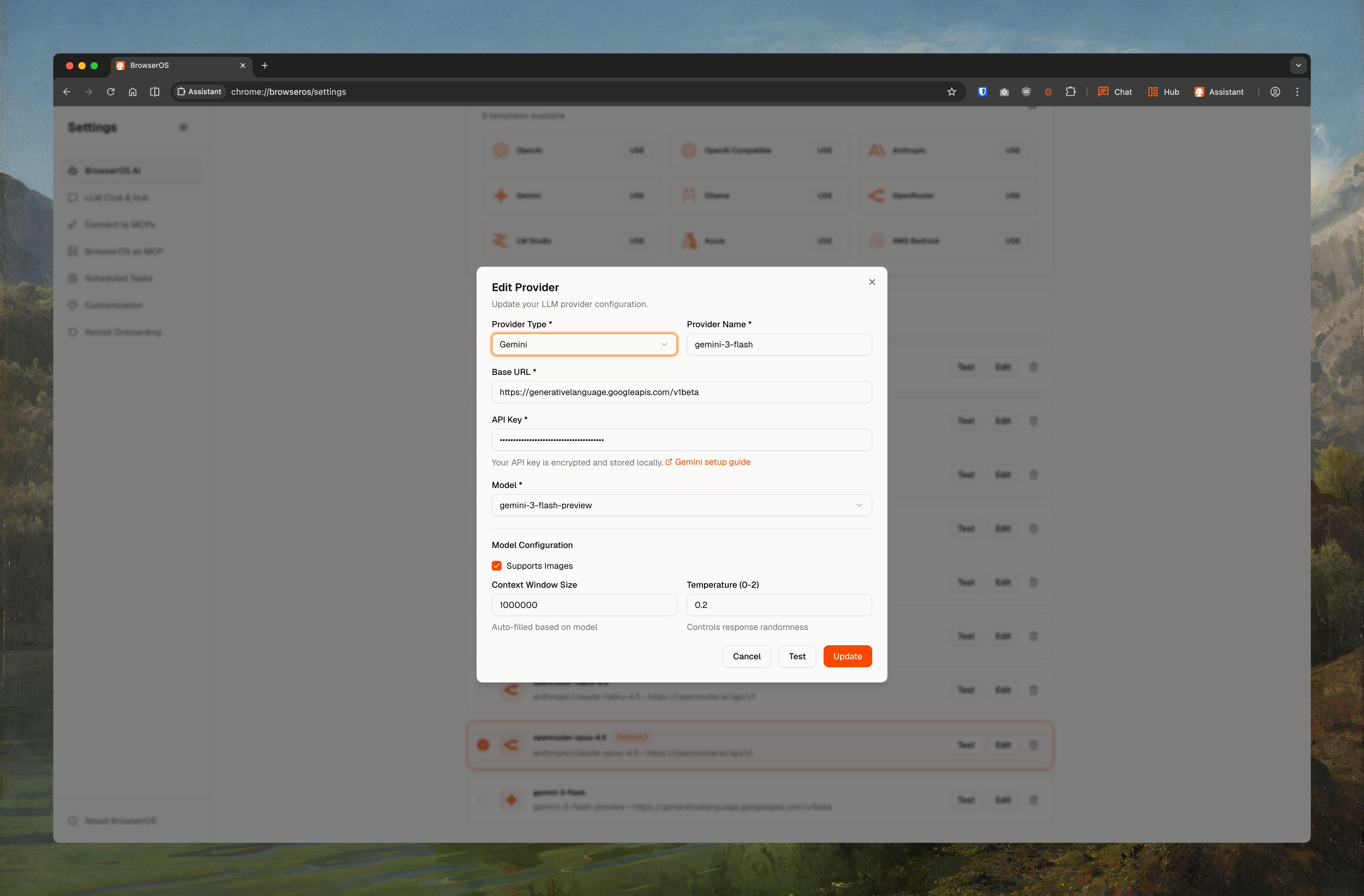
The publisher screenshot illustrates Gemini provider configuration in BrowserOS on macOS. It documents the application’s settings interface, not a tested Windows installation. The sources inspected do not establish an exact Windows build minimum, the architecture of the original installer or a fixed version for this download.
What it offers
- Ask questions about the current page, summarize content or translate text through Chat Mode.
- Describe multi-step browser tasks for an agent that can click, type and navigate.
- Connect your own AI provider, or use Ollama and LM Studio for local-model chat.
- Import Chrome bookmarks, passwords and extensions into the Chromium-based browser.
- Schedule recurring agent tasks using the built-in scheduled-tasks feature.
Good to know
- The included AI model has strict usage limits; fuller use requires configuring another provider or local model.
- Publisher documentation warns that local models are not yet suitable for most agentic tasks; local chat support does not imply reliable local automation.
- Cloud-model requests go to the chosen provider; local browser execution is not a guarantee of offline AI processing.
Product images
Sources
References used for this listing. Retrieval dates do not indicate hands-on testing.
More in utilities
View category ↗
1.1.1.1 with WARP 2026.8.2115.0
Encrypt traffic from your Mac to Cloudflare’s network with WARP, or use DNS-only mode for encrypted DNS queries to the 1.1.1.1 resolver.
1.1.1.1 with WARP 2026.8.2115.0
Encrypt traffic between your Windows PC and Cloudflare, or use encrypted DNS only, with the free 1.1.1.1 with WARP app.

3uTools 9.12.005
Manage iPhone and iPad photos, music, apps and backups from Windows with 3uTools, a free utility that also includes device checks and firmware flashing tools.