

Utilities Windows
Bulk Crap Uninstaller for Windows
Remove multiple Windows applications in one batch with Bulk Crap Uninstaller, a free, open-source tool that also finds orphaned apps and uninstall leftovers.
Version 6.3.0 · Direct publisher file
Link checked · Download guidance
What is Bulk Crap Uninstaller?
Bulk Crap Uninstaller, also called BCUninstaller or BCU, helps remove several Windows programs without working through each one separately. It gathers registered programs, Windows Store apps, Steam games and some portable or orphaned applications into a filterable list. Select the items you no longer need, run their uninstallers as a batch and review the leftovers afterward.
BCU normally uses each application's own uninstaller and can automate many removal dialogs. Quiet removal is not universal: the publisher describes the process as fully or nearly fully automated, so some programs still require input. Filtering, list export and console commands also make it useful for repeat cleanup work. Version 6.3 adds custom notes for application entries, JSON output for console listing and export, and a console uninstall dry-run mode.
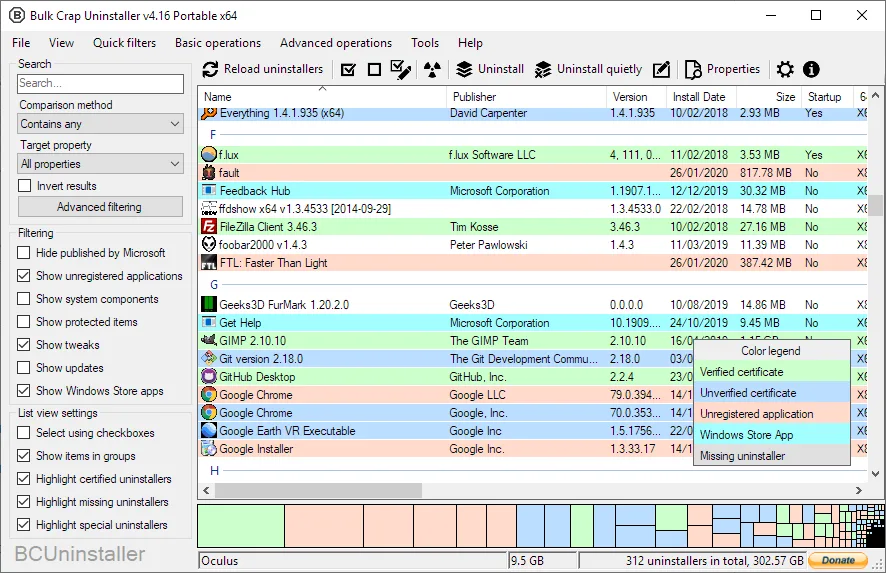
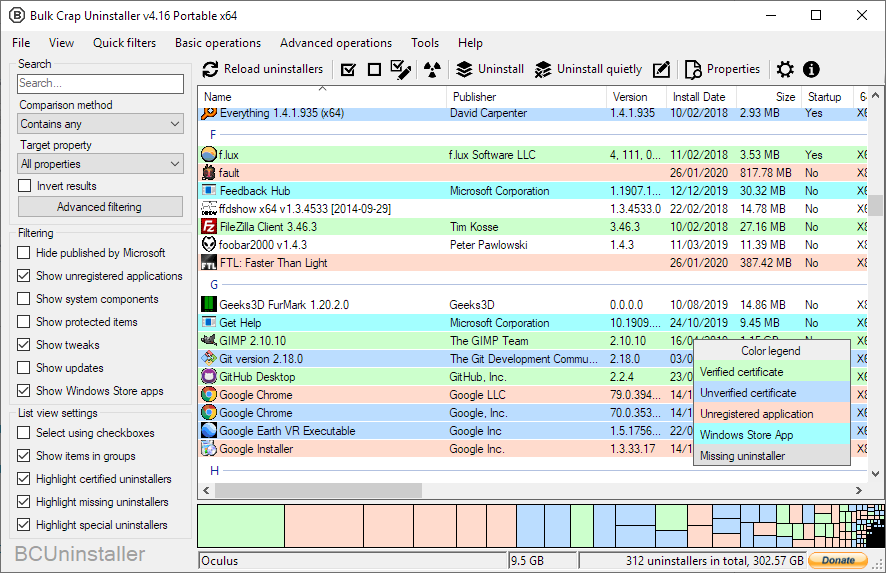
This entry links to the publisher's 6.3.0 EXE setup package. The v6 series officially supports Windows 10 and newer and requires the .NET 8 desktop runtime; the setup installs the required runtime if it is missing. The separate self-contained portable package includes its runtime. The screenshot is the publisher's older v4.16 Windows interface, illustrating the application list and filters rather than documenting the appearance of v6.3.
What it offers
- Queue multiple applications for batch removal using their original uninstallers where available.
- Find registered programs, Windows Store apps, Steam games and some portable or orphaned applications.
- Scan for leftovers after uninstalling and review items for cleanup.
- Filter and export the application list, or automate removal through the console interface.
- Use v6.3 custom entry notes, console JSON listing/export and console uninstall dry-run mode.
Good to know
- The v6 series requires the .NET 8 desktop runtime and officially supports Windows 10 or newer; older Windows support described on the homepage applies to earlier releases.
- Uninstall automation depends on the individual application's uninstaller; some removals still need user input.
Product images
Sources
References used for this listing. Retrieval dates do not indicate hands-on testing.
- BCUninstaller - Download — Windows product and gallery ↗Retrieved
- Bulk Crap Uninstaller — official features, license and screenshot ↗Retrieved
- BCUninstaller repository — package variants and v6 requirements ↗Retrieved
- Bulk Crap Uninstaller v6.3 — publisher release notes ↗Retrieved
- v6.3 publisher asset list — exact setup endpoint ↗Retrieved
- v6.0 runtime and operating-system transition ↗Retrieved
More in utilities
View category ↗
1.1.1.1 with WARP 2026.8.2115.0
Encrypt traffic from your Mac to Cloudflare’s network with WARP, or use DNS-only mode for encrypted DNS queries to the 1.1.1.1 resolver.
1.1.1.1 with WARP 2026.8.2115.0
Encrypt traffic between your Windows PC and Cloudflare, or use encrypted DNS only, with the free 1.1.1.1 with WARP app.

3uTools 9.12.005
Manage iPhone and iPad photos, music, apps and backups from Windows with 3uTools, a free utility that also includes device checks and firmware flashing tools.