

Utilities Windows
Bulk Rename Utility for Windows
Rename batches of files and folders on Windows with text replacements, numbering, dates and metadata, with a preview of the proposed names.
- Operating system
- Windows 11, 10, 8, 7; Windows Server 2025, 2022, 2019, 2016, 2012, 2008
- Architecture
- 32-bit and 64-bit in one installer
- Download package
- EXE installer
Publisher also lists Windows on ARM compatibility; native ARM64 binaries are not specified. This link is the installer, not the separate portable ZIP.
Link checked · Download guidance
What is Bulk Rename Utility?
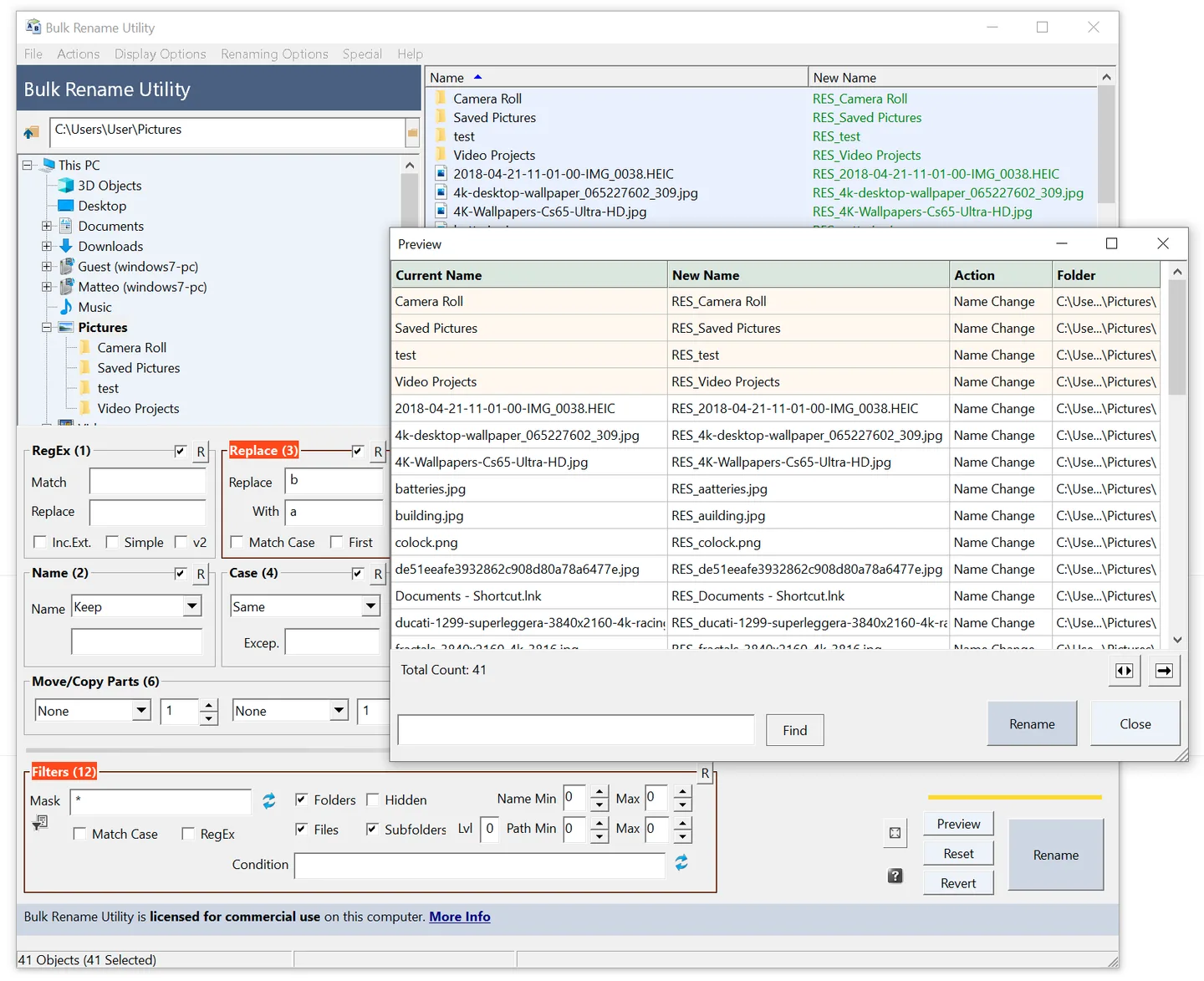
Bulk Rename Utility applies naming rules to groups of files and folders. It can replace text, change letter case, add sequential numbers or dates, and build names from photo EXIF metadata or MP3 ID3 tags. Preview the proposed names before applying a batch, save frequently used rules as favorites, or use regular expressions for more specific matches. Subfolder processing helps apply a naming scheme across a folder tree.
The linked EXE installer includes both 32-bit and 64-bit versions. The publisher lists Windows 11, 10, 8 and 7, plus Windows Server 2008 through 2025; it also lists Windows on ARM compatibility, without identifying this package as native ARM64. Free use is limited to personal, private use at home. Business, commercial and government use requires a per-computer commercial license, and features such as JavaScript renaming require a paid license even for home use.
What it offers
- Replace or insert text, change case, and add sequential numbers or dates to file and folder names.
- Preview proposed names before applying a batch rename.
- Build photo names from EXIF metadata and MP3 names from ID3 tags.
- Use regular expressions and process files in subfolders.
- Save renaming criteria as favorites for repeated tasks.
Good to know
- Free use is restricted to personal, private use at home; business, commercial and government use requires a commercial license for each computer.
- The free home-use edition does not unlock every feature; JavaScript renaming requires a paid license.
Product images
Sources
References used for this listing. Retrieval dates do not indicate hands-on testing.
More in utilities
View category ↗
1.1.1.1 with WARP 2026.8.2115.0
Encrypt traffic from your Mac to Cloudflare’s network with WARP, or use DNS-only mode for encrypted DNS queries to the 1.1.1.1 resolver.
1.1.1.1 with WARP 2026.8.2115.0
Encrypt traffic between your Windows PC and Cloudflare, or use encrypted DNS only, with the free 1.1.1.1 with WARP app.

3uTools 9.12.005
Manage iPhone and iPad photos, music, apps and backups from Windows with 3uTools, a free utility that also includes device checks and firmware flashing tools.