
Utilities Windows
CalcpadCE
Write engineering worksheets with formulas, units and plots in CalcpadCE, a free, open-source calculation editor for Windows.
- Operating system
- Windows 10 and 11
- Architecture
- 64-bit
- Download package
- EXE installer
.NET Desktop Runtime 10.0 required; release notes state automatic runtime installation. Portable package is a separate download.
Link checked · Download guidance
What is CalcpadCE?
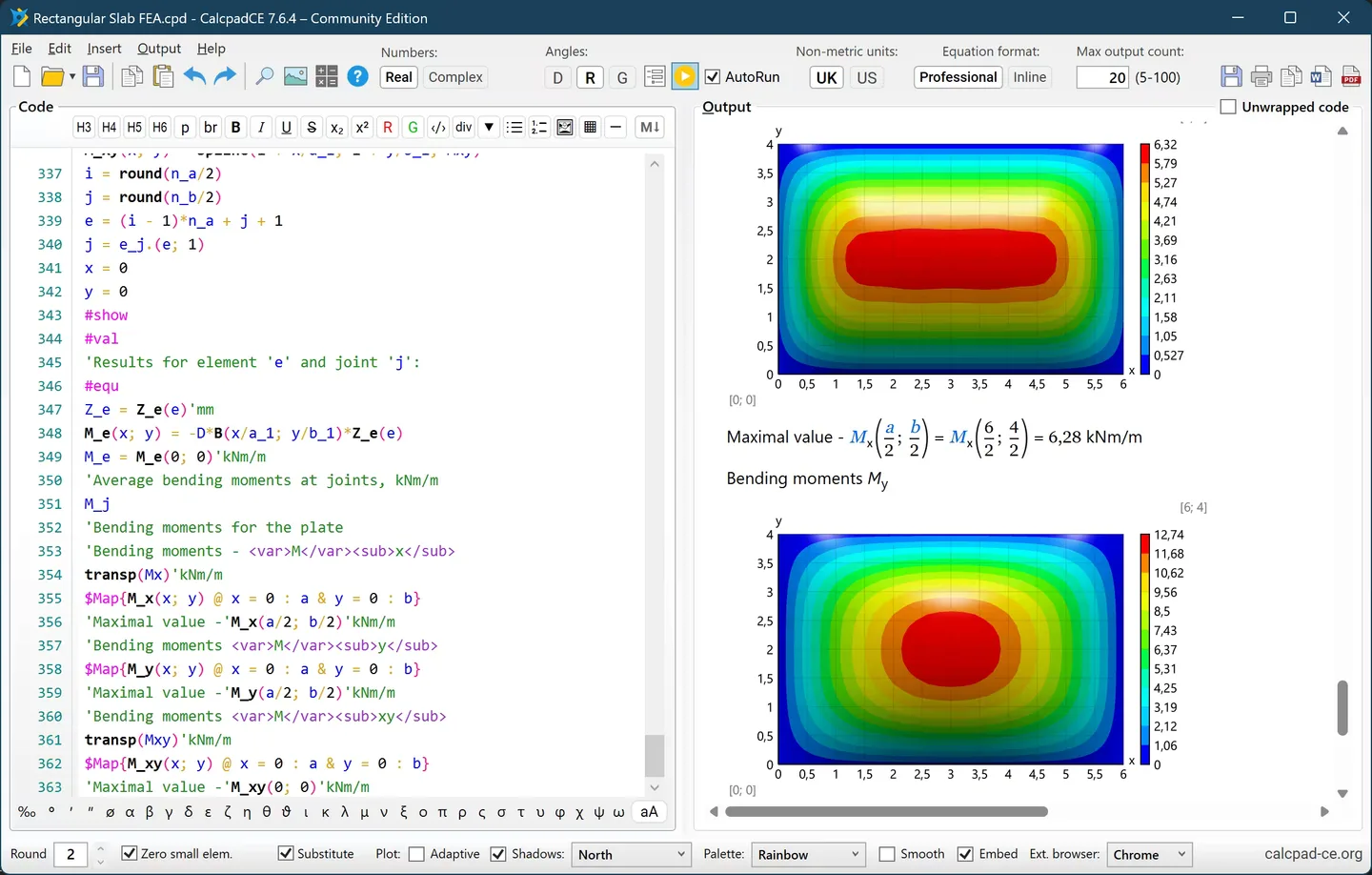
CalcpadCE turns text and mathematical expressions into engineering calculation reports. Its Windows desktop editor places worksheet code beside formatted output, so you can document assumptions, calculate with physical units and display plots in the same worksheet. It is a community continuation of Calcpad 7.6.2, not a new name for the separately developed original product.
The calculation engine supports real and complex numbers, vectors, matrices and numerical methods. Custom functions, macros, loops and conditional logic help express repeated calculations. Reports can be exported to HTML, PDF or Microsoft Word; input-form mode lets users change designated parameters while keeping the worksheet code out of the editing view.
This entry links to the Windows 64-bit EXE installer for version 7.6.5. The tagged manual specifies Windows 10 or 11 and .NET Desktop Runtime 10.0; the release notes say the installer installs the runtime automatically. Worksheets use CalcpadCE syntax rather than a drag-and-drop calculation workflow. The publisher warns that Windows SmartScreen may identify this community installer as an unrecognized app. The accompanying publisher screenshot shows the earlier 7.6.4 desktop interface, not an independently run copy of 7.6.5.
What it offers
- Edit calculation code alongside formatted worksheet output.
- Calculate with real and complex numbers, vectors, matrices and numerical methods.
- Track SI, Imperial and USCS units, with support for custom units.
- Use custom functions, macros, loops and conditional logic in worksheets.
- Export reports to HTML, PDF or Microsoft Word, or expose selected parameters through input forms.
Good to know
- Requires 64-bit Windows 10 or 11 and .NET Desktop Runtime 10.0; the selected installer installs the runtime automatically according to the release notes.
- Worksheets require formulas and CalcpadCE syntax; in input-form mode, the worksheet code is not editable.
- The publisher warns that Windows SmartScreen may flag the installer as an unrecognized app.
Product images
Sources
References used for this listing. Retrieval dates do not indicate hands-on testing.
- CalcpadCE v7.6.5 — publisher release and Windows downloads ↗Retrieved
- CalcpadCE v7.6.5 — publisher README and screenshot ↗Retrieved
- CalcpadCE v7.6.5 — installation requirements ↗Retrieved
- CalcpadCE v7.6.5 — worksheet workflow and report export ↗Retrieved
- CalcpadCE v7.6.5 — MIT license, copyright and component terms ↗Retrieved
More in utilities
View category ↗
1.1.1.1 with WARP 2026.8.2115.0
Encrypt traffic from your Mac to Cloudflare’s network with WARP, or use DNS-only mode for encrypted DNS queries to the 1.1.1.1 resolver.
1.1.1.1 with WARP 2026.8.2115.0
Encrypt traffic between your Windows PC and Cloudflare, or use encrypted DNS only, with the free 1.1.1.1 with WARP app.


3uTools 9.12.005
Manage iPhone and iPad photos, music, apps and backups from Windows with 3uTools, a free utility that also includes device checks and firmware flashing tools.