
Utilities Windows
calibre for Windows
Organize, read and convert e-books with calibre, a free desktop library manager for Windows. Edit metadata and transfer supported books to your e-reader.
- Operating system
- Windows 10 version 1809 or higher
- Architecture
- 64-bit
- Download package
- calibre 9.17.0 MSI installer
This link is the standard 64-bit MSI, not calibre Portable. Portable is a separate package. Earlier Windows versions need older releases identified on the publisher's Windows page.
Link checked · Download guidance
What is calibre?
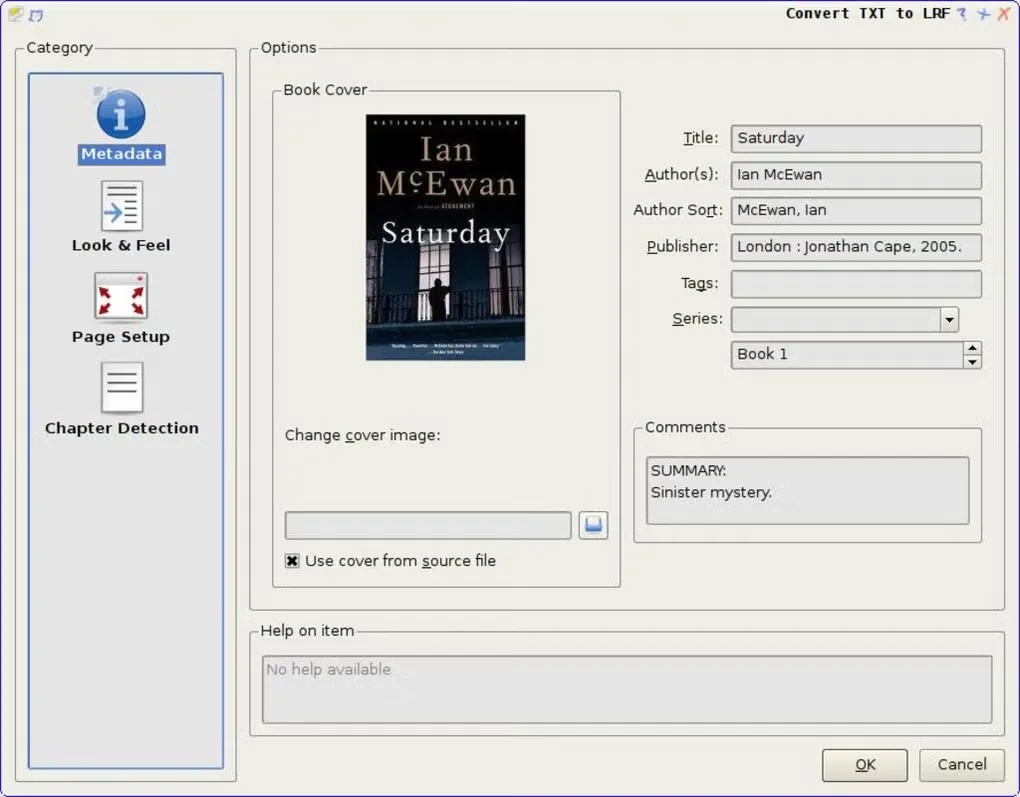
calibre brings an e-book collection into one searchable desktop library. Browse by author, title or tags, download missing covers and metadata, and use custom fields to organize your books. Its built-in viewer lets you read without leaving the library manager, while the editor works on EPUB and AZW3 books.
For moving books between reading apps and devices, calibre converts supported formats such as EPUB, MOBI and AZW3 and transfers books to compatible e-readers. The Content server also makes your library available through a web browser. Conversion is for books without DRM: calibre does not open or convert DRM-protected books. PDF input is another important boundary, especially for scanned pages and multi-column layouts.
The selected download is the calibre 9.17.0 Windows 64-bit MSI installer. The publisher lists Windows 10 version 1809 or higher for this package. calibre Portable is a separate download that keeps libraries and settings together; it is not the MSI linked here.
What it offers
- Search and sort your library using authors, tags and other metadata; add custom fields for your own organization.
- Download book metadata and covers, or edit them yourself.
- Read books in the built-in viewer and edit EPUB or AZW3 books with the e-book editor.
- Convert supported e-book formats and transfer books to compatible reading devices.
- Browse and read your library in a web browser through the calibre Content server.
Good to know
- calibre does not open or convert DRM-protected e-books; format conversion does not remove DRM.
- PDF conversion does not support complex, multi-column or image-based documents, and cannot extract tables or vector images from PDF input.
- The selected Windows installer requires Windows 10 version 1809 or higher. The publisher directs older Windows users to earlier calibre releases instead.
Product images
Sources
References used for this listing. Retrieval dates do not indicate hands-on testing.
- calibre — Download for Windows ↗Retrieved
- calibre release 9.17.0 — publisher file index ↗Retrieved
- About calibre — features and contributors ↗Retrieved
- calibre User Manual — Frequently Asked Questions ↗Retrieved
- calibre User Manual — E-book conversion ↗Retrieved
- calibre User Manual — Digital Rights Management ↗Retrieved
- calibre — Download calibre Portable ↗Retrieved
- calibre publisher website icon ↗Retrieved
- Calibre - Download — Windows screenshot gallery ↗Retrieved
More in utilities
View category ↗
1.1.1.1 with WARP 2026.8.2115.0
Encrypt traffic from your Mac to Cloudflare’s network with WARP, or use DNS-only mode for encrypted DNS queries to the 1.1.1.1 resolver.
1.1.1.1 with WARP 2026.8.2115.0
Encrypt traffic between your Windows PC and Cloudflare, or use encrypted DNS only, with the free 1.1.1.1 with WARP app.


3uTools 9.12.005
Manage iPhone and iPad photos, music, apps and backups from Windows with 3uTools, a free utility that also includes device checks and firmware flashing tools.