

Utilities Windows
CapsLock Indicator for Windows
See Caps Lock, Num Lock and Scroll Lock status in the Windows system tray, with optional on-screen notifications when a key changes.
- Operating system
- Windows 7 SP1, 8, 8.1, 10 and 11, as listed by the publisher
- Architecture
- Release asset architecture not specified by the publisher
- Download package
- Standalone EXE
Requires .NET Framework 4.7.1. Publisher requirements list x86/x64 for Windows 7 SP1 through 10 and x64 for Windows 11; the executable was not downloaded or tested.
Link checked · Download guidance
What is CapsLock Indicator?
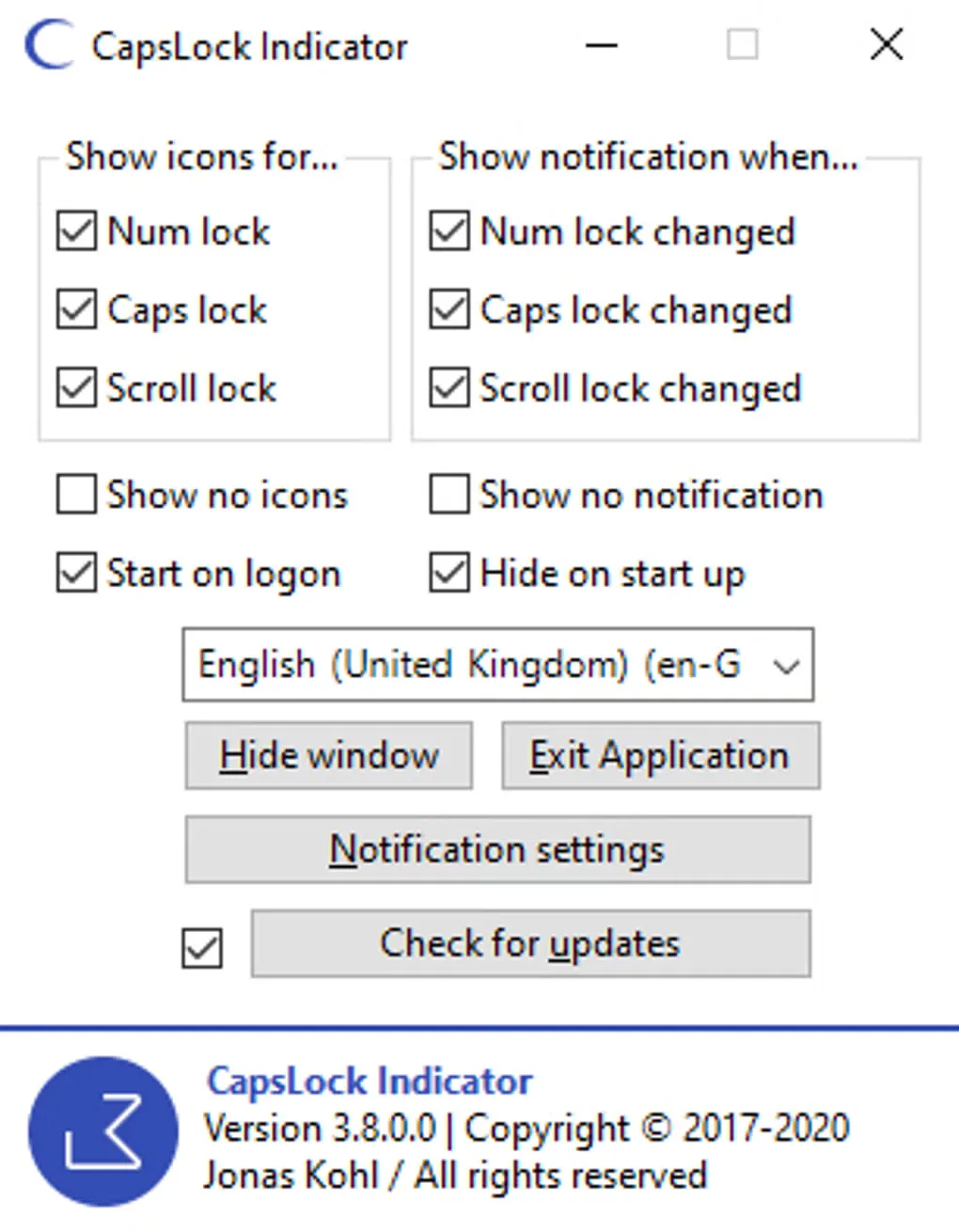
CapsLock Indicator shows whether Caps Lock, Num Lock and Scroll Lock are active through icons in the Windows taskbar notification area. It is useful when your keyboard lacks visible lock-key indicators or when you want an on-screen reminder of a change. Choose which keys have tray icons and which trigger an overlay, then adjust the overlay colours and display time.
Jonas Kohl distributes the utility as a standalone executable, so the application itself does not need installation. That does not remove its runtime dependency: the publisher requires Microsoft .NET Framework 4.7.1 and lists Windows support only. The linked file is the publisher's version 3.16.1.2 executable on GitHub. The accompanying source gallery screenshot shows the older 3.8.0.0 interface, not a capture of this release.
What it offers
- Show the state of Caps Lock, Num Lock and Scroll Lock as system-tray icons.
- Enable or disable change-notification overlays separately for each lock key.
- Customise the overlay colours and how long it remains visible.
- Run a standalone executable without installing the application.
Good to know
- Requires Microsoft .NET Framework 4.7.1; a standalone executable does not eliminate that dependency.
- The publisher supports Microsoft Windows only; this is not a macOS or Linux application.
Product images
Sources
References used for this listing. Retrieval dates do not indicate hands-on testing.
More in utilities
View category ↗
1.1.1.1 with WARP 2026.8.2115.0
Encrypt traffic from your Mac to Cloudflare’s network with WARP, or use DNS-only mode for encrypted DNS queries to the 1.1.1.1 resolver.
1.1.1.1 with WARP 2026.8.2115.0
Encrypt traffic between your Windows PC and Cloudflare, or use encrypted DNS only, with the free 1.1.1.1 with WARP app.

3uTools 9.12.005
Manage iPhone and iPad photos, music, apps and backups from Windows with 3uTools, a free utility that also includes device checks and firmware flashing tools.