
Utilities Windows
Carbide Create
Design CNC projects and prepare toolpaths with Carbide Create for Windows. This download is the publisher’s legacy V7 build 778; standard G-code export requires Pro.
Version V7 build 778 · Direct publisher file
Link checked · Download guidance
What is Carbide Create?
Carbide Create combines drawing and CNC toolpath preparation in one desktop application. Use it to lay out vector designs, add text and plan cuts for projects such as signs and shaped parts. It is CAD/CAM software; Carbide Motion is the separate application used to control Carbide 3D machines.
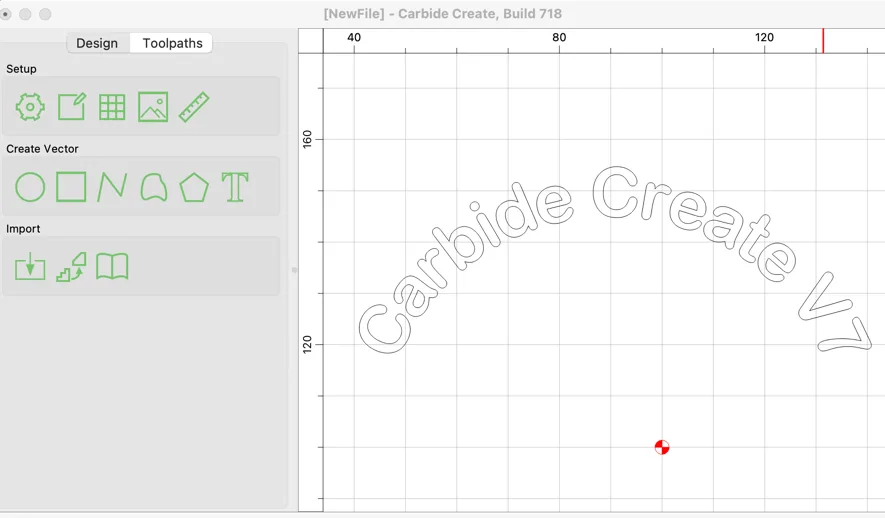
The download linked here is V7 build 778, which the publisher lists under older downloads as the final V7 release for Windows 10 or later. It is not the current release. V7 introduced text on an arc, expressions in numerical fields, tabs attached to vectors and toolpaths linked to layers. These tools let a design carry machining information alongside its geometry.
Licensing and machine output matter before choosing this application. The publisher now calls the included edition Core: it comes with Shapeoko and Nomad machines, while paid Pro adds capabilities and standard G-code output for other CNC machines. In V7, the non-Pro workflow saves toolpaths inside a C2D project for Carbide Motion rather than a standalone G-code file. Pro retains standard G-code export and adds options including rest machining and STL import.
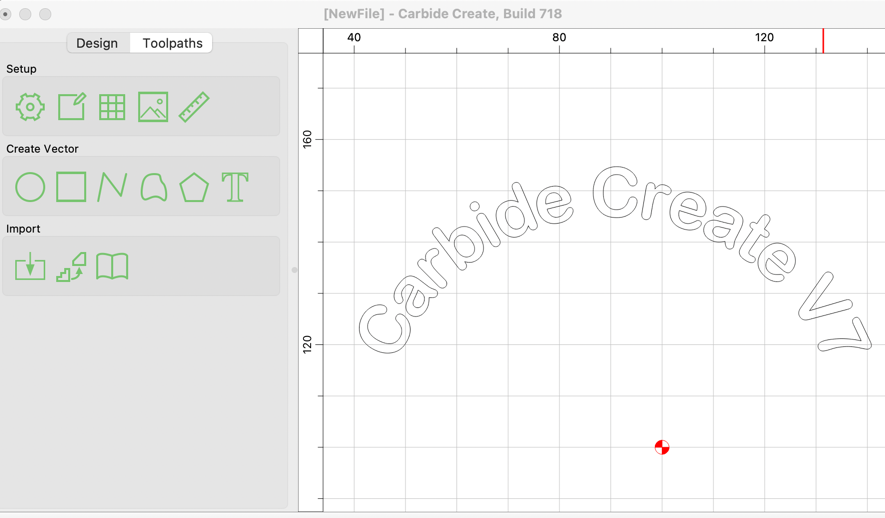
The publisher screenshot illustrates the V7 design workspace with curved text. It shows an earlier build 718 on macOS, not the Windows build 778 installer linked here.
What it offers
- Create vector designs and text for CNC projects in a combined CAD/CAM application.
- Arrange text on an arc and keep text aligned as its contents change.
- Attach tabs to vectors and link toolpaths to layers in V7.
- Use expressions in numerical fields, including toolpath depths tied to material thickness.
- With Pro, export standard G-code and use V7 options such as rest machining and STL import.
Good to know
- The linked Windows installer is legacy V7 build 778, not the current release.
- The included non-Pro edition is intended for Carbide 3D machines; standard G-code export for other CNC machines requires a Pro license.
- V7 stores non-Pro toolpaths in C2D projects; the publisher specifies Carbide Motion 565 or later for this file workflow.
Product images
Sources
References used for this listing. Retrieval dates do not indicate hands-on testing.
More in utilities
View category ↗
1.1.1.1 with WARP 2026.8.2115.0
Encrypt traffic from your Mac to Cloudflare’s network with WARP, or use DNS-only mode for encrypted DNS queries to the 1.1.1.1 resolver.
1.1.1.1 with WARP 2026.8.2115.0
Encrypt traffic between your Windows PC and Cloudflare, or use encrypted DNS only, with the free 1.1.1.1 with WARP app.

3uTools 9.12.005
Manage iPhone and iPad photos, music, apps and backups from Windows with 3uTools, a free utility that also includes device checks and firmware flashing tools.