
Development Windows
cargo-nextest
Run Rust workspace tests from the Windows terminal with cargo-nextest, an open-source test runner with per-test isolation, filtering and CI reporting.
- Operating system
- Windows; use the Linux build for Windows Subsystem for Linux (WSL)
- Architecture
- x86_64 (64-bit)
- Download package
- ZIP archive containing cargo-nextest.exe
For Rust workspace testing. Extract the binary to a directory on PATH. Separate ARM64 and i686 packages are documented by the publisher; no Windows minimum version is asserted here.
Link checked · Download guidance
What is cargo-nextest?
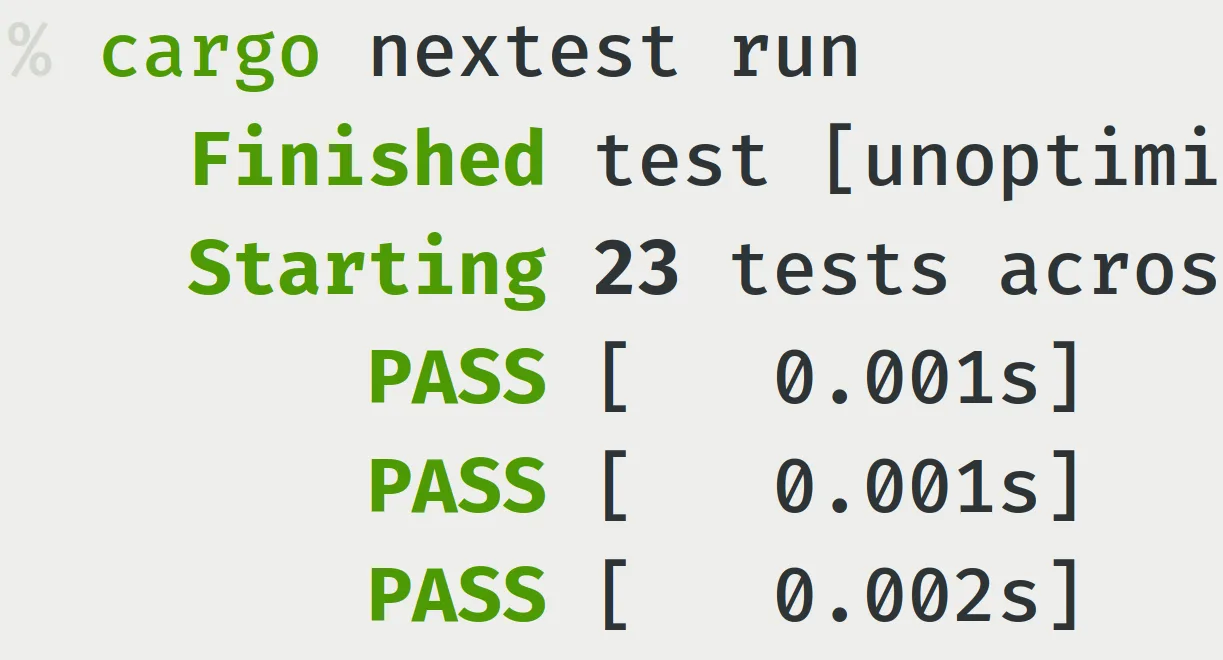
cargo-nextest runs Rust tests from the command line. Use cargo nextest run inside a Rust workspace to build and execute its tests, then read color-coded results with individual test timings. Per-test process isolation, configurable parallelism and filter expressions help developers select and manage test runs locally or in continuous integration.
For CI workflows, nextest supports configuration profiles, partitioning tests across workers and JUnit XML output. Retries and slow-test handling can be configured for tests with different requirements. These controls do not remove the need to investigate failing or unreliable tests.
This Windows download is the publisher's x86_64 ZIP archive, containing cargo-nextest.exe rather than a graphical installer. Extract the binary to a directory on PATH; the publisher's examples use the Rust toolchain's Cargo bin directory. WSL users should choose the publisher's Linux build instead.
Doctests are not currently supported by nextest. Run them separately with cargo test --doc. The publisher also warns that versions 0.9.125 through 0.9.149 are affected by GHSA-vc25-qg58-w57c and recommends 0.9.150 or newer. The linked stable endpoint resolved to 0.9.150 during the recorded HEAD check; its target can change later.
What it offers
- Run Rust workspace tests with per-test isolation and configurable parallel execution.
- Select tests with filter expressions based on names, test binaries or platform.
- Read color-coded pass/fail results and individual test timings in the terminal.
- Configure retries, slow-test handling and per-test settings.
- Use CI profiles, test partitioning and JUnit XML reporting.
Good to know
- Doctests are not supported; run cargo test --doc separately.
- The Windows package is a command-line binary in a ZIP archive and must be placed on PATH, not a graphical installer.
- Versions 0.9.125 through 0.9.149 have a publisher-reported security advisory; the publisher recommends 0.9.150 or newer.
Product images
Sources
References used for this listing. Retrieval dates do not indicate hands-on testing.
- Home - cargo-nextest ↗Retrieved
- Pre-built binaries - cargo-nextest ↗Retrieved
- Running tests - cargo-nextest ↗Retrieved
- nextest-rs/nextest — publisher repository and license ↗Retrieved
More in development
View category ↗
010 Editor 17.0
Inspect and edit binary files on Mac with 010 Editor, a paid text and hex editor with Binary Templates, file comparison and a 30-day trial.
010 Editor 17.0
Inspect and edit binary files with 010 Editor for Windows, a text and hex editor with Binary Templates, file comparison and scripting. Includes a 30-day trial.
10x Editor
Edit and navigate C++ projects on Windows with a built-in parser, workspace search and Visual Studio project support. A paid license is required after the 30-day trial.