
Utilities Windows
Cathy
Catalog files on discs, hard drives and network drives, then search their names, dates and sizes without reconnecting the original media.
- Operating system
- Windows XP SP3, Vista SP2, Windows 7 and above (publisher wording)
- Architecture
- Not explicitly specified for the selected archive by the publisher
- Download package
- ZIP archive; English single-file executable
Publisher lists an x86 Visual C++ 2010 runtime remedy for missing MFC100.DLL on XP/Vista. No separate x64 package or Windows 11 compatibility claim is established.
Link checked · Download guidance
What is Cathy?
Cathy creates searchable catalogs of files on removable media, hard disks and network drives. It is useful for locating which disc or drive holds a file when that storage is not connected. Searches work with file names, dates and sizes, with filters and duplicate-search options to narrow the results.
The publisher describes the Windows application as a single executable that needs no installation. This entry links to the English 2.33 ZIP archive. Cathy also supports dragging a drive or folder into the application to create a catalog, printing directory trees and MP3 lists, and inspecting disk-space usage.
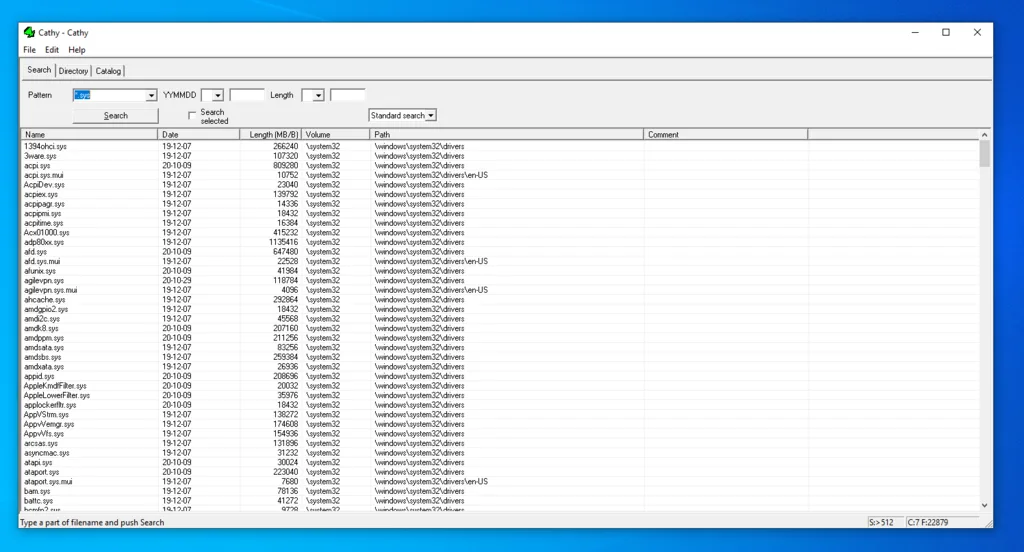
A catalog lets you locate a file offline; opening or deleting that file still requires the original storage to be available. The publisher lists Windows XP SP3, Vista SP2, Windows 7 and above, but does not specifically confirm Windows 11. Its XP and Vista guidance also notes a possible missing MFC100.DLL dependency. The screenshot is a historical user-contributed view of the Windows application, not a current compatibility test.
What it offers
- Create searchable catalogs from removable media, hard disks and network drives.
- Search cataloged files by name, date and size, with filtering and duplicate-search options.
- Drag a drive or folder into Cathy to create a catalog.
- Print directory trees and MP3 album or song lists; inspect disk-space usage.
- Run the Windows application as a single executable without installation.
Good to know
- Opening or deleting a cataloged file requires the original file and storage to be available.
- The publisher warns that XP and Vista may need the Microsoft Visual C++ 2010 x86 runtime when MFC100.DLL is missing.
- Windows 11 compatibility is not specifically confirmed by the publisher; no runtime compatibility test was performed.
Product images
Sources
References used for this listing. Retrieval dates do not indicate hands-on testing.
More in utilities
View category ↗
1.1.1.1 with WARP 2026.8.2115.0
Encrypt traffic from your Mac to Cloudflare’s network with WARP, or use DNS-only mode for encrypted DNS queries to the 1.1.1.1 resolver.
1.1.1.1 with WARP 2026.8.2115.0
Encrypt traffic between your Windows PC and Cloudflare, or use encrypted DNS only, with the free 1.1.1.1 with WARP app.

3uTools 9.12.005
Manage iPhone and iPad photos, music, apps and backups from Windows with 3uTools, a free utility that also includes device checks and firmware flashing tools.