

Development macOS
CC Switch for macOS
Switch AI coding-tool providers and manage MCP servers, skills and prompts from one macOS desktop app. CC Switch supports workflows with Claude Code, Codex and other supported tools.
- Operating system
- macOS 12 (Monterey) or later
- Architecture
- Universal: Apple Silicon and Intel
- Download package
- DMG disk image
This link is the publisher's macOS DMG. Separate ZIP and other-platform packages are listed on the release page; no installation was performed.
Link checked · Download guidance
What is CC Switch?
CC Switch puts provider settings for AI coding tools into a desktop interface instead of requiring repeated edits to JSON, TOML or YAML configuration files. Select the tool, add a provider preset or custom connection, and choose which provider to use. It suits developers who move between API endpoints or maintain configurations across several coding assistants.
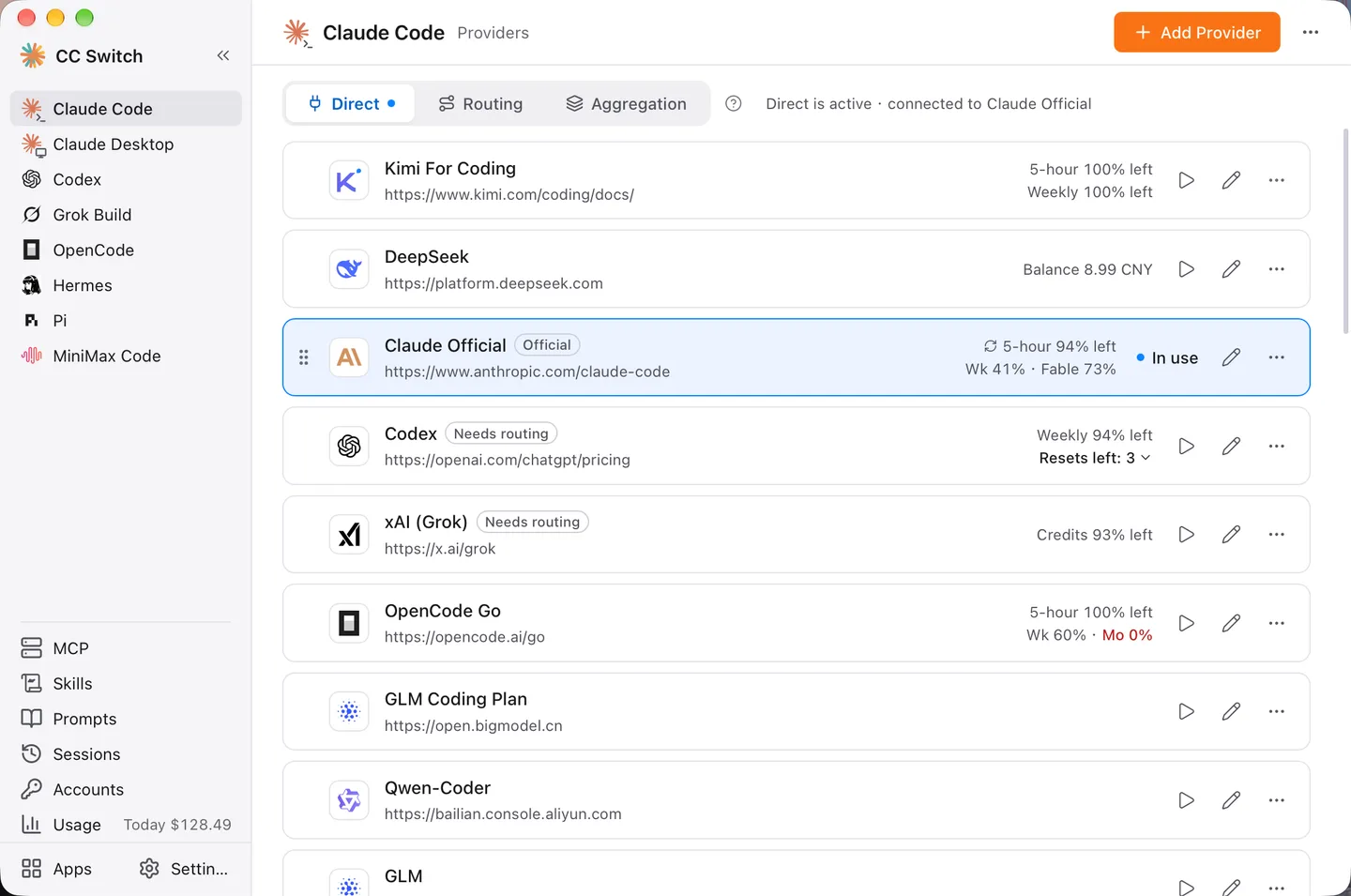
Beyond provider switching, the app centralizes MCP server configuration, skills and per-tool prompts. Supported tools can use local routing for API-format conversion and failover; Claude Code and Codex also offer aggregation, which combines models from several providers into one model list. Session browsing and usage views help keep related work accessible in the same application.
Integration depth differs by tool: not every client supports routing, aggregation or every management panel. In direct mode, Codex, Gemini CLI and Grok Build need a terminal or CLI restart after a provider switch, while Claude Desktop needs a full app restart. Aggregation is not a failover mode.
This entry links to the publisher's version 4.0.21 Universal macOS DMG for Intel and Apple Silicon Macs running macOS 12 or later. The screenshot is the publisher's v4.0 main-interface illustration, not an installation test of this package.
What it offers
- Manage provider presets and custom endpoint, key and model settings for supported AI coding tools.
- Centralize MCP servers, skills and per-tool prompts, with integration support varying by client.
- Use local routing for supported clients to convert API formats and configure provider failover.
- Combine multiple providers' models through aggregation in Claude Code and Codex.
- Browse supported tools' session histories and view usage information.
Good to know
- Direct-mode provider changes require restarting Codex, Gemini CLI and Grok Build; Claude Desktop must be fully quit and reopened.
- Routing, aggregation and management-panel support vary by tool; aggregation is limited to Claude Code and Codex and does not provide failover.
Product images
Sources
References used for this listing. Retrieval dates do not indicate hands-on testing.
More in development
View category ↗

010 Editor 17.0
Inspect and edit binary files on Mac with 010 Editor, a paid text and hex editor with Binary Templates, file comparison and a 30-day trial.
010 Editor 17.0
Inspect and edit binary files with 010 Editor for Windows, a text and hex editor with Binary Templates, file comparison and scripting. Includes a 30-day trial.
10x Editor
Edit and navigate C++ projects on Windows with a built-in parser, workspace search and Visual Studio project support. A paid license is required after the 30-day trial.