

Utilities Windows
Cemu for Windows
Run Wii U games and applications on a Windows PC with Cemu, an open-source emulator with controller mapping, a separate GamePad view and community graphic packs.
- Operating system
- Windows 7 or above, according to the publisher
- Architecture
- x64 (64-bit)
- Download package
- ZIP archive
Publisher requirements: OpenGL 4.5 or Vulkan 1.2, 4 GB RAM minimum (8 GB or more recommended), and Microsoft Visual C++ 2017 x64 Redistributable. This link selects the Windows x64 archive.
Link checked · Download guidance
What is Cemu?
Cemu emulates Wii U games and applications on a PC. The Windows build is for users who want to run their own dumped games with configurable input and graphics settings. This entry links to the publisher's Cemu 2.6 x64 ZIP package, rather than a game download.
Input options include emulated GamePad, Pro Controller and Classic Controller controls, keyboard input and USB controllers. You can use a mouse for GamePad touch input and show the GamePad screen in a separate window. Community graphic packs offer game-specific modifications beyond graphics alone.
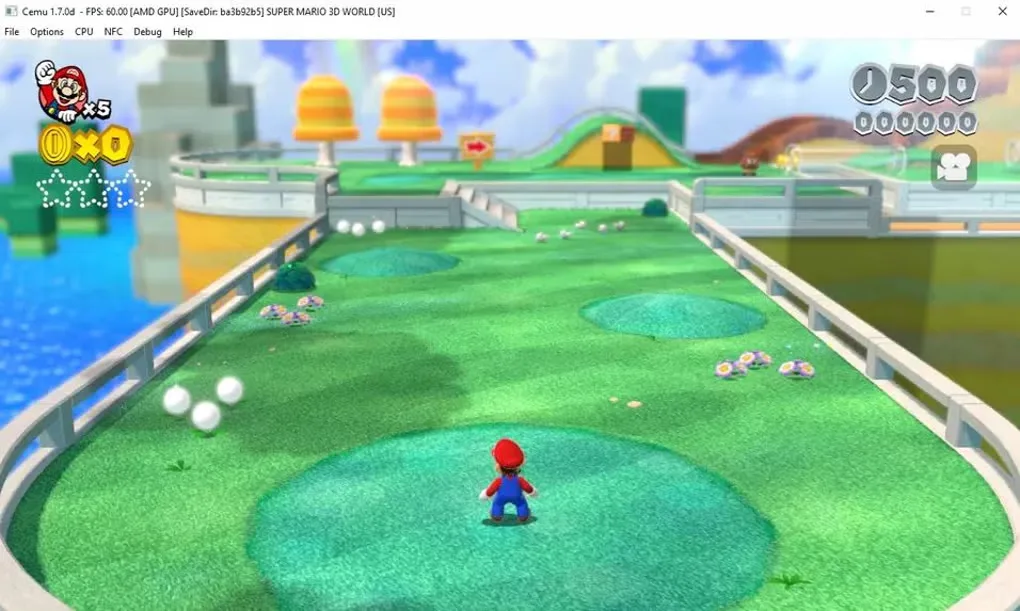
Compatibility varies by game and hardware; a Windows download does not guarantee that a particular title will run correctly. The publisher lists limited Intel GPU support and only partial Wiimote emulation. Prepare your own game files using the dumping guide linked from Cemu's official FAQ. The gallery image shows an older Cemu 1.7.0d window, not the appearance or performance of version 2.6.
What it offers
- Emulate Wii U games and applications on a Windows PC.
- Configure GamePad, Pro Controller and Classic Controller input using supported controllers or a keyboard.
- Control GamePad touch input with a mouse and display its screen in a second window.
- Use OpenGL or Vulkan graphics rendering on compatible hardware.
- Configure community graphic packs for game-specific customizations.
Good to know
- Game compatibility and performance depend on the title and PC hardware; consult the compatibility information linked from the official FAQ.
- The publisher lists limited Intel GPU support and partial Wiimote emulation.
- You need to supply your own dumped game files; this download is the emulator, not a collection of games.
Product images
Sources
References used for this listing. Retrieval dates do not indicate hands-on testing.
- Cemu Emulator — official requirements and controller input ↗Retrieved
- Cemu Emulator — Frequently Asked Questions ↗Retrieved
- cemu-project/Cemu — official repository and license ↗Retrieved
- Release Cemu 2.6 — cemu-project/Cemu ↗Retrieved
- Home — Cemu Guide linked from the official FAQ ↗Retrieved
- Cemu - Download — Windows page and screenshot gallery ↗Retrieved
More in utilities
View category ↗
1.1.1.1 with WARP 2026.8.2115.0
Encrypt traffic from your Mac to Cloudflare’s network with WARP, or use DNS-only mode for encrypted DNS queries to the 1.1.1.1 resolver.
1.1.1.1 with WARP 2026.8.2115.0
Encrypt traffic between your Windows PC and Cloudflare, or use encrypted DNS only, with the free 1.1.1.1 with WARP app.

3uTools 9.12.005
Manage iPhone and iPad photos, music, apps and backups from Windows with 3uTools, a free utility that also includes device checks and firmware flashing tools.