

Development Windows
CFF Explorer for Windows
Inspect and edit PE32/64 executable structures, .NET metadata and resources with CFF Explorer, a freeware Windows PE editor from NTCore.
- Operating system
- Windows; exact minimum version not established
- Architecture
- x86 standalone application; PE32/64 file support
- Download package
- Standalone ZIP archive
Selected publisher link is the x86 standalone ZIP. NTCore separately offers Explorer Suite for x86 and x64. Windows 10/11 compatibility is not verified.
Link checked · Download guidance
What is CFF Explorer?
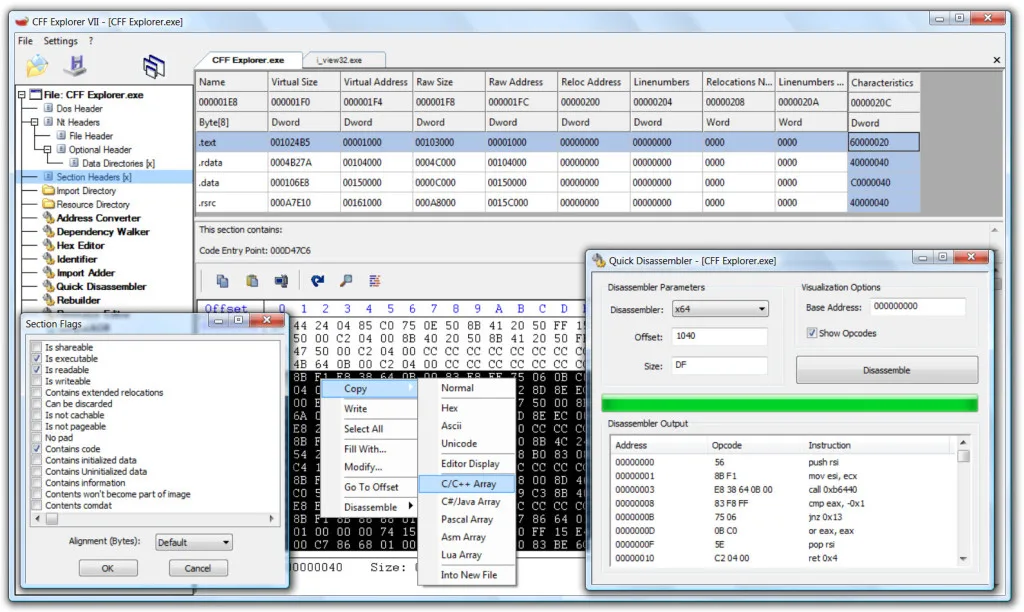
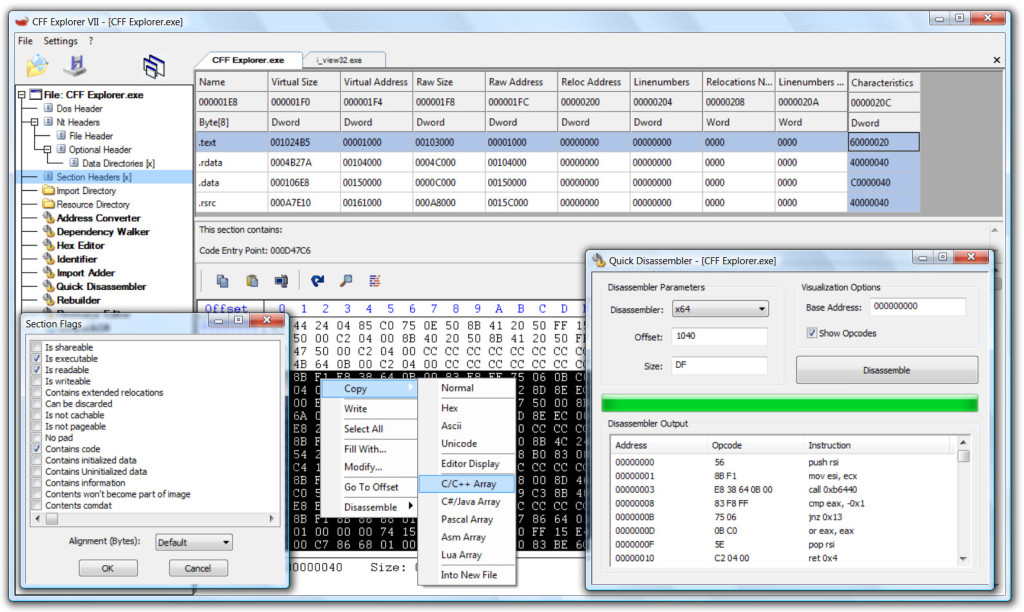
CFF Explorer is a Windows Portable Executable editor for programmers and reverse engineers who need to inspect or change a binary’s internal structure. It brings PE32/64 field editing, .NET metadata inspection, resource editing and a hex editor into a multi-file workspace. A dependency walker, import adder and quick disassembler support more detailed inspection without switching to a separate tool for every view.
This download is NTCore’s standalone x86 ZIP, not the complete Explorer Suite. The editor’s PE32/64 file support is separate from the architecture of the application package. NTCore also lists an Explorer Suite package for x86 and x64. Its page dates Explorer Suite III to November 18, 2012, but does not establish a separate release date for this ZIP; current Windows 10/11 compatibility has not been verified.
What it offers
- Inspect and modify PE32/64 fields and structures.
- View and edit .NET metadata fields, flags and internal structures.
- Examine and edit resources, including .NET resources.
- Use the hex editor, import adder and dependency walker.
- Inspect instructions with the quick disassembler for x86, x64 and MSIL.
Good to know
- The selected standalone ZIP is x86; it is not the full x86/x64 Explorer Suite package.
- The publisher’s suite listing is dated November 18, 2012; a separate release date for the standalone ZIP and Windows 10/11 compatibility are not established.
Product images
Sources
References used for this listing. Retrieval dates do not indicate hands-on testing.
More in development
View category ↗
010 Editor 17.0
Inspect and edit binary files on Mac with 010 Editor, a paid text and hex editor with Binary Templates, file comparison and a 30-day trial.
010 Editor 17.0
Inspect and edit binary files with 010 Editor for Windows, a text and hex editor with Binary Templates, file comparison and scripting. Includes a 30-day trial.
10x Editor
Edit and navigate C++ projects on Windows with a built-in parser, workspace search and Visual Studio project support. A paid license is required after the 30-day trial.