
Utilities Windows
Chaos Manager
Organize appointments, contacts and topic-based notes with Chaos Manager, a free Windows organizer whose published 2.26 release dates to 2010.
- Operating system
- Windows; support for Windows 10 and Windows 11 is unverified
- Architecture
- Not specified in the inspected publisher sources
- Download package
- EXE installer
Legacy 2.26 release from 2010. The publisher provides a separate 1.80 package for older Windows versions; that package is not selected here.
Link checked · Download guidance
What is Chaos Manager?
Chaos Manager brings a calendar, appointment reminders, an address book and a notebook into one compact Windows application. It is aimed at keeping personal dates, contact details and short notes together rather than managing running processes or system resources. Appointments can recur and trigger reminders; contacts can include birthdays; notes can be divided into topics and formatted with rich text.
For existing users, the publisher documents local data files and a bundled utility for importing older 1.x data. Its synchronization feature exchanges a copy of the organizer data through an FTP server, rather than documenting a current cloud-calendar integration.
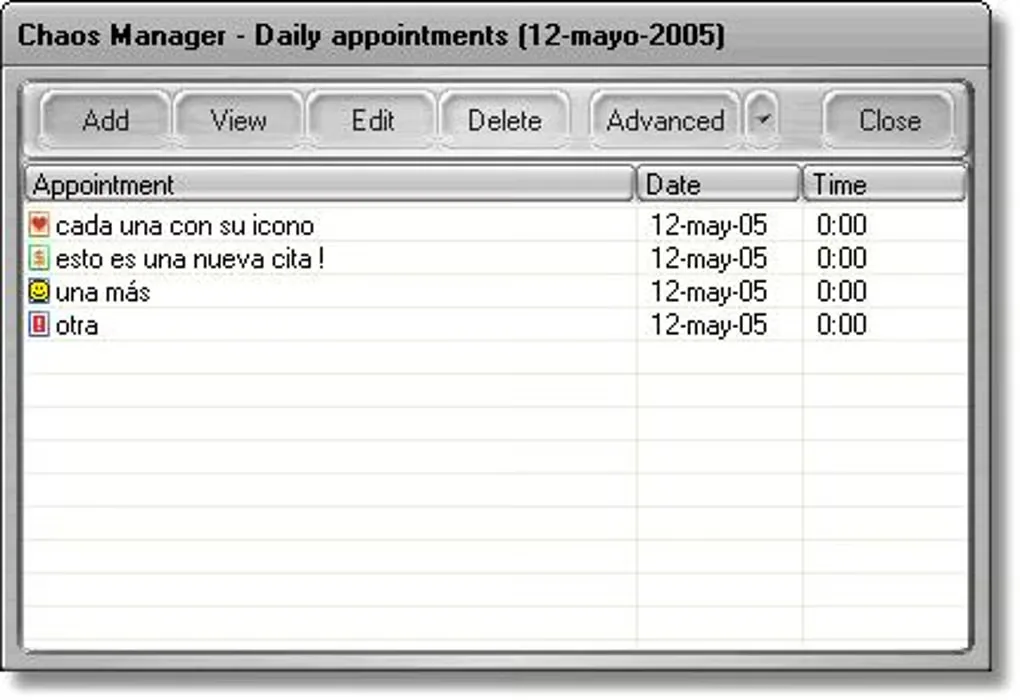
The selected publisher package is version 2.26, released on January 31, 2010. Softonic still lists 2.25, so its version and update labels are not used to date this package. Compatibility with Windows 10 and Windows 11 has not been established, and the package architecture is undocumented in the inspected sources. The screenshot is an older source-gallery example of the appointments interface, not a capture or test of version 2.26.
What it offers
- Schedule appointments with popup reminders and recurring dates.
- Keep contact details, customizable field names and birthday reminders in an address book.
- Write rich-text notes organized into multiple topics, with search and clickable URLs.
- Review appointments and birthdays in the calendar; customize the application with skins.
- Import older organizer data using the bundled utility; print or export supported data.
Good to know
- The publisher’s 2.26 release is dated 2010; current Windows compatibility and package architecture are not established.
- Internet synchronization is documented as FTP-based; no current cloud-calendar integration is established by these sources.
- The publisher cannot recover a forgotten data password; its FAQ warns that restoring an older backup can lose recent changes.
Product images
Sources
References used for this listing. Retrieval dates do not indicate hands-on testing.
- Chaos Manager — publisher release history ↗Retrieved
- Chaos Manager — publisher downloads ↗Retrieved
- Chaos Manager — publisher features ↗Retrieved
- Chaos Manager — publisher support and FAQ ↗Retrieved
- Chaos Manager — publisher screenshot gallery ↗Retrieved
- Chaos Manager - Download ↗Retrieved
More in utilities
View category ↗
1.1.1.1 with WARP 2026.8.2115.0
Encrypt traffic from your Mac to Cloudflare’s network with WARP, or use DNS-only mode for encrypted DNS queries to the 1.1.1.1 resolver.
1.1.1.1 with WARP 2026.8.2115.0
Encrypt traffic between your Windows PC and Cloudflare, or use encrypted DNS only, with the free 1.1.1.1 with WARP app.


3uTools 9.12.005
Manage iPhone and iPad photos, music, apps and backups from Windows with 3uTools, a free utility that also includes device checks and firmware flashing tools.