

Development Windows
ChromeDriver for Windows
Automate Chrome on Windows with ChromeDriver, the standalone WebDriver server used by Selenium. This entry links to Google's Windows x64 ZIP package.
- Operating system
- Windows desktop; source catalog lists Windows 10 (64-bit) and Windows 11
- Architecture
- x64 (win64)
- Download package
- ZIP archive containing the ChromeDriver executable
Chrome and a WebDriver client are separate prerequisites. Google also publishes a win32 package; both architectures belong on this Windows entry.
Link checked · Download guidance
What is ChromeDriver?
ChromeDriver connects browser-automation code to Chrome. It runs as a separate server and implements the W3C WebDriver and WebDriver BiDi standards, allowing compatible tools such as Selenium to control the browser during web-application testing. Chrome-specific options let a test configure extensions, startup arguments and other browser settings.
The linked download is ChromeDriver 156.0.8078.73 for Windows x64, distributed through Google's Chrome for Testing infrastructure. It is the driver, not the Chrome browser or a complete testing framework. Supply a compatible Chrome installation and a WebDriver client; for Chrome for Testing, choose the correspondingly versioned browser and driver. To match an ordinary Chrome installation, follow the publisher's build-version lookup rather than assuming any current driver will work.
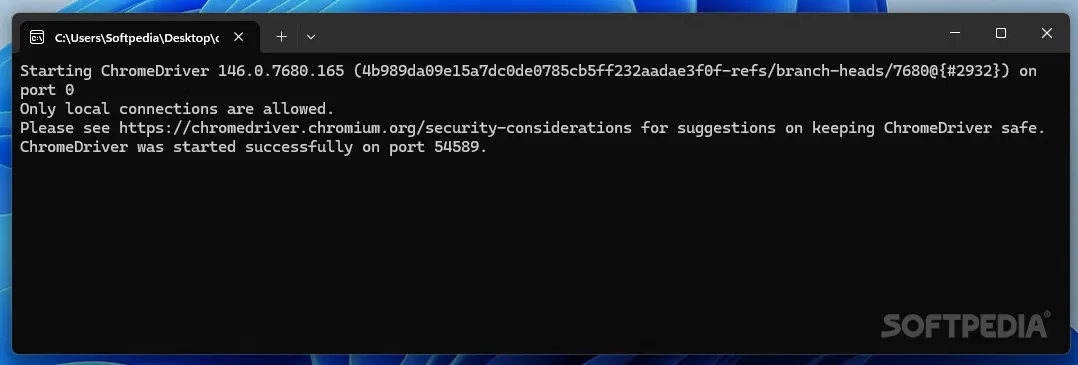
ChromeDriver permits only local connections by default. The publisher recommends an unprivileged test account, a protected environment and firewall restrictions; do not expose its automation endpoint to untrusted clients. The screenshot shows an older ChromeDriver 146 console on Windows, illustrating startup output rather than the version in the linked package.
What it offers
- Control Chrome from compatible WebDriver clients, including Selenium language bindings.
- Use the W3C WebDriver and WebDriver BiDi interfaces for browser automation.
- Configure Chrome-specific capabilities with ChromeOptions, including extensions and startup arguments.
- Run the standalone server separately or let a WebDriver client manage its lifetime.
Good to know
- Requires a compatible Chrome browser and a WebDriver client; the driver ZIP is not a browser or a complete testing framework.
- Browser and driver versions must be compatible. Use matching Chrome for Testing versions or the publisher's build-version selection process for an installed Chrome browser.
- Automation access needs protection: local connections are the default, and remote access requires explicit restrictions.
Product images
Sources
References used for this listing. Retrieval dates do not indicate hands-on testing.
- What is ChromeDriver? — Chrome for Developers ↗Retrieved
- Get started with ChromeDriver — Chrome for Developers ↗Retrieved
- Version selection — Chrome for Developers ↗Retrieved
- Security considerations — Chrome for Developers ↗Retrieved
- Chrome for Testing — last known good versions with downloads ↗Retrieved
- Chromium source license ↗Retrieved
- ChromeDriver server source — Chromium ↗Retrieved
- ChromeDriver - Download - Softpedia ↗Retrieved
More in development
View category ↗

010 Editor 17.0
Inspect and edit binary files on Mac with 010 Editor, a paid text and hex editor with Binary Templates, file comparison and a 30-day trial.
010 Editor 17.0
Inspect and edit binary files with 010 Editor for Windows, a text and hex editor with Binary Templates, file comparison and scripting. Includes a 30-day trial.
10x Editor
Edit and navigate C++ projects on Windows with a built-in parser, workspace search and Visual Studio project support. A paid license is required after the 30-day trial.