
Utilities Windows
CLCL
Reuse copied text and images with CLCL, a free Windows clipboard manager with an Alt+C history menu, reusable templates and plug-in extensions.
Version 2.2.1 · Direct publisher file
Link checked · Download guidance
What is CLCL?
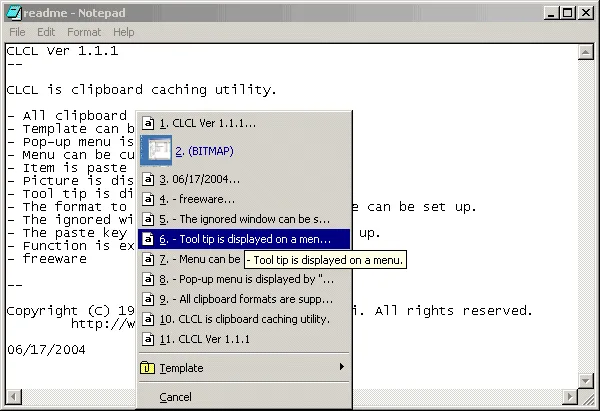
CLCL keeps a clipboard history so you can return to earlier copied items instead of copying them again. Press Alt+C to open its pop-up menu, choose an entry to paste, or register frequently used content as a template. The publisher lists support for clipboard formats, Unicode text and pictures in the menu.
You can customize the menu, choose which clipboard formats to retain or save, exclude particular windows and configure paste keys for individual windows. Separate plug-ins extend the utility: the publisher lists case conversion, quotation and word wrapping in its text-tools package. Those transformations require the separate plug-in rather than being presented as built-in features.
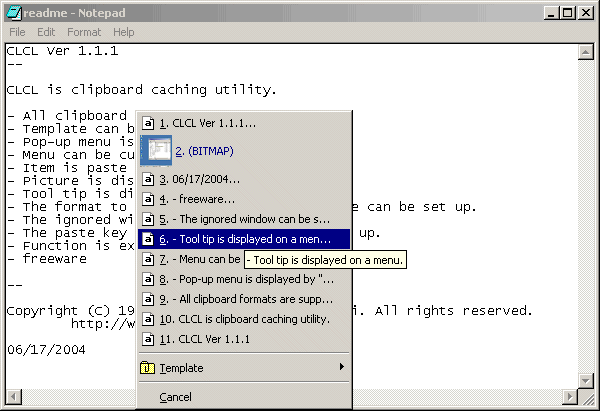
The publisher lists CLCL 2.2.1, released on October 27, 2026, for Windows 7 and later. The linked download is the publisher's clcl221.exe; its CPU architecture is not specified on the product page. The screenshot is the publisher's historical CLCL 1.1.1 menu illustration, not a capture of version 2.2.1.
What it offers
- Recall clipboard entries from the Alt+C pop-up menu.
- Register reusable content as templates.
- Display pictures and tooltips in a customizable menu.
- Choose retained clipboard formats, ignored windows and per-window paste keys.
- Extend functionality with separately supplied tools and format plug-ins.
Good to know
- Text transformations such as case conversion and word wrapping are supplied as separate plug-ins.
Product images
Sources
References used for this listing. Retrieval dates do not indicate hands-on testing.
More in utilities
View category ↗
1.1.1.1 with WARP 2026.8.2115.0
Encrypt traffic from your Mac to Cloudflare’s network with WARP, or use DNS-only mode for encrypted DNS queries to the 1.1.1.1 resolver.
1.1.1.1 with WARP 2026.8.2115.0
Encrypt traffic between your Windows PC and Cloudflare, or use encrypted DNS only, with the free 1.1.1.1 with WARP app.

3uTools 9.12.005
Manage iPhone and iPad photos, music, apps and backups from Windows with 3uTools, a free utility that also includes device checks and firmware flashing tools.