
Utilities Windows
Clear Disk Info
Read HDD and SSD health information, including S.M.A.R.T. attributes and NVMe warnings, with a portable Windows utility. Automatic monitoring and alerts require a paid license.
- Operating system
- Windows; Softonic lists Windows 8, not a complete supported-version matrix
- Architecture
- Not specified in the inspected publisher documentation
- Download package
- Portable standalone EXE
Publisher documents optional installation to Program Files for monitoring. Exact Windows build and CPU limits were not confirmed.
Link checked · Download guidance
What is Clear Disk Info?
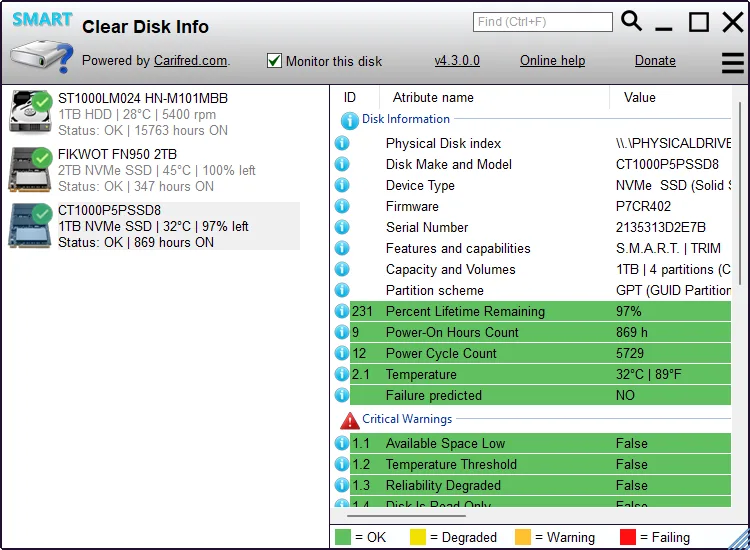
Clear Disk Info helps you inspect connected storage devices without interpreting raw S.M.A.R.T. numbers on your own. Select a drive in the left pane to see its details on the right, including supported health attributes such as temperature, power-on hours and SSD lifetime remaining. The publisher describes support for HDDs, SSDs, NVMe health logs and USB-connected devices.
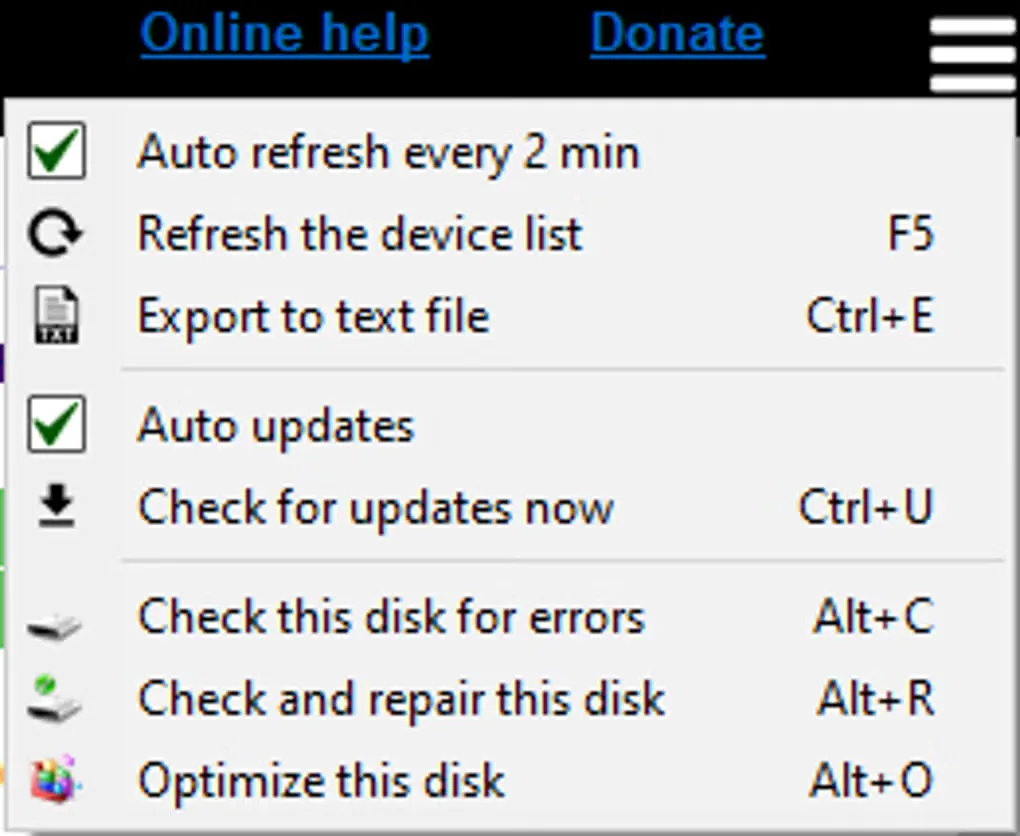
Its main distinction is how it presents attributes: a meaningful value, an ideal value and a description are shown together. NVMe critical warnings appear in their own group. For a record of a selected drive, the menu can export its information to a text file; the device list can also be refreshed manually or every two minutes.
The application is a standalone, portable executable, so a manual inspection does not require installation. Free use and unattended monitoring are different: Carifred requires a license to enable automatic disk monitoring and degradation alerts. Information available from USB-connected pen drives and SD cards can be limited by the adapter. The screenshots are source illustrations, not results from running the program on our own hardware.
What it offers
- View storage-device information and S.M.A.R.T. health attributes for supported HDDs and SSDs.
- Read NVMe health-log critical warnings in a separate group.
- Compare meaningful attribute values with ideal values and explanatory descriptions.
- Export the selected disk’s information to a text file and refresh the device list manually or every two minutes.
- Run as a single portable executable without installation for manual inspection.
Good to know
- Automatic disk monitoring and degradation alerts require a paid Clear Disk Info license.
- USB adapters can limit the information available from connected pen drives and SD cards.
- The inspected publisher pages do not provide a complete Windows-version or CPU-architecture support matrix.
Product images
Sources
References used for this listing. Retrieval dates do not indicate hands-on testing.
More in utilities
View category ↗
1.1.1.1 with WARP 2026.8.2115.0
Encrypt traffic from your Mac to Cloudflare’s network with WARP, or use DNS-only mode for encrypted DNS queries to the 1.1.1.1 resolver.
1.1.1.1 with WARP 2026.8.2115.0
Encrypt traffic between your Windows PC and Cloudflare, or use encrypted DNS only, with the free 1.1.1.1 with WARP app.

3uTools 9.12.005
Manage iPhone and iPad photos, music, apps and backups from Windows with 3uTools, a free utility that also includes device checks and firmware flashing tools.