

Utilities macOS
ClickCharts for macOS
Create flowcharts, mind maps, organization charts and UML diagrams on Mac with templates, shapes and connectors, then export them as PDF or images.
- Operating system
- macOS; publisher minimum requirements are inconsistent
- Architecture
- Not established for the linked archive
- Download package
- ZIP archive
Served requirements say macOS 10.5 or above; Mac-specific inline text says 10.9 and above. No installation or compatibility test was performed.
Link checked · Download guidance
What is ClickCharts?
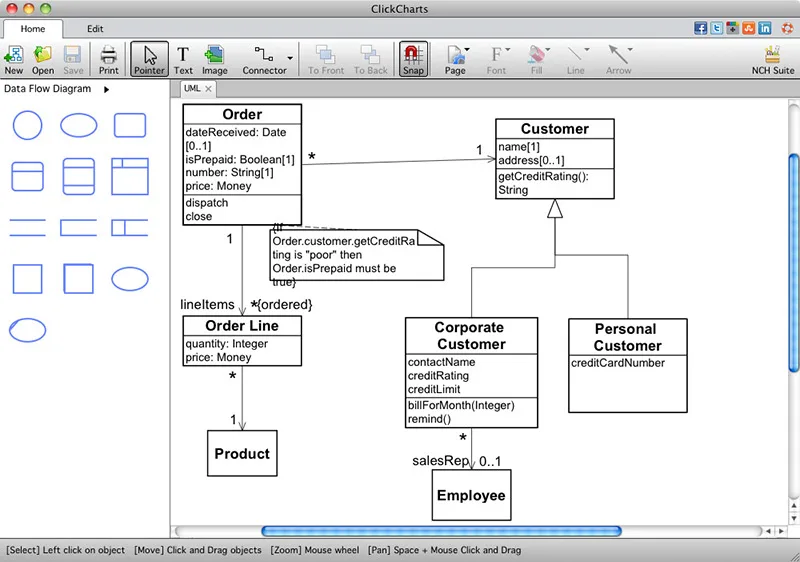
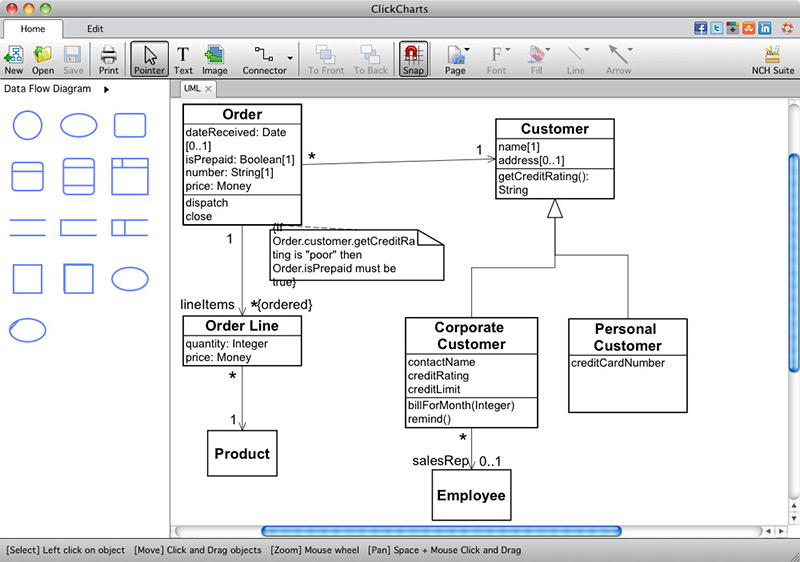
ClickCharts is a diagram editor for turning a process, reporting structure or set of ideas into a visual map. Start with a template, add shapes and connectors, and adjust fonts, colors and line styles. It supports flowcharts, mind maps, organizational charts and UML diagrams, with auto-connect tools for showing relationships.
Save the editable diagram as a ClickCharts .ccd file. Export a PDF or an image such as PNG or JPEG when you need to place the result in a document or share a view of the chart. An exported image is not an editable ClickCharts diagram in the receiving application; keep the .ccd original for later changes.
NCH Software offers a free version for non-commercial use and a paid license. The linked ZIP is the publisher’s Mac download; its exact version and CPU architecture were not established. The publisher’s served page and Mac-specific inline text give different minimum macOS versions, so compatibility with your particular Mac needs confirmation before installation.
What it offers
- Create flowcharts, mind maps, organization charts and UML diagrams.
- Start from templates and connect symbols to represent relationships.
- Customize fonts, colors, fills and line styles.
- Keep editable .ccd diagrams and export PDF, PNG, JPEG or GIF copies.
Good to know
- The free version is offered for non-commercial use; do not assume it covers commercial work.
- An exported image does not retain editable diagram objects in another application; keep the original .ccd file for editing in ClickCharts.
- Minimum macOS requirements are inconsistent across the publisher’s page text; the selected archive’s exact version and CPU architecture are unconfirmed.
Product images
Sources
References used for this listing. Retrieval dates do not indicate hands-on testing.
More in utilities
View category ↗
1.1.1.1 with WARP 2026.8.2115.0
Encrypt traffic from your Mac to Cloudflare’s network with WARP, or use DNS-only mode for encrypted DNS queries to the 1.1.1.1 resolver.
1.1.1.1 with WARP 2026.8.2115.0
Encrypt traffic between your Windows PC and Cloudflare, or use encrypted DNS only, with the free 1.1.1.1 with WARP app.

3uTools 9.12.005
Manage iPhone and iPad photos, music, apps and backups from Windows with 3uTools, a free utility that also includes device checks and firmware flashing tools.