

Utilities Windows
ClickCharts for Windows
Draw flowcharts, organization charts and mind maps with ClickCharts for Windows. Use templates, symbols and connectors, then export diagrams as PDF or images.
- Operating system
- Windows 7 to 11, as listed by the publisher
- Architecture
- Not specified by the publisher for this download
- Download package
- EXE installer
This entry links to the Windows non-commercial free edition. The publisher also offers separate Mac and Android downloads.
Link checked · Download guidance
What is ClickCharts?
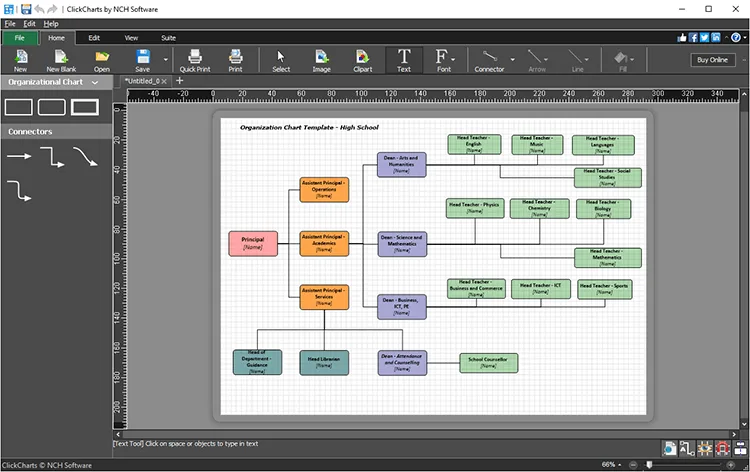
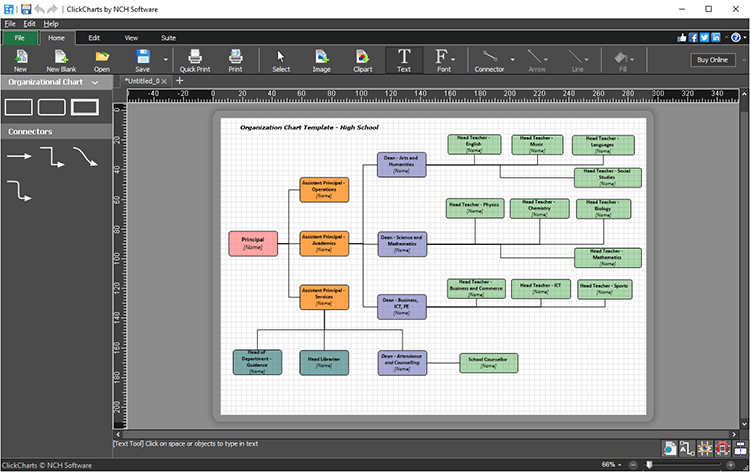
ClickCharts is a diagram editor for mapping a process, outlining an organization or arranging ideas in a mind map. Start with a chart template or build a diagram from symbols and connectors. Customize text, colors, fills and lines to distinguish steps and show relationships. The publisher also lists UML diagrams, data-flow diagrams and graphs made from imported data.
Export a finished diagram as PDF, JPG, GIF or PNG for sharing outside the editor. For large diagrams, ClickCharts supports printing across overlapping sheets. The Windows download linked here is the publisher's free edition for non-commercial use, not a license for business use; paid editions are offered separately.
What it offers
- Start flowcharts, organization charts, mind maps and other diagrams from templates.
- Connect symbols with line styles and auto-connect relationships.
- Customize fonts, colors, fills and strokes, and insert graphics.
- Export diagrams as PDF, JPG, GIF or PNG and print large diagrams across overlapping sheets.
- Import data to generate graphs such as bar, column, pie and scatter plots.
Good to know
- The free edition linked here is restricted to non-commercial use; the publisher offers paid editions separately.
Product images
Sources
References used for this listing. Retrieval dates do not indicate hands-on testing.
More in utilities
View category ↗
1.1.1.1 with WARP 2026.8.2115.0
Encrypt traffic from your Mac to Cloudflare’s network with WARP, or use DNS-only mode for encrypted DNS queries to the 1.1.1.1 resolver.
1.1.1.1 with WARP 2026.8.2115.0
Encrypt traffic between your Windows PC and Cloudflare, or use encrypted DNS only, with the free 1.1.1.1 with WARP app.

3uTools 9.12.005
Manage iPhone and iPad photos, music, apps and backups from Windows with 3uTools, a free utility that also includes device checks and firmware flashing tools.