
Utilities Windows
Clipboard Help+Spell
Save and search text and image clipboard history on Windows, organize reusable clips, and spell-check or reformat copied text with Clipboard Help+Spell.
- Operating system
- Windows 2000, XP, 7, 8 and 10 listed by publisher
- Architecture
- Not specified on the publisher product page
- Download package
- EXE installer
A separate portable ZIP is linked by the publisher. Windows 11 compatibility is unconfirmed; no installation or runtime compatibility test was performed.
Link checked · Download guidance
What is Clipboard Help+Spell?
Clipboard Help+Spell keeps a searchable database of copied text and images so you can return to earlier clipboard entries rather than relying on the last item copied. Groups, categories and hierarchical notes help organize reusable material, while filters can narrow entries by text or dates. Configurable hotkeys provide shortcuts for common clipboard tasks.
Its text tools include a learning spellchecker that underlines mistakes and formatting presets for repeated cleanup work. These features suit storing snippets, finding older clips and preparing text to paste into another application.
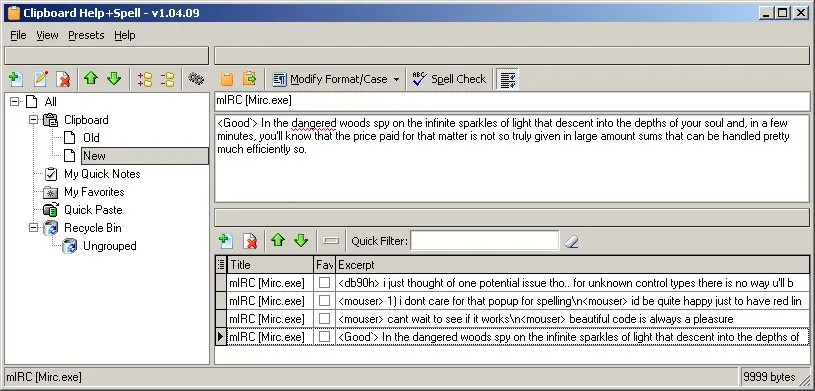
The archived publisher page lists version 2.46.01, dated December 30, 2019, and Windows support through Windows 10; Windows 11 compatibility is not established by that page. DonationCoder ended operations in April 2026 and its forms, comments and logins no longer work. Its license-key page now supplies a key for permanent use of software that requires one, rather than requiring a new account or donation. The screenshots here are historical publisher/source illustrations: the main window visibly shows v1.04.09, not the linked release.
What it offers
- Keep text and image clipboard entries in a database for viewing, editing and searching.
- Organize clips and hierarchical notes with groups and categories.
- Search, sort and filter entries by text, modification date or last-view date.
- Check copied text with a learning spellchecker and apply custom formatting presets.
- Configure hotkeys for common clipboard functions.
Good to know
- The publisher's archived compatibility list stops at Windows 10; Windows 11 support is unconfirmed.
- DonationCoder is an archive with nonworking forms, comments and logins; older registration and donation instructions should not be treated as working services.
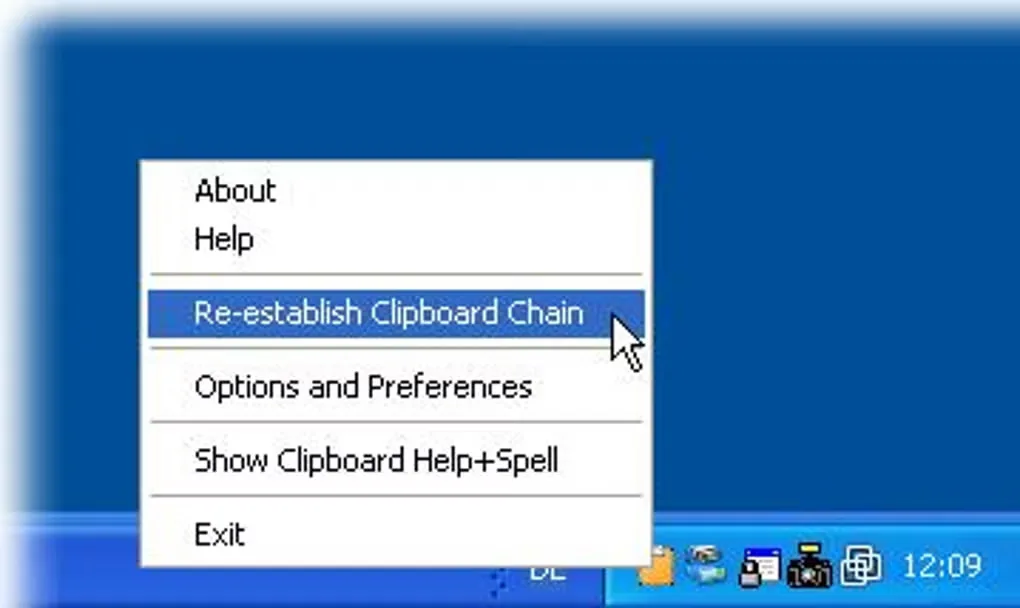
- The gallery contains historical interfaces, including a main-window screenshot labeled v1.04.09; it does not document the appearance of version 2.46.01.
Product images
Sources
References used for this listing. Retrieval dates do not indicate hands-on testing.
More in utilities
View category ↗
1.1.1.1 with WARP 2026.8.2115.0
Encrypt traffic from your Mac to Cloudflare’s network with WARP, or use DNS-only mode for encrypted DNS queries to the 1.1.1.1 resolver.
1.1.1.1 with WARP 2026.8.2115.0
Encrypt traffic between your Windows PC and Cloudflare, or use encrypted DNS only, with the free 1.1.1.1 with WARP app.


3uTools 9.12.005
Manage iPhone and iPad photos, music, apps and backups from Windows with 3uTools, a free utility that also includes device checks and firmware flashing tools.