
Utilities Windows
CMTrace Open
Read ConfigMgr/SCCM and Intune logs, follow new entries and look up Windows error codes with CMTrace Open, an independent MIT-licensed log viewer.
- Operating system
- Windows; minimum version not established by the cited publisher pages
- Architecture
- x64 (selected download); separate ARM64 build available
- Download package
- Portable EXE — Full edition
Portable EXE requires no installation. MSI and setup EXE packages are also published; the MSI installs Full and Lite. Exact minimum Windows build is not asserted.
Link checked · Download guidance
What is CMTrace Open?
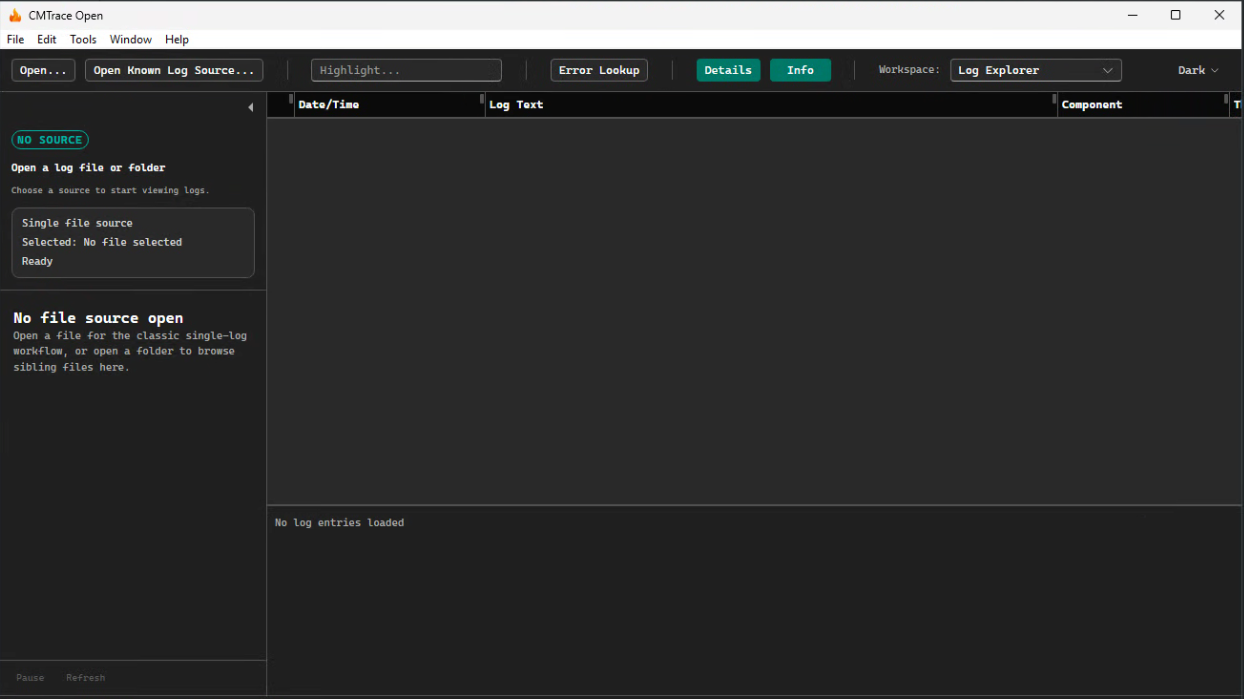
CMTrace Open helps Windows administrators investigate log files without treating every entry as an undifferentiated block of text. It detects supported formats, separates warnings and errors visually, and lets you search or filter by message, component, thread and time. Open one file or a folder of related logs, pause a live tail to read an entry, and use the built-in error lookup when a Windows code needs context.
The selected download is the Full edition Windows x64 portable EXE for version 1.6.3; it does not require installation. Full adds Intune, Autopilot ESP and DSRegCmd diagnostic workspaces beyond the core viewer. Lite is a separate build for readers who do not need those specialized workspaces. Some live diagnostic sources require administrator access, so an incomplete capture must not be mistaken for a healthy device. CMTrace Open is an independent project, not Microsoft’s CMTrace.exe or a Microsoft-endorsed product.
What it offers
- Automatically detect CCM, CBS, DISM, Panther, simple and plain-text log formats.
- Distinguish errors and warnings with severity colors; search and filter by message, component, thread or timestamp.
- Follow actively written logs with pause and resume controls.
- Look up Windows error codes inside the application.
- Open a folder of logs and switch between files during a multi-log investigation.
- Use the Full edition’s Intune, Autopilot ESP and DSRegCmd diagnostic workspaces.
Good to know
- Some live diagnostic evidence needs administrator access; unavailable or permission-denied sources leave coverage gaps rather than proving that no problem exists.
- The selected portable EXE is the Full edition for Windows x64. ARM64 and Lite are separate downloads; Lite omits specialized diagnostic workspaces.
Product images

Sources
References used for this listing. Retrieval dates do not indicate hands-on testing.
- CMTrace Open — official product page ↗Retrieved
- adamgell/cmtraceopen — publisher repository and README ↗Retrieved
- CMTrace Open v1.6.3 — official release ↗Retrieved
- CMTrace Open v1.6.3 — publisher release asset list ↗Retrieved
- Your First 5 Minutes with CMTrace Open — publisher field guide ↗Retrieved
- CMTrace Open - Download ↗Retrieved
More in utilities
View category ↗
1.1.1.1 with WARP 2026.8.2115.0
Encrypt traffic from your Mac to Cloudflare’s network with WARP, or use DNS-only mode for encrypted DNS queries to the 1.1.1.1 resolver.
1.1.1.1 with WARP 2026.8.2115.0
Encrypt traffic between your Windows PC and Cloudflare, or use encrypted DNS only, with the free 1.1.1.1 with WARP app.

3uTools 9.12.005
Manage iPhone and iPad photos, music, apps and backups from Windows with 3uTools, a free utility that also includes device checks and firmware flashing tools.