

Development Windows
CodeLite for Windows
Write, navigate and debug C, C++, Rust, PHP and Node.js projects with CodeLite, a free open-source IDE for Windows.
- Operating system
- Windows 10 and 11
- Architecture
- x64 (AMD64)
- Download package
- EXE installer
Publisher supplies a 64-bit installer. Configure a compiler toolchain separately using the Windows setup guide.
Link checked · Download guidance
What is CodeLite?
CodeLite brings source editing, code completion, navigation and debugging into one development environment. It supports C, C++, Rust, PHP and Node.js projects, with Git integration and a plugin system for extending the editor. It suits developers who want to move between their project files, source code and debugging tools without switching applications.
The linked publisher package is the 64-bit Windows EXE installer for CodeLite 18.5.0. The publisher lists Windows 10 and 11. A working compiler environment requires separate setup: the Windows guide recommends MSYS2 with clang++ and lists the toolchain packages to install.
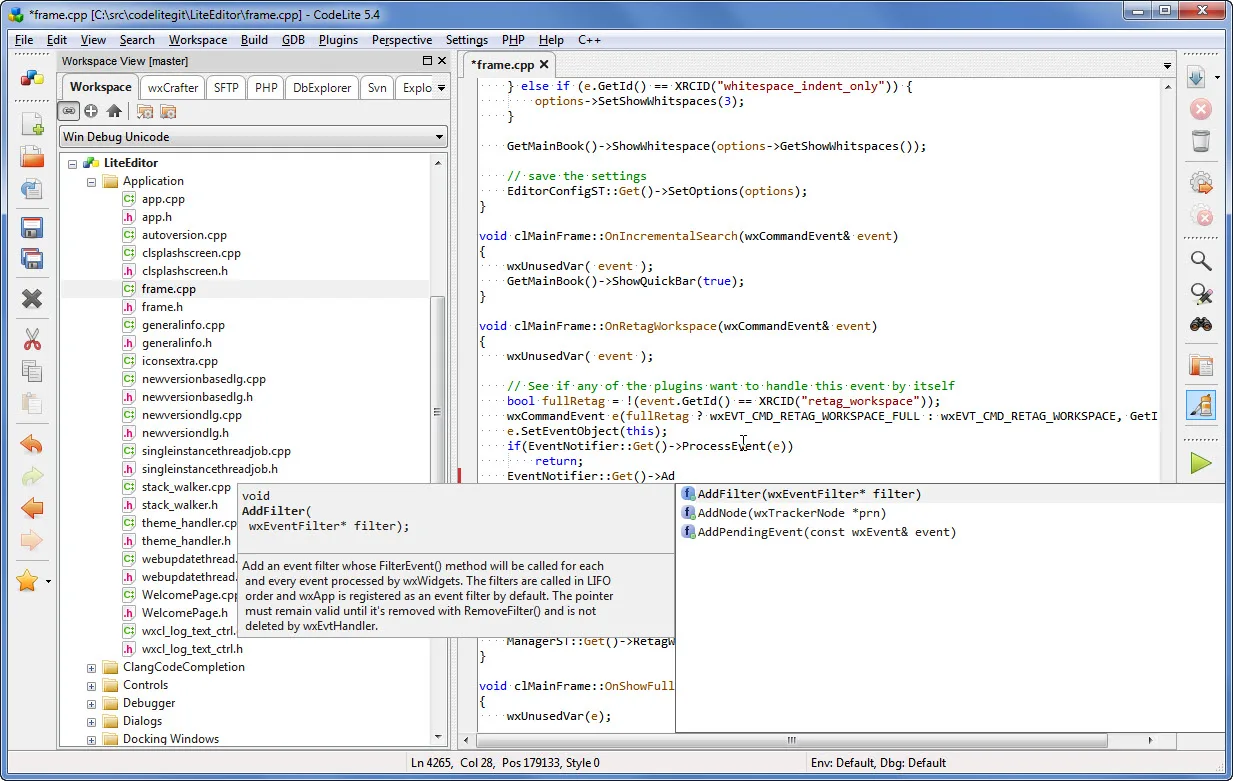
The screenshot is a historical publisher capture of CodeLite 5.4 on Windows, illustrating the project tree and C++ completion popup. It does not show the appearance of version 18.5.0.
What it offers
- Edit C, C++, Rust, PHP and Node.js projects in one IDE.
- Use code completion and source navigation while working through a project.
- Debug code with the built-in debugger.
- Work with Git integration and extend the IDE through plugins.
Good to know
- Windows development requires separate compiler/toolchain configuration; the publisher recommends MSYS2 with clang++.
- The available Windows screenshot shows CodeLite 5.4 rather than the linked 18.5.0 release.
Product images
Sources
References used for this listing. Retrieval dates do not indicate hands-on testing.
- CodeLite — official product overview and license ↗Retrieved
- Latest — CodeLite Documentation ↗Retrieved
- CodeLite — official package listing ↗Retrieved
- Windows — CodeLite Documentation ↗Retrieved
- CodeLite — official screenshot gallery ↗Retrieved
More in development
View category ↗
010 Editor 17.0
Inspect and edit binary files on Mac with 010 Editor, a paid text and hex editor with Binary Templates, file comparison and a 30-day trial.
010 Editor 17.0
Inspect and edit binary files with 010 Editor for Windows, a text and hex editor with Binary Templates, file comparison and scripting. Includes a 30-day trial.
10x Editor
Edit and navigate C++ projects on Windows with a built-in parser, workspace search and Visual Studio project support. A paid license is required after the 30-day trial.