
Utilities macOS
ComicTagger
Edit metadata in digital comic archives on Mac with ComicTagger. Match issues using cover images, batch-tag CBZ files and save ComicRack or ComicBookLover tags.
- Operating system
- macOS; package filename is labeled osx-10.15.7, not a verified minimum OS
- Architecture
- x86_64 (Intel 64-bit)
- Download package
- ZIP archive containing a .app bundle
Official 1.5.5 package from 2022. Native Apple Silicon, universal-build status and current macOS compatibility are not established by the source evidence.
Link checked · Download guidance
What is ComicTagger?
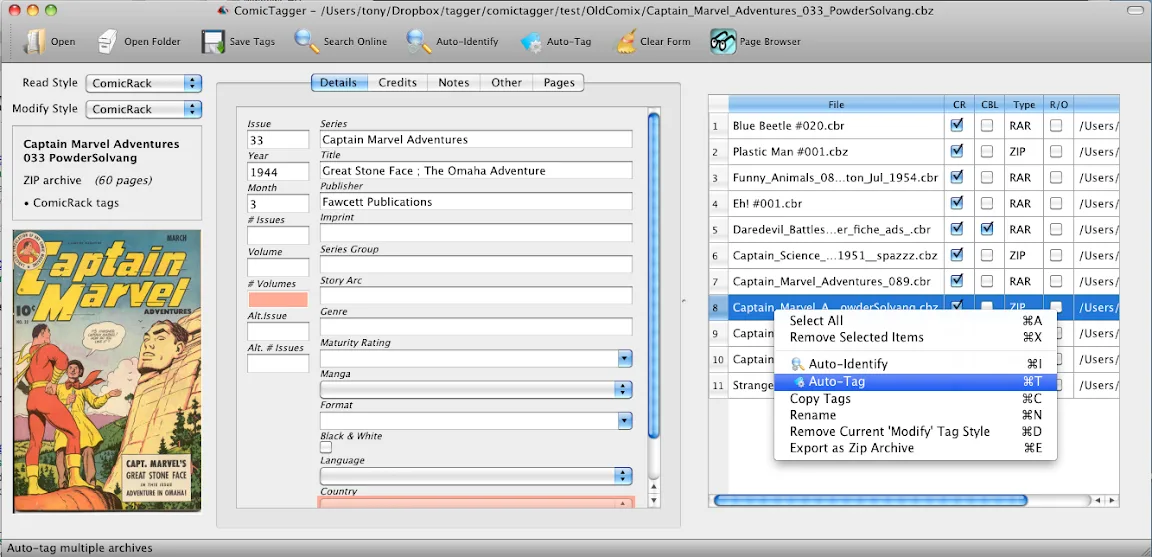
ComicTagger writes descriptive metadata into digital comic archives. It is useful when a collection has inconsistent series names, missing issue numbers or incomplete credits: you can edit fields in its graphical interface rather than rely only on filenames. The application supports ComicRack and ComicBookLover tagging formats, with native read-and-write support for CBZ archives. A command-line interface also supports scripted batch operations.
For online identification, ComicTagger uses series and issue information to narrow the candidates, then compares cover images. The publisher documents Comic Vine as its information source. If a filename supplies the wrong series or issue number, correct those fields before trying automatic identification. Alternate covers, near-identical editions and an archive whose first image is not the cover can interfere with matching; review the proposed issue rather than treating every automatic result as authoritative. Current online-service compatibility has not been tested for this older release.
The linked Mac package is the official 1.5.5 ZIP containing an application bundle, released on November 26, 2022. Its filename identifies an x86_64 build with an OS X 10.15.7 label; that label is not a confirmed minimum-system requirement. It is not identified as a native Apple Silicon or universal build, and compatibility with current macOS versions is unverified. The publisher's installation instructions say to unzip the binary archive and run the application.
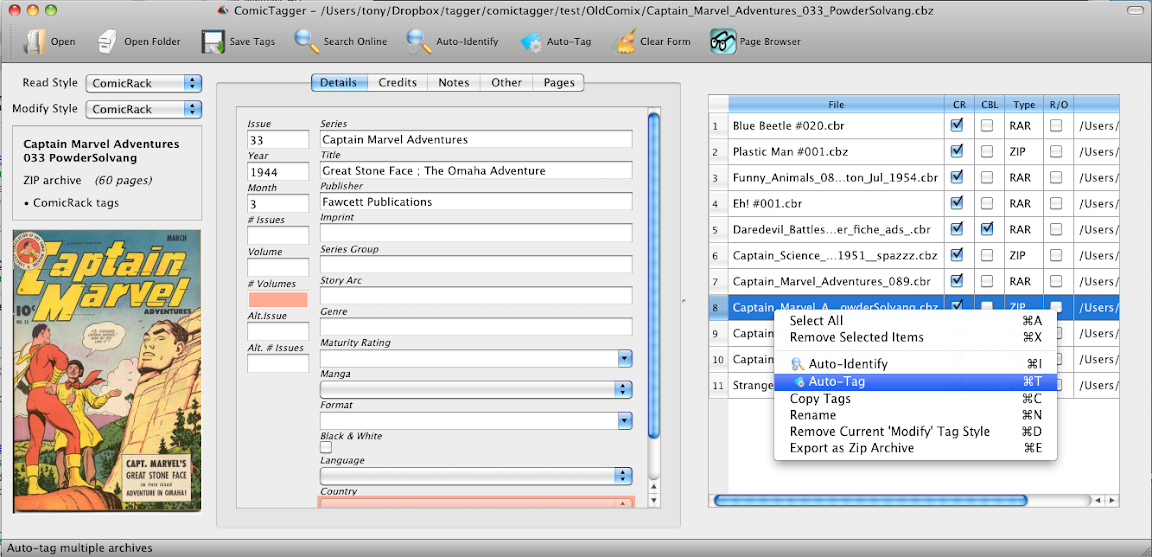
CBR support differs from CBZ support: the version-specific README describes native CBR reading, but writing requires additional RAR tools. The publisher also describes the application as English-centric in its assumptions about metadata. The screenshot shown here is the publisher's historical version 1.0 Mac interface, not a capture of the 1.5.5 package.
What it offers
- Edit digital-comic metadata using a graphical form.
- Save ComicRack and ComicBookLover metadata formats.
- Read and write CBZ archives natively.
- Identify issues using comic information and cover-image comparison.
- Batch-tag collections in the GUI or use the CLI for scripted operations.
Good to know
- CBR writing requires additional RAR tools; the version-specific README describes native CBR support as read-only.
- Alternate covers, similar editions and incorrect filenames can prevent a reliable automatic issue match.
- The selected 2022 Mac package is x86_64; current macOS, Apple Silicon and online-service compatibility have not been verified.
- The publisher describes the application and its metadata assumptions as English-centric.
Product images
Sources
References used for this listing. Retrieval dates do not indicate hands-on testing.
- ComicTagger 1.5.5 — publisher README ↗Retrieved
- ComicTagger 1.5.5 — official release and exact Mac asset metadata ↗Retrieved
- ComicTagger 1.5.5 — publisher package metadata ↗Retrieved
- ComicTagger — publisher user guide ↗Retrieved
- ComicTagger — publisher limitations ↗Retrieved
- ComicTagger — publisher screenshot gallery ↗Retrieved
More in utilities
View category ↗
1.1.1.1 with WARP 2026.8.2115.0
Encrypt traffic from your Mac to Cloudflare’s network with WARP, or use DNS-only mode for encrypted DNS queries to the 1.1.1.1 resolver.
1.1.1.1 with WARP 2026.8.2115.0
Encrypt traffic between your Windows PC and Cloudflare, or use encrypted DNS only, with the free 1.1.1.1 with WARP app.

3uTools 9.12.005
Manage iPhone and iPad photos, music, apps and backups from Windows with 3uTools, a free utility that also includes device checks and firmware flashing tools.