

Utilities macOS
Commander One for macOS
Manage Mac files in two panels with tabs, queued operations, advanced search and ZIP tools. Commander One has a free edition and a paid PRO Pack for server and cloud connections.
- Operating system
- macOS 10.13 or later
- Architecture
- Not specified in the cited publisher page
- Download package
- DMG disk image
Publisher-stated requirements and release details; the DMG was checked with HEAD only, not downloaded, installed or tested.
Link checked · Download guidance
What is Commander One?
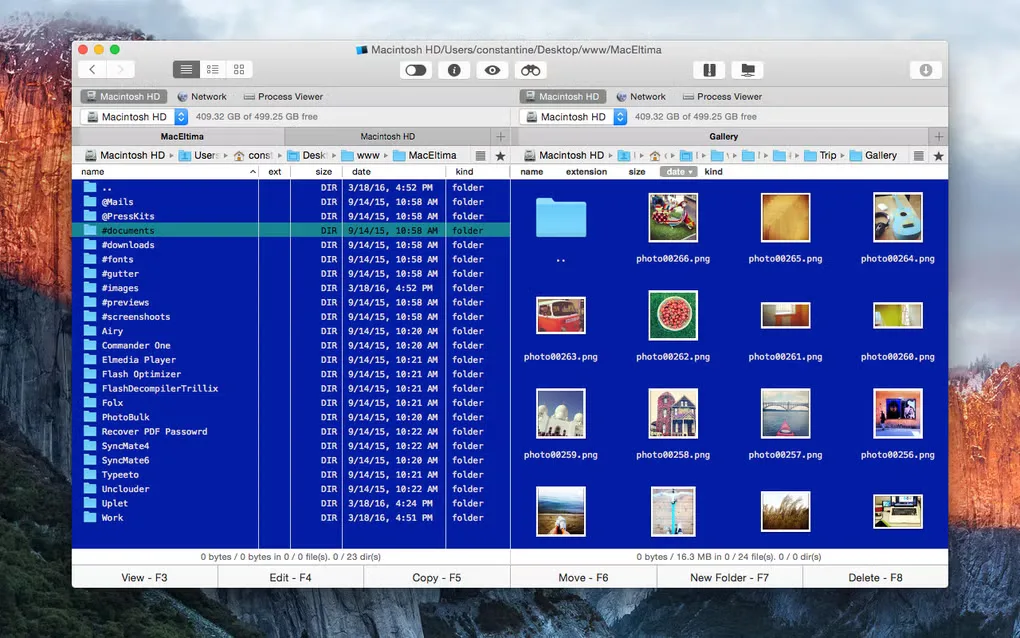
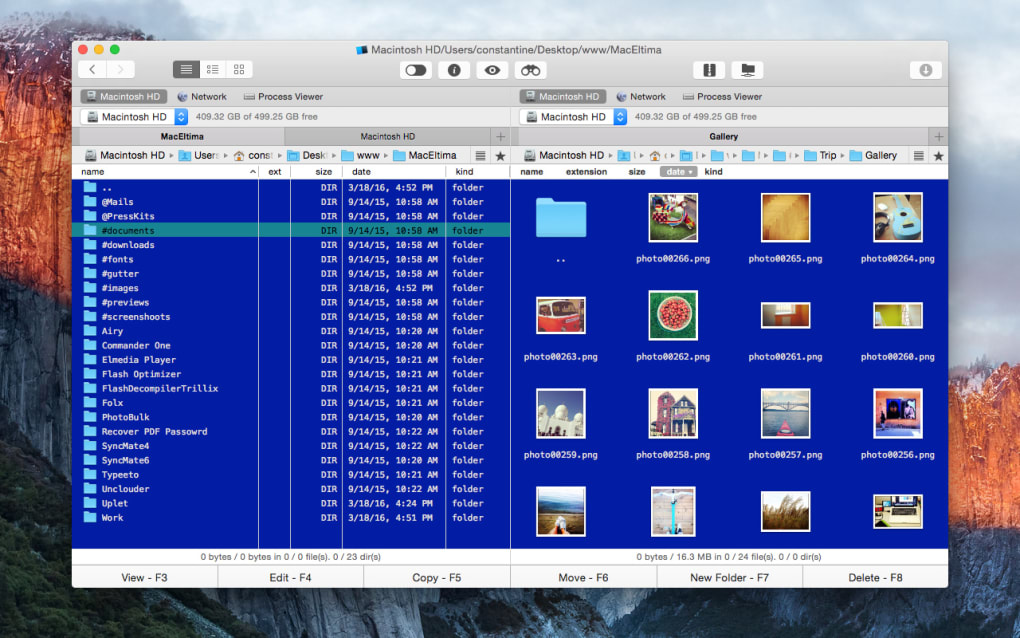
Commander One is a dual-panel file manager for macOS. Keep two folders open side by side when copying or moving files, use tabs to retain other locations, and queue file operations instead of handling each transfer separately. Custom hotkeys, a hidden-files toggle and a built-in file viewer support everyday navigation.
The free tools include ZIP creation and extraction, search with regular expressions, content search and Spotlight search. FTP, SFTP and FTPS connections, cloud-storage integration and a terminal emulator belong to the PRO Pack; the publisher offers a 15-day trial of those features. Choose it for local file management without assuming the remote-access tools remain free after that trial.
The download links to the publisher's DMG. The publisher lists version 3.18(4006), released September 25, 2026, and macOS 10.13 or later. The screenshot is an older Mac interface image from Softonic's product gallery, not proof of the current release's appearance. The installer was not downloaded or run.
What it offers
- Browse two file panels with three view modes and unlimited tabs.
- Queue file operations and assign custom hotkeys.
- Create and extract ZIP archives; view text, images, binary and hex files.
- Search with regular expressions, file contents or Spotlight.
- Use FTP, SFTP, FTPS and cloud-storage connections with the paid PRO Pack.
Good to know
- Server and cloud connections and the terminal emulator are PRO Pack features; their free trial lasts 15 days.
- The publisher lists macOS 10.13 or later; older macOS systems fall outside that stated requirement.
Product images
Sources
References used for this listing. Retrieval dates do not indicate hands-on testing.
More in utilities
View category ↗
1.1.1.1 with WARP 2026.8.2115.0
Encrypt traffic from your Mac to Cloudflare’s network with WARP, or use DNS-only mode for encrypted DNS queries to the 1.1.1.1 resolver.
1.1.1.1 with WARP 2026.8.2115.0
Encrypt traffic between your Windows PC and Cloudflare, or use encrypted DNS only, with the free 1.1.1.1 with WARP app.

3uTools 9.12.005
Manage iPhone and iPad photos, music, apps and backups from Windows with 3uTools, a free utility that also includes device checks and firmware flashing tools.