
Utilities Windows
Concept2 Utility
Update Concept2 Performance Monitor firmware, upload workouts to the Online Logbook and manage LogCard or USB flash drive data with this free Windows utility.
- Operating system
- Windows 10 or newer
- Architecture
- 64-bit Intel or AMD
- Download package
- EXE installer
Monitor connections use an appropriate USB A-B or USB B-C cable. PM5 firmware can also be transferred with a USB flash drive without a monitor-to-computer cable.
Link checked · Download guidance
What is Concept2 Utility?
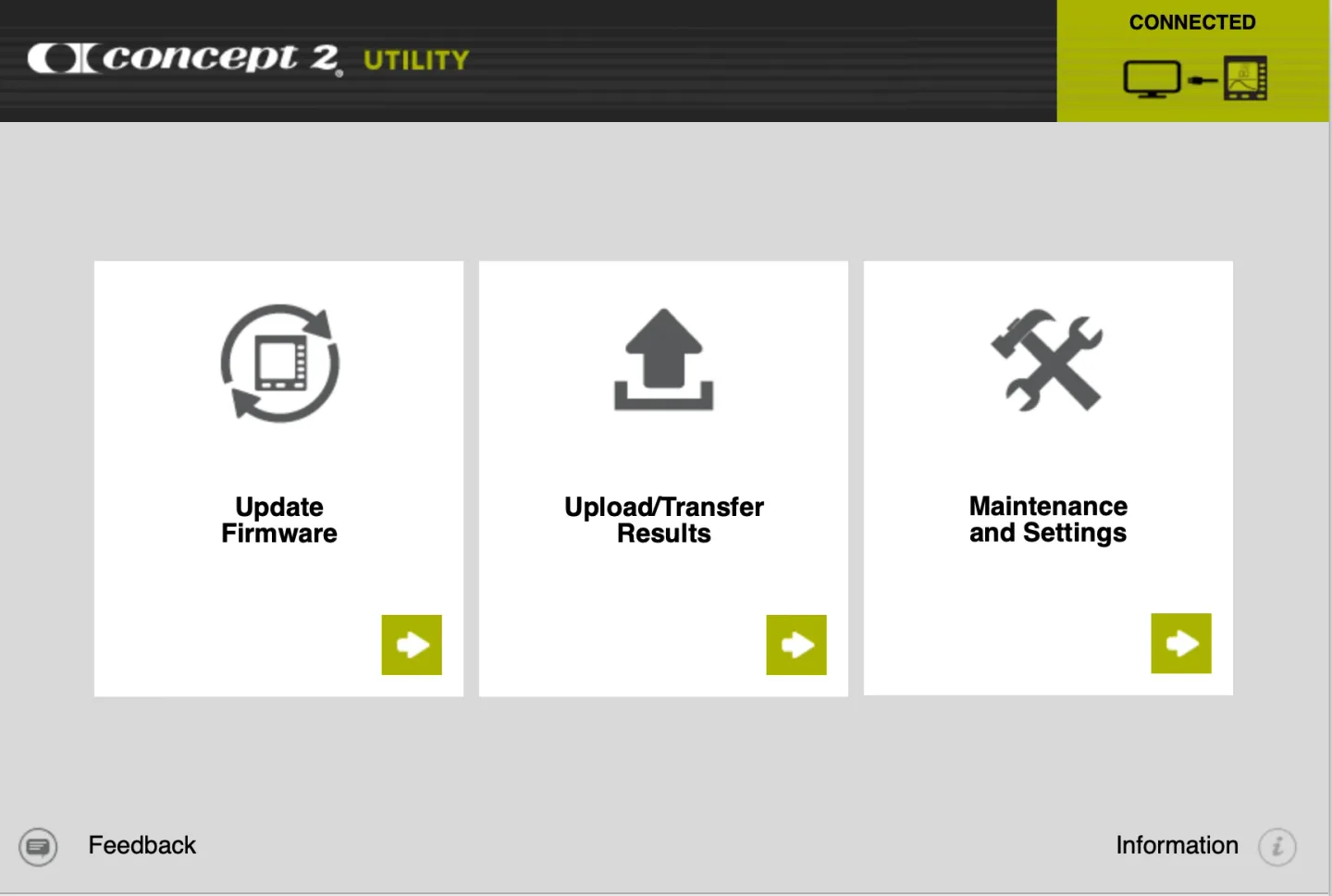
Concept2 Utility connects your Windows computer to the data and firmware used by Concept2 Performance Monitors. Use it to update a PM3, PM4 or PM5, upload recorded workouts to the Concept2 Online Logbook, or manage results stored on a LogCard or USB flash drive. Its main screen separates firmware updates, result transfers, and maintenance tasks.
For workout uploads, you need results in PM5 memory, on a USB flash drive or on a LogCard. A connected monitor uses a suitable USB cable; a PM5 can also receive firmware through a USB flash drive without that cable. Internet access is required for Online Logbook uploads and downloading firmware.
The utility can export USB flash drive or LogCard results to a CSV file for a spreadsheet, and it provides backup and data-repair functions. CSV export is not a two-way synchronization method: CSV files cannot be uploaded to the Online Logbook or transferred back to a LogCard or USB flash drive. This Windows download requires a 64-bit Intel or AMD system running Windows 10 or newer.
What it offers
- Update firmware on Concept2 PM3, PM4 and PM5 Performance Monitors.
- Upload recorded workouts from PM5 memory, a USB flash drive or a LogCard to the Concept2 Online Logbook.
- Export USB flash drive or LogCard results to a CSV file for use in a spreadsheet.
- Back up stored workout data and use the utility's data-repair tools.
Good to know
- Requires Windows 10 or newer on a 64-bit Intel or AMD system; the publisher does not list Windows on ARM for this package.
- Online Logbook uploads and downloading firmware require internet access; device workflows also require the applicable monitor, stored results and connection hardware.
- CSV exports cannot be uploaded to the Online Logbook or written back to a LogCard or USB flash drive.
Product images
Sources
References used for this listing. Retrieval dates do not indicate hands-on testing.
More in utilities
View category ↗
1.1.1.1 with WARP 2026.8.2115.0
Encrypt traffic from your Mac to Cloudflare’s network with WARP, or use DNS-only mode for encrypted DNS queries to the 1.1.1.1 resolver.
1.1.1.1 with WARP 2026.8.2115.0
Encrypt traffic between your Windows PC and Cloudflare, or use encrypted DNS only, with the free 1.1.1.1 with WARP app.

3uTools 9.12.005
Manage iPhone and iPad photos, music, apps and backups from Windows with 3uTools, a free utility that also includes device checks and firmware flashing tools.