
Utilities Windows
ContextMenuManager
Enable, disable and customize Windows right-click menu entries with ContextMenuManager, a free, open-source utility for files, folders and system menus.
- Operating system
- Windows Vista, 7, 8, 8.1 and 10, as listed by the publisher
- Architecture
- 32-bit and 64-bit operating systems
- Download package
- EXE application (.NET 4.0 build)
Requires the appropriate .NET Framework runtime. A separate .NET 3.5 executable and a ZIP package are also listed by the publisher. Windows 11 compatibility is not verified.
Link checked · Download guidance
What is ContextMenuManager?
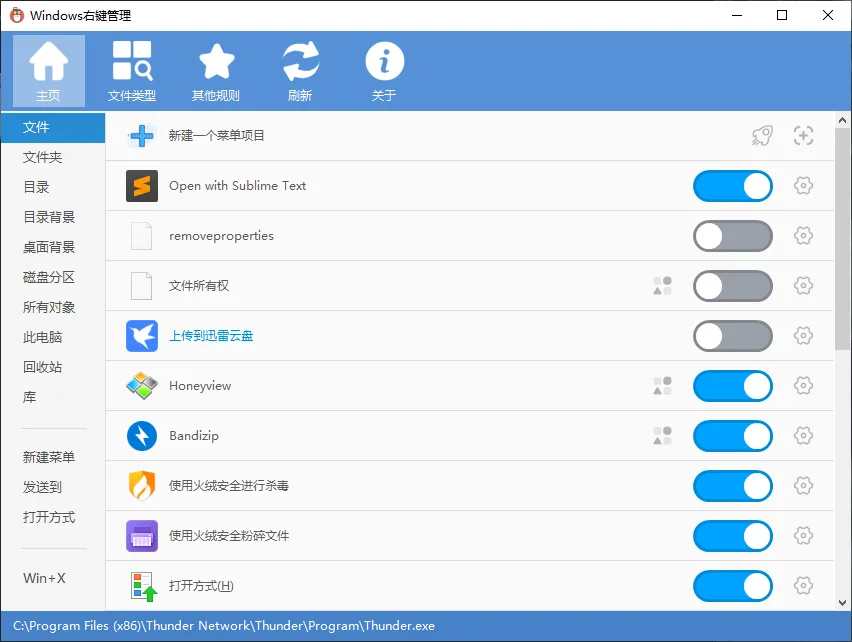
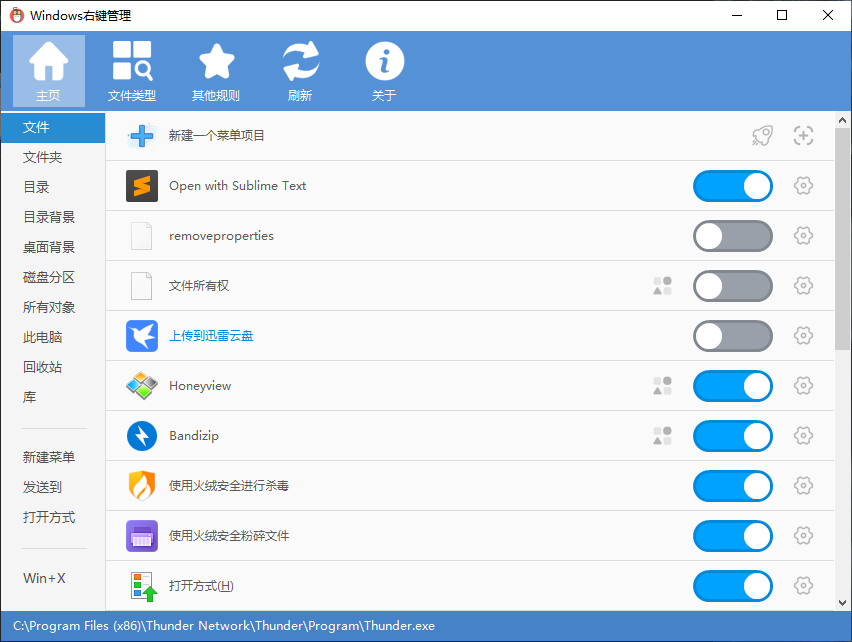
ContextMenuManager helps you manage the commands that appear when you right-click files and folders in Windows. It groups entries by context, including New, Send to, Open with and Win+X, so you can disable unwanted commands or add custom ones. You can also change menu labels and icons, or locate an entry's registry key and associated file.
This entry links to the .NET 4.0 executable for release 3.3.3.1, published on 28 August 2021. The publisher lists Windows Vista, 7, 8, 8.1 and 10 on 32-bit and 64-bit systems; the appropriate .NET Framework runtime is required. Windows 11 compatibility is not established by that supported-systems list.
Disabling an entry is different from permanently deleting it. The publisher advises users unfamiliar with registry and file operations to stick to enable/disable controls. Some special entries can appear enabled inside the manager without appearing in the Windows menu. It is not an application uninstaller, and using multiple context-menu managers together is not recommended.
What it offers
- Enable or disable context-menu entries for files, folders, New, Send to, Open with and Win+X.
- Change menu-item names and icons.
- Add custom menu entries and commands, or permanently delete existing entries.
- Navigate to an entry's registry location or associated file in File Explorer.
Good to know
- Requires the appropriate .NET Framework runtime; this download is the .NET 4.0 build.
- Publisher documentation lists Windows Vista through Windows 10; Windows 11 compatibility is not established here.
- Some special entries may show as enabled in the manager without appearing in the actual context menu.
- Not designed for clean application uninstalls. The publisher discourages using multiple context-menu managers together and advises inexperienced users to use enable/disable rather than registry or file modifications.
Product images
Sources
References used for this listing. Retrieval dates do not indicate hands-on testing.
- ContextMenuManager official project homepage ↗Retrieved
- ContextMenuManager publisher English README ↗Retrieved
- ContextMenuManager publisher repository and license ↗Retrieved
- ContextMenuManager release 3.3.3.1 ↗Retrieved
- ContextMenuManager publisher release feed ↗Retrieved
- ContextMenuManager 3.3.3.1 publisher assets ↗Retrieved
More in utilities
View category ↗
1.1.1.1 with WARP 2026.8.2115.0
Encrypt traffic from your Mac to Cloudflare’s network with WARP, or use DNS-only mode for encrypted DNS queries to the 1.1.1.1 resolver.
1.1.1.1 with WARP 2026.8.2115.0
Encrypt traffic between your Windows PC and Cloudflare, or use encrypted DNS only, with the free 1.1.1.1 with WARP app.

3uTools 9.12.005
Manage iPhone and iPad photos, music, apps and backups from Windows with 3uTools, a free utility that also includes device checks and firmware flashing tools.