
Utilities Windows
ConvertAll
Convert simple and compound units on Windows with ConvertAll, a free, open-source converter with searchable units, two-way calculations and number-base tools.
- Operating system
- Windows 10 and later, 64-bit
- Architecture
- 64-bit; CPU family not specified on the publisher requirements page
- Download package
- ZIP archive
Extract all contents into an empty directory, then run convertall.exe. No support for 32-bit Windows. Publisher requirements, not independently tested compatibility.
Link checked · Download guidance
What is ConvertAll?
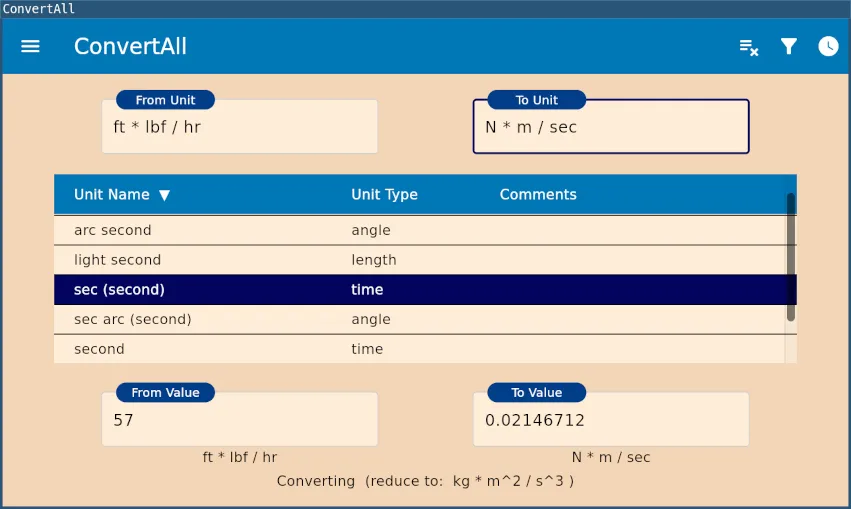
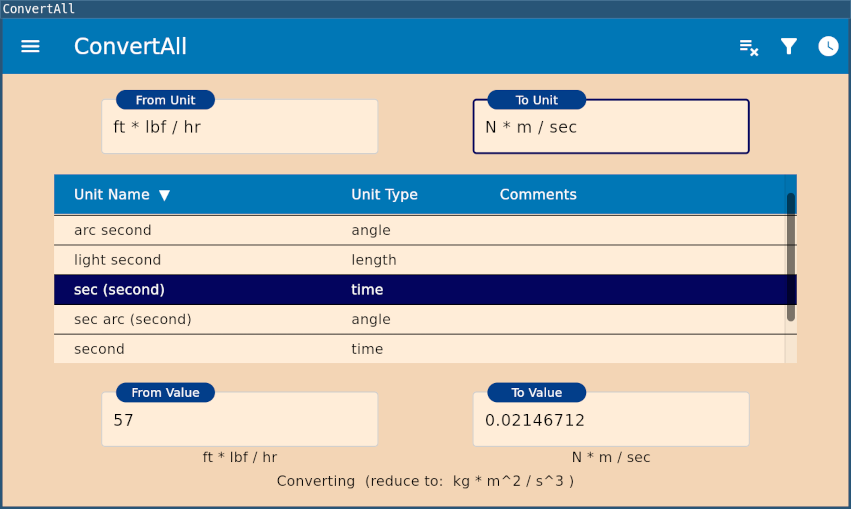
ConvertAll is a unit converter for calculations that do not fit a fixed list of conversion pairs. Type a unit name or abbreviation in the From Unit and To Unit fields, choose matching entries from the filtered list, and enter a value on either side. When the units are compatible, the other value updates. The publisher lists more than 500 units, including non-linear scales such as temperature.
Its main distinction is combining units rather than choosing only individual measurements. Use multiplication, division and powers to describe quantities such as miles per hour or cubic feet; parentheses can group units in the denominator. Recently used combinations can be recalled from a menu. Separate Bases and Fractions views handle decimal, hexadecimal, octal and binary numbers, or show fractional equivalents of a decimal. These are documented features, not results of a local software test.
The linked 1.0.3 Windows package is a ZIP archive. The publisher instructs users to extract every file into an empty directory and launch convertall.exe. Windows 10 or later, 64-bit, is required; 32-bit Windows is not supported. Non-linear units cannot be combined with other units or raised to powers. Keep sufficient decimal places in the result settings: the publisher warns that low precision settings can significantly reduce accuracy.
What it offers
- Find units by typing names or abbreviations; the list filters as you type.
- Combine units with multiplication, division, powers and denominator parentheses.
- Enter values on either side for two-way conversion and recall recent unit combinations.
- Use separate views for decimal, hexadecimal, octal and binary conversion, or decimal-to-fraction equivalents.
- Adjust numerical formatting, view scale and light or dark appearance.
Good to know
- Requires 64-bit Windows 10 or later; 32-bit Windows is not supported.
- Non-linear units, including temperature scales, cannot be combined with other units or used with exponents.
- Choosing too few decimal places can significantly reduce result accuracy.
Product images
Sources
References used for this listing. Retrieval dates do not indicate hands-on testing.
- ConvertAll - News ↗Retrieved
- ConvertAll - Downloads ↗Retrieved
- ConvertAll - Requirements ↗Retrieved
- ConvertAll - Installation ↗Retrieved
- ConvertAll - Features ↗Retrieved
- ConvertAll - How to Use ↗Retrieved
- ConvertAll - Screenshots ↗Retrieved
More in utilities
View category ↗
1.1.1.1 with WARP 2026.8.2115.0
Encrypt traffic from your Mac to Cloudflare’s network with WARP, or use DNS-only mode for encrypted DNS queries to the 1.1.1.1 resolver.
1.1.1.1 with WARP 2026.8.2115.0
Encrypt traffic between your Windows PC and Cloudflare, or use encrypted DNS only, with the free 1.1.1.1 with WARP app.

3uTools 9.12.005
Manage iPhone and iPad photos, music, apps and backups from Windows with 3uTools, a free utility that also includes device checks and firmware flashing tools.