

Utilities Windows
Coolmuster Android Assistant for Windows
Back up Android data to a Windows PC, transfer photos and other files, and manage contacts, text messages and apps with Coolmuster Android Assistant. A free trial is available; full features require a paid license.
- Operating system
- Windows 11, 10, 8 and 7; publisher lists Windows 7 or newer
- Architecture
- Installer architecture unspecified; publisher lists 32-bit or 64-bit processors
- Download package
- EXE installer
Publisher lists Android 6.0 or newer, 200 MB free disk space and a 1 GHz processor. Device and OS compatibility are publisher claims, not independently tested.
Link checked · Download guidance
What is Coolmuster Android Assistant?
Coolmuster Android Assistant manages an Android phone or tablet from a Windows computer. It brings contacts, SMS, call logs, photos, music, videos, documents and apps into a desktop workflow, with local backup and restore alongside selective import and export. It suits keeping a computer copy of phone data or choosing individual files to move between the two devices.
The publisher documents contact editing, SMS composition and replies, media transfers, and batch app installation or removal. Devices can connect by USB or Wi-Fi, using a companion app on the phone. USB setup requires USB debugging; Wi-Fi setup requires the phone and computer to share the same network.
This is commercial desktop software, not an unrestricted free Android app. Coolmuster offers a free trial and paid one-year or lifetime licenses; the advertised individual licenses cover one PC, and the one-year option renews automatically unless cancelled. The alternative CoolTransfer phone companion does not support sending SMS or managing apps.
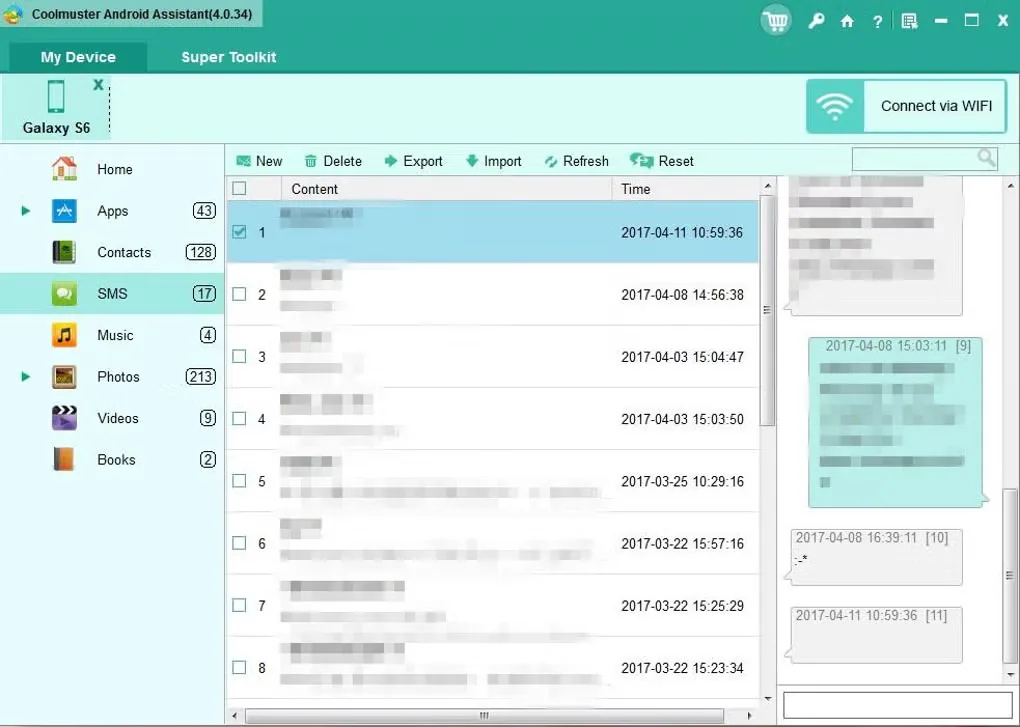
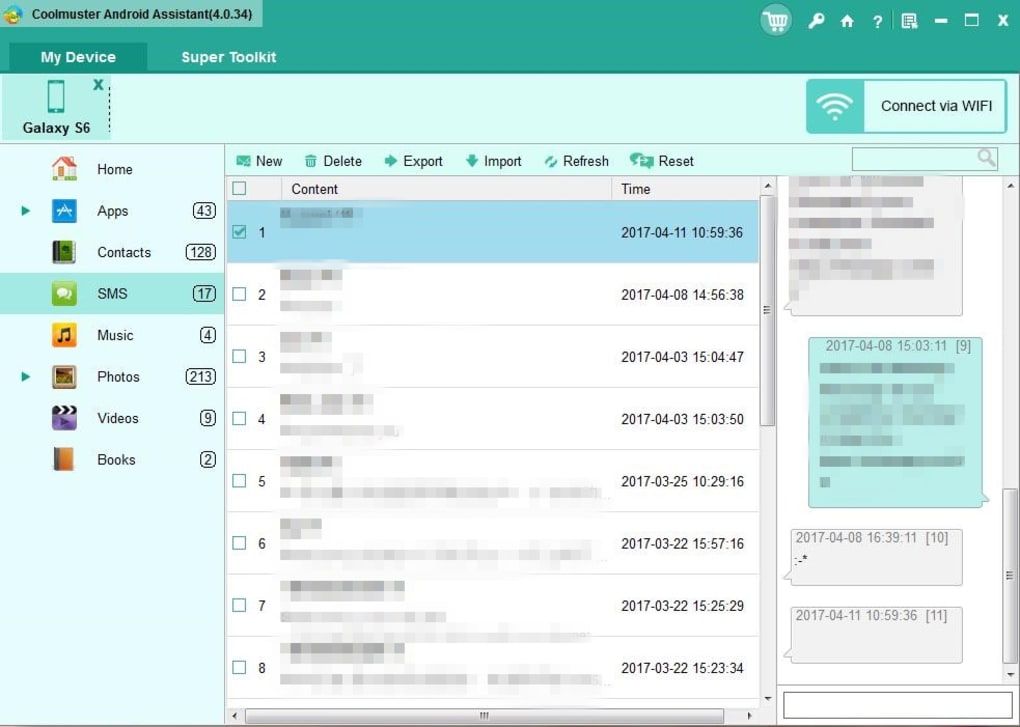
The gallery image shows the older 4.0.34 Windows interface, not the publisher-listed 6.4.56 release. The application and device compatibility have not been tested for this entry.
What it offers
- Back up supported Android data locally on the computer and restore saved backups.
- Preview, import or export contacts, messages, call logs, media, documents and apps.
- Edit phone contacts and compose or reply to SMS from the desktop.
- Organize photos, music and videos, and batch-install or uninstall Android apps.
- Connect a phone by USB or Wi-Fi with an Android companion app.
Good to know
- Full features require a paid license; individual one-year and lifetime plans cover one PC, and the one-year plan auto-renews unless cancelled.
- USB connection requires USB debugging and a phone companion app; Wi-Fi requires both devices on the same network.
- The alternative CoolTransfer companion does not support sending SMS or managing apps.
Product images
Sources
References used for this listing. Retrieval dates do not indicate hands-on testing.
- Coolmuster Android Assistant: Manage Android Data on Computer ↗Retrieved
- Tech Spec of Coolmuster Android Assistant ↗Retrieved
- Coolmuster Android Assistant Guide: Manage, Backup & Transfer Data ↗Retrieved
- Purchase Coolmuster Android Assistant for Windows ↗Retrieved
- Coolmuster Android Assistant - Download ↗Retrieved
More in utilities
View category ↗
1.1.1.1 with WARP 2026.8.2115.0
Encrypt traffic from your Mac to Cloudflare’s network with WARP, or use DNS-only mode for encrypted DNS queries to the 1.1.1.1 resolver.
1.1.1.1 with WARP 2026.8.2115.0
Encrypt traffic between your Windows PC and Cloudflare, or use encrypted DNS only, with the free 1.1.1.1 with WARP app.

3uTools 9.12.005
Manage iPhone and iPad photos, music, apps and backups from Windows with 3uTools, a free utility that also includes device checks and firmware flashing tools.