
Utilities Windows
CopyTranslator
Translate copied text from PDFs and webpages with CopyTranslator, a free, open-source Windows utility with line-break cleanup and a floating translation window.
- Operating system
- Windows; Windows 11 listed by Softonic
- Architecture
- x64
- Download package
- EXE installer (NSIS)
Publisher v12.1.0 build configuration targets Windows x64. Minimum Windows version is not established here; portable ZIP is a separate asset.
Link checked · Download guidance
What is CopyTranslator?
CopyTranslator turns copying text into a translation workflow. Enable clipboard listening, copy a passage from a PDF or webpage, and the app cleans up extra line breaks before showing the translation. Incremental copy can combine passages copied separately, including text split across pages.
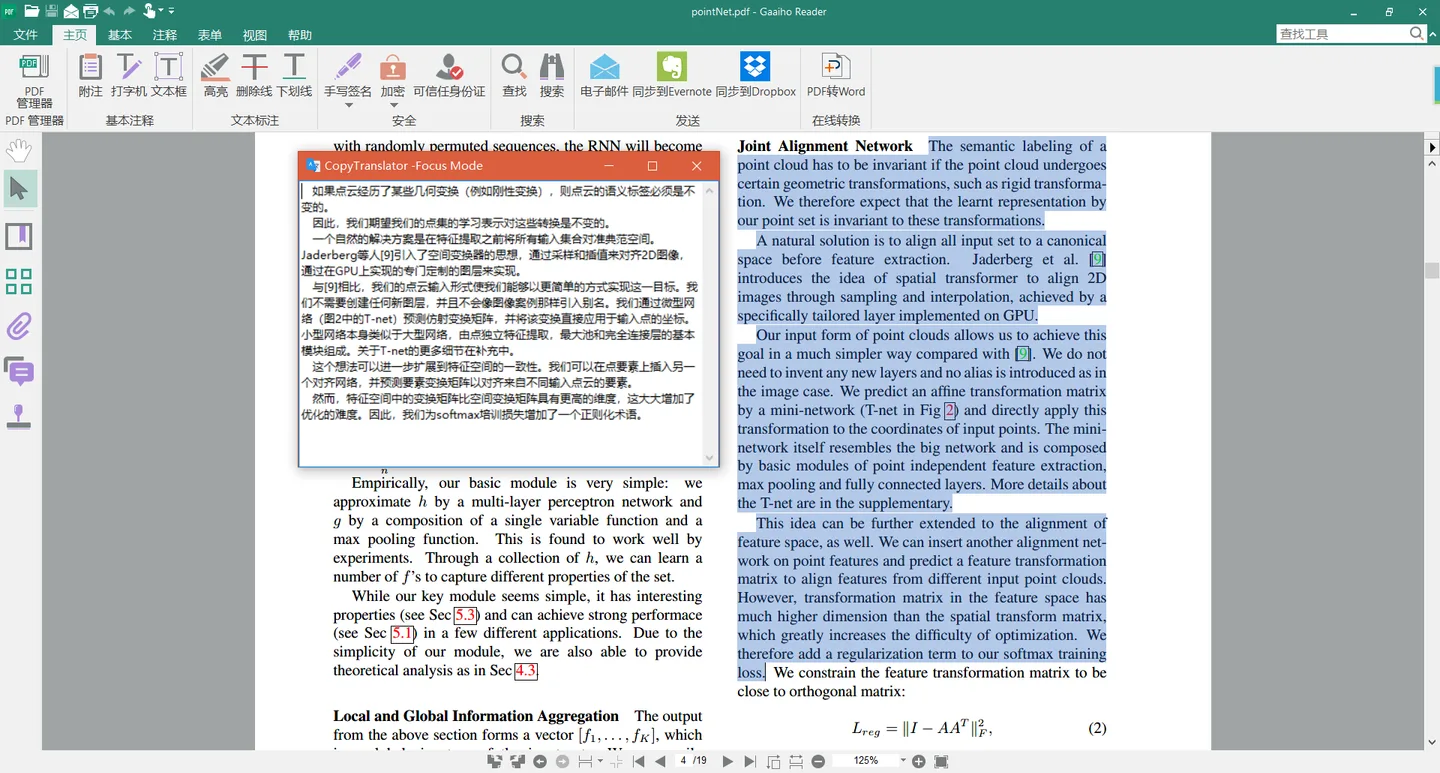
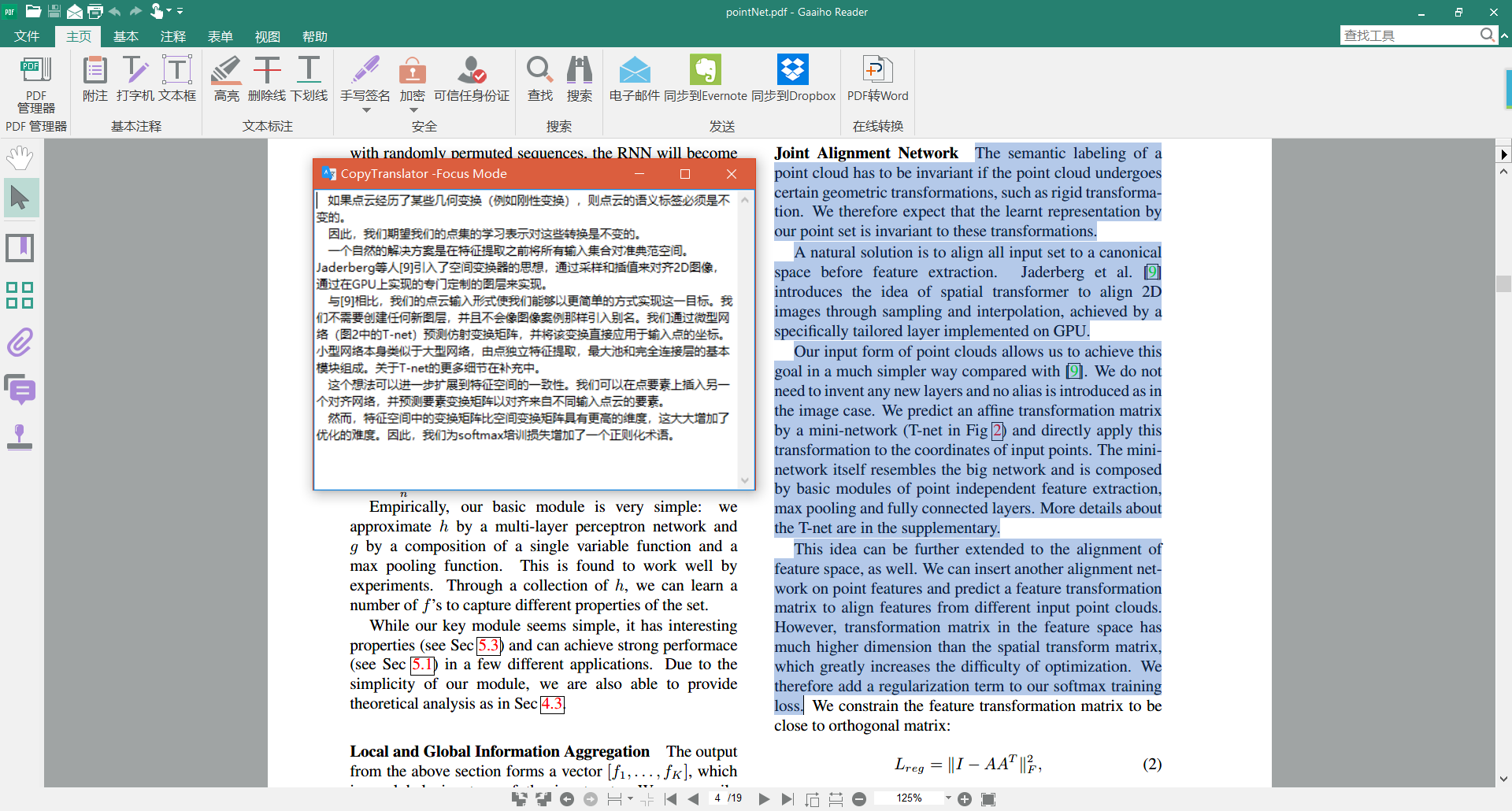
Use a contrast layout to compare the original and translated text, or a floating focus window to keep the result beside your reading. Translation engines and OpenAI-compatible AI providers are configurable; the Windows download linked here is the publisher’s version 12.1.0 x64 EXE installer, not the separate portable ZIP.
Online translation engines need network access, and some providers require their own API credentials. The free application does not guarantee free access to every translation service. Optional drag-copy simulates Ctrl+C; the publisher warns that it can overwrite clipboard contents or interrupt a running shell command. The screenshot shows a historical publisher example, not a verified view of version 12.1.0.
Publisher project: https://github.com/CopyTranslator/CopyTranslator
What it offers
- Translate copied text through clipboard listening, with cleanup of extra PDF line breaks.
- Append separately copied passages with incremental copy.
- Compare source and translated text, or read results in a floating focus window.
- Configure translation engines and OpenAI-compatible AI providers.
Good to know
- Online engines require network access; some providers need API credentials, and service terms or charges are separate from the free application.
- Optional drag-copy simulates Ctrl+C and can overwrite the clipboard or interrupt running shell commands.
Product images
Sources
References used for this listing. Retrieval dates do not indicate hands-on testing.
- CopyTranslator - Download (protected browser observation) ↗Retrieved
- CopyTranslator publisher repository and README ↗Retrieved
- Publisher release metadata: v12.1.0 ↗Retrieved
- Publisher v12.1.0 Windows build configuration ↗Retrieved
- Publisher v12.1.0 guide: clipboard workflow and provider setup ↗Retrieved
- Publisher redistribution statement and attribution requirement ↗Retrieved
More in utilities
View category ↗
1.1.1.1 with WARP 2026.8.2115.0
Encrypt traffic from your Mac to Cloudflare’s network with WARP, or use DNS-only mode for encrypted DNS queries to the 1.1.1.1 resolver.
1.1.1.1 with WARP 2026.8.2115.0
Encrypt traffic between your Windows PC and Cloudflare, or use encrypted DNS only, with the free 1.1.1.1 with WARP app.

3uTools 9.12.005
Manage iPhone and iPad photos, music, apps and backups from Windows with 3uTools, a free utility that also includes device checks and firmware flashing tools.