

Utilities Windows
CPU-Z for Windows
Identify your processor, motherboard and RAM with CPU-Z, a free Windows utility that also shows live CPU and memory frequencies.
- Operating system
- Windows 11 explicitly supported by CPUID
- Architecture
- x86 / x64 (32-bit and 64-bit)
- Download package
- English EXE installer
Version 3.01; setup selects the 32-bit or 64-bit binary. ARM64 has a separate publisher build and is not this download.
Link checked · Download guidance
What is CPU-Z?
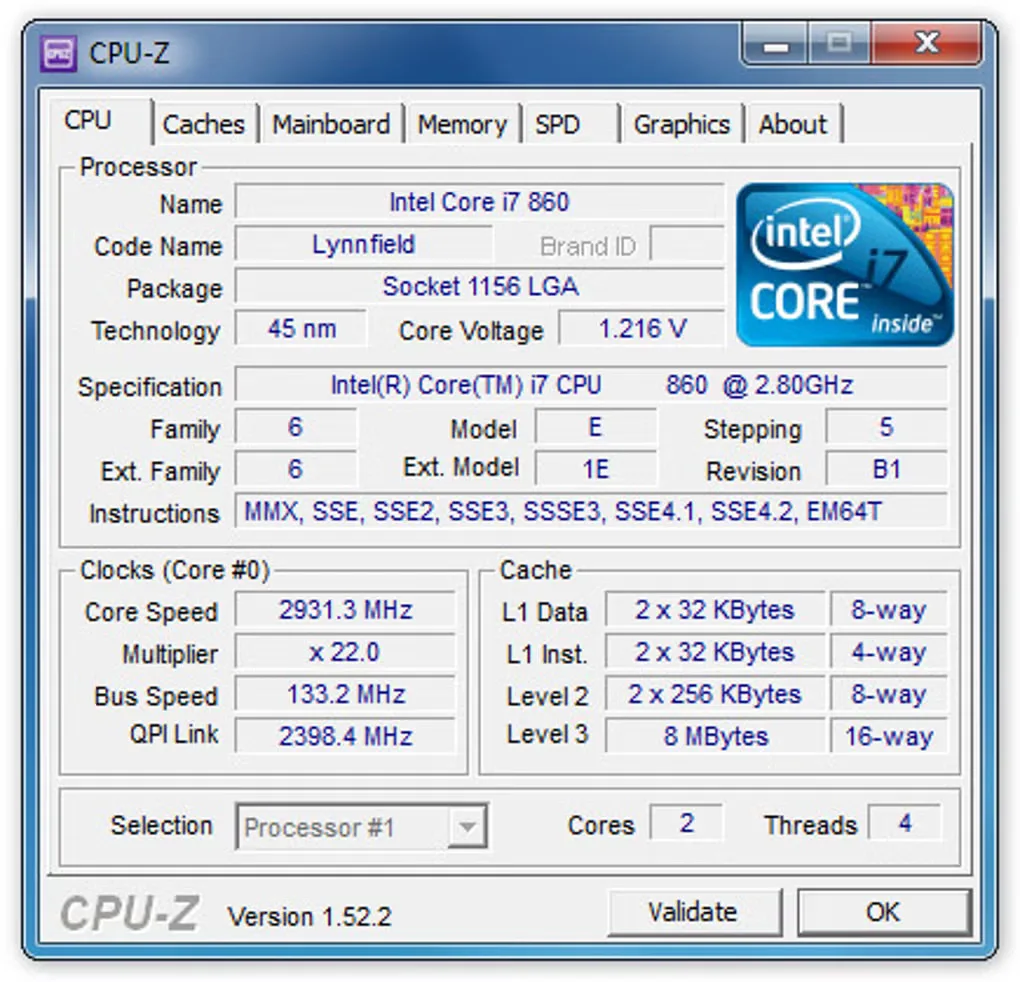
CPU-Z brings processor, motherboard and memory details into one Windows utility. Use it to identify a CPU's model and cache, check the motherboard chipset, or look up RAM timings and the specifications stored in a memory module's SPD data. Live frequency readings show how CPU and memory clocks are behaving rather than just repeating the processor's advertised speed. Text and HTML reports let you save system details for reference.
This download is CPUID's English 3.01 EXE installer for 32-bit and 64-bit x86 Windows; setup selects the appropriate binary. CPUID explicitly supports Windows 11 and offers ARM64 separately. Memory specifications need interpretation: the publisher notes that an SPD bandwidth figure can differ from the module's advertised rating when its data is programmed incorrectly or the rating depends on an extended profile such as XMP.
What it offers
- Identify processor name, model number, codename, manufacturing process, package and cache levels.
- View motherboard and chipset information.
- Check memory type, capacity, timings and module specifications stored in SPD.
- Read CPU core and memory frequencies in real time.
- Generate text or HTML system reports using command-line parameters.
Good to know
- SPD-derived memory bandwidth may differ from a module's advertised rating; CPUID attributes this to SPD programming or ratings that rely on extended profiles such as EPP or XMP.
Product images
Sources
References used for this listing. Retrieval dates do not indicate hands-on testing.
More in utilities
View category ↗
1.1.1.1 with WARP 2026.8.2115.0
Encrypt traffic from your Mac to Cloudflare’s network with WARP, or use DNS-only mode for encrypted DNS queries to the 1.1.1.1 resolver.
1.1.1.1 with WARP 2026.8.2115.0
Encrypt traffic between your Windows PC and Cloudflare, or use encrypted DNS only, with the free 1.1.1.1 with WARP app.

3uTools 9.12.005
Manage iPhone and iPad photos, music, apps and backups from Windows with 3uTools, a free utility that also includes device checks and firmware flashing tools.