
Utilities Windows
cpufetch
Display CPU details beside a processor logo in your terminal with cpufetch, an open-source command-line utility. This download is the Windows x64 executable.
- Operating system
- Windows; minimum version not specified by publisher
- Architecture
- x86-64 (64-bit)
- Download package
- Statically linked EXE command-line executable
Selected asset: cpufetch_x86-64_windows.exe. Windows on Arm support is experimental; this is not an ARM-native build. Terminal color support is required for colored output.
Link checked · Download guidance
What is cpufetch?
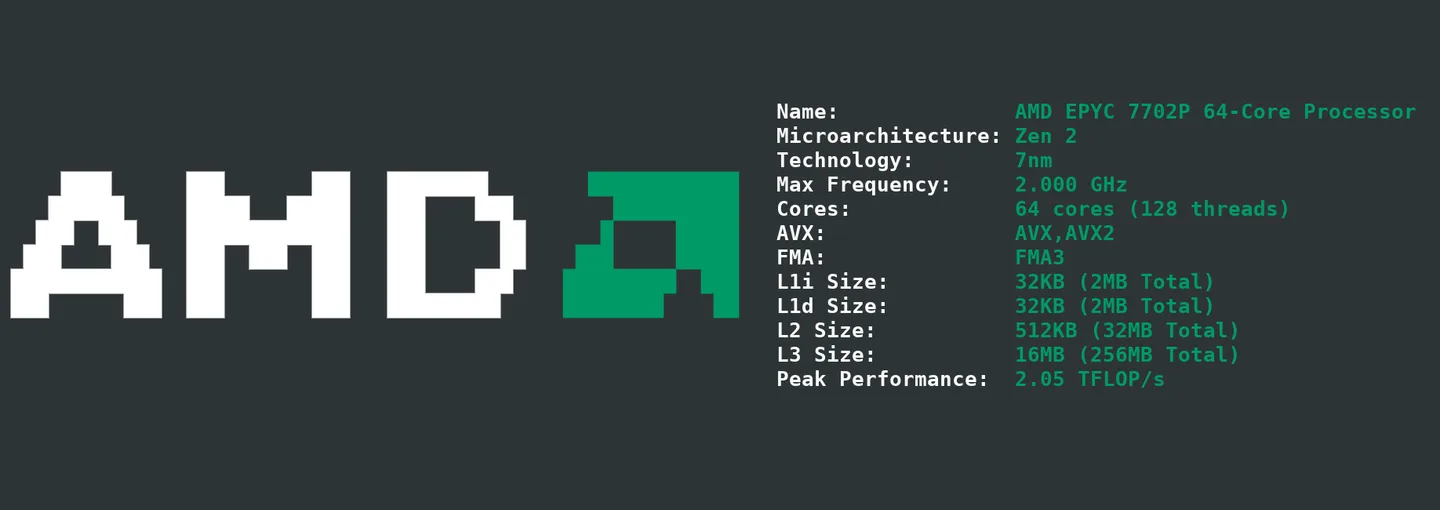
cpufetch presents CPU information as a compact terminal readout with an ASCII processor logo. It is useful when you want a readable summary of a processor rather than a graphical settings window. The publisher's example shows the CPU name, microarchitecture, manufacturing technology, maximum frequency, core and thread counts, instruction-set information and cache sizes. The fields available on your machine depend on the hardware and its support in cpufetch.
The linked v1.07 package is cpufetch_x86-64_windows.exe, a statically linked executable for 64-bit x86 Windows. The release table does not specify a minimum Windows version. Windows on Arm support is described separately as experimental; the file linked here is not an ARM-native package.
The output uses the terminal's color scheme by default. You can select a manufacturer color preset or supply your own RGB colors, but colored output on Windows requires a terminal that supports it. If cpufetch reports an unknown microarchitecture, the publisher says the cause can be an older release or hardware that is not yet supported. The screenshot is the publisher's AMD EPYC example, not a test of this Windows download.
What it offers
- Show CPU information next to an ASCII processor logo in a command-line interface.
- Read processor details such as microarchitecture, cores, threads and cache sizes where supported.
- Customize output with manufacturer color presets or five RGB color values.
- Use the publisher's statically linked x86-64 Windows executable.
Good to know
- Colored output on Windows depends on terminal support.
- Some processors may report an unknown microarchitecture if the release is old or the hardware is not supported.
- The release does not specify a minimum Windows version. Windows on Arm support is experimental, and this download is x64 rather than ARM-native.
Product images
Sources
References used for this listing. Retrieval dates do not indicate hands-on testing.
More in utilities
View category ↗
1.1.1.1 with WARP 2026.8.2115.0
Encrypt traffic from your Mac to Cloudflare’s network with WARP, or use DNS-only mode for encrypted DNS queries to the 1.1.1.1 resolver.
1.1.1.1 with WARP 2026.8.2115.0
Encrypt traffic between your Windows PC and Cloudflare, or use encrypted DNS only, with the free 1.1.1.1 with WARP app.

3uTools 9.12.005
Manage iPhone and iPad photos, music, apps and backups from Windows with 3uTools, a free utility that also includes device checks and firmware flashing tools.