
Utilities Windows
csvlens
Browse CSV files in a terminal with csvlens, a free, open-source viewer with regex search, row and column filters, and sorting. This download is the Windows x64 ZIP.
- Operating system
- Windows; minimum Windows version not established by the cited publisher documentation
- Architecture
- x64
- Download package
- ZIP archive
Publisher lists a separate ARM64 Windows archive. Extract the matching ZIP and run the binary from a terminal; this is not a graphical installer.
Link checked · Download guidance
What is csvlens?
csvlens displays CSV data as a navigable table in your terminal. Open a file with csvlens <filename>, or pipe CSV output from another command into the viewer. Keyboard controls move through rows and columns, while regular-expression searches highlight matching content without requiring a separate spreadsheet workflow.
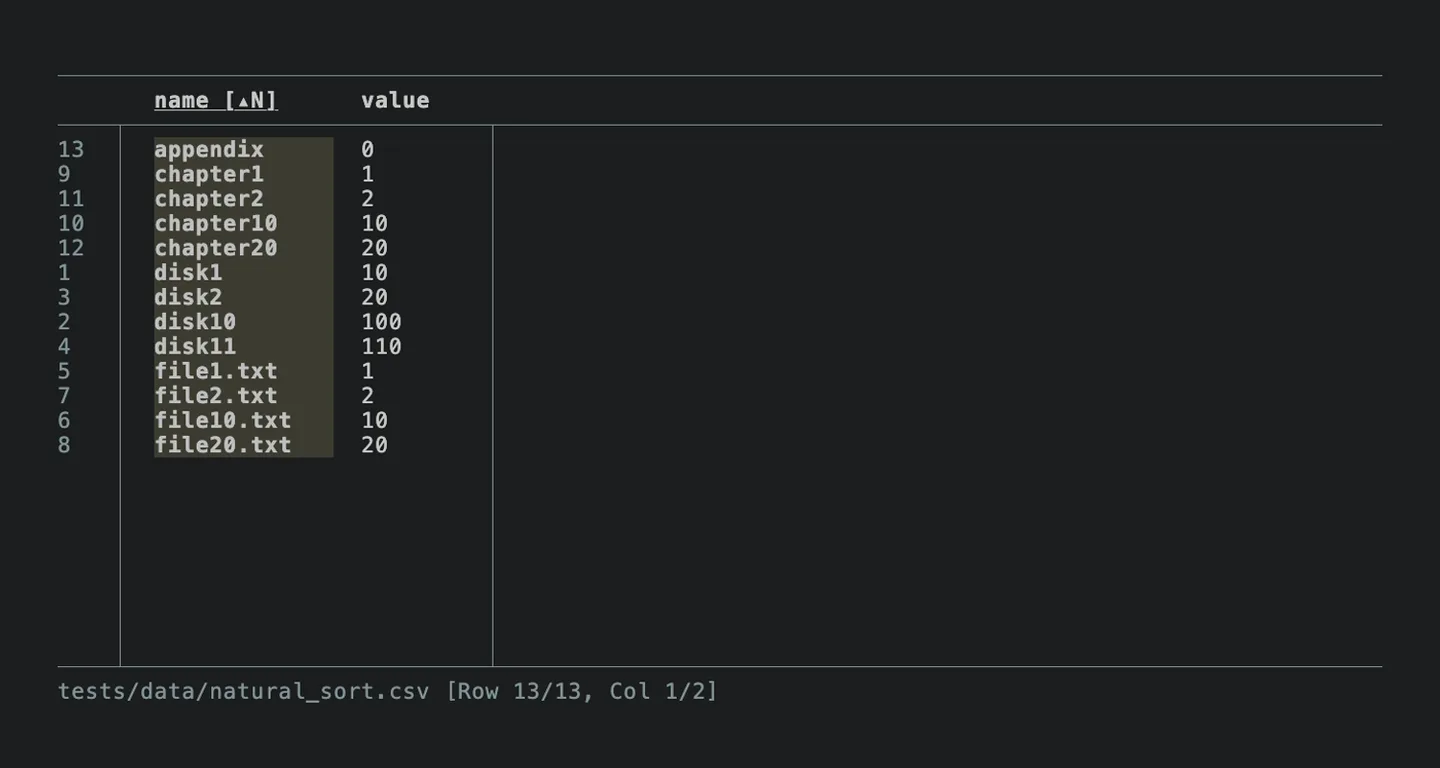
For a narrower view, filter rows or columns, adjust column widths, wrap long values or freeze columns on the left. Sorting includes a natural-order option, useful for names such as file2 and file10. The viewer also supports tab-separated input and an explicit delimiter option.
This is a command-line viewer, so it suits terminal-based inspection rather than a graphical spreadsheet editing workflow. The linked 0.15.1 package is a ZIP for x64 Windows; the publisher instructs users to extract the matching archive and execute the binary. An ARM64 Windows package is listed separately on the same release page. The screenshot is the publisher's older 0.14.0 natural-sort demonstration, not a capture of this Windows build.
What it offers
- Navigate CSV tables with keyboard controls or view CSV data piped from another command.
- Find and highlight regular-expression matches; filter rows and columns with regex patterns.
- Sort by the selected column, including natural ordering for numbered names.
- Adjust column widths, wrap long values and freeze columns on the left.
- Read tab-separated data or specify a delimiter; use the no-headers option when the first row is data.
Good to know
- Terminal-based operation requires command-line input and keyboard controls; it is a CSV viewer rather than a graphical spreadsheet editor.
- This download targets x64 Windows, not ARM64; select the separate publisher archive for ARM64 systems.
Product images
Sources
References used for this listing. Retrieval dates do not indicate hands-on testing.
More in utilities
View category ↗
1.1.1.1 with WARP 2026.8.2115.0
Encrypt traffic from your Mac to Cloudflare’s network with WARP, or use DNS-only mode for encrypted DNS queries to the 1.1.1.1 resolver.
1.1.1.1 with WARP 2026.8.2115.0
Encrypt traffic between your Windows PC and Cloudflare, or use encrypted DNS only, with the free 1.1.1.1 with WARP app.

3uTools 9.12.005
Manage iPhone and iPad photos, music, apps and backups from Windows with 3uTools, a free utility that also includes device checks and firmware flashing tools.