
Utilities Windows
Cumulus MX
Log readings from a supported weather station, view local charts and records, and configure weather reports with Cumulus MX for Windows. Version 5 requires the .NET 10 runtime.
- Operating system
- Windows 11 listed by Softonic; publisher supports Windows
- Architecture
- Not specified for the selected ZIP distribution
- Download package
- ZIP distribution
Requires the .NET 10 runtime and a supported station/data source. Older Windows wiki runtime requirements predate version 5 and are not used as current compatibility evidence.
Link checked · Download guidance
What is Cumulus MX?
Cumulus MX turns readings from a supported personal weather station into a local weather record. Its browser-based administrative interface brings together current conditions, gauges, charts, daily comparisons and longer-term extremes. It is intended for station owners who want to inspect and manage their own observations, rather than users looking for a general city-weather forecast app.
Station compatibility is the first check: the project documents specific models and connection methods, including Davis and Ecowitt devices. After configuring the station and units, use the local interface to review readings, manage logs and configure reports. Keep this administrative interface on your computer or trusted local network; the documentation says not to expose it to the internet.
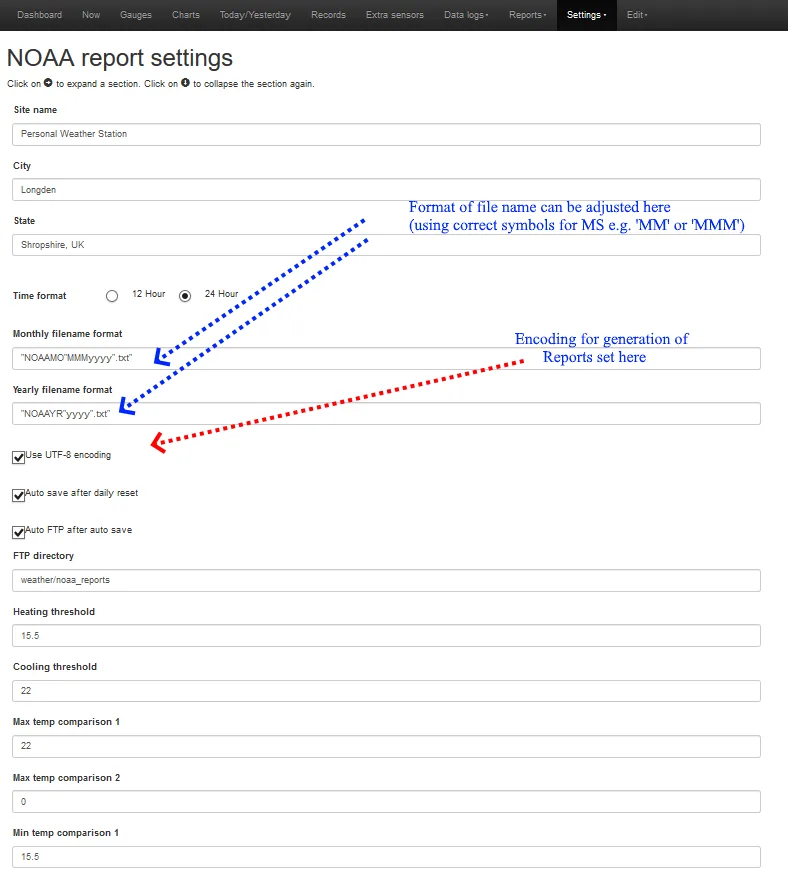
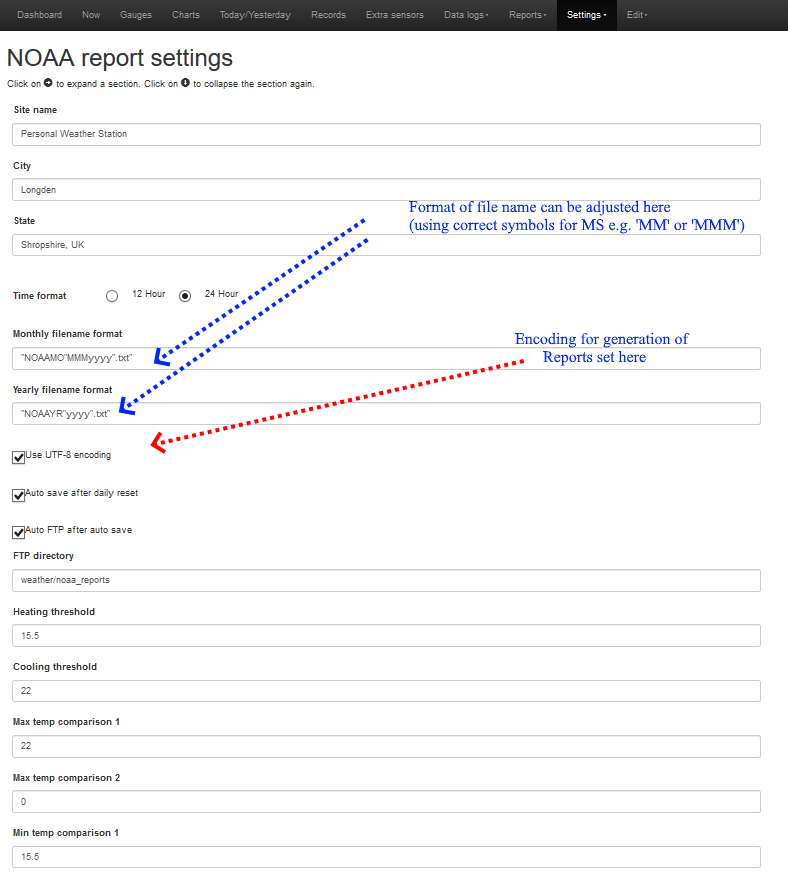
The linked package is the publisher's ZIP distribution of version 5.1.6, build 5016. Version 5 requires .NET 10, not the older .NET versions still mentioned in some wiki articles. Install all files from the distribution together. If moving from version 4, back up the existing installation before starting version 5: its first run converts log files, and reverting is not a simple replacement of the executable. The screenshot illustrates an older, annotated NOAA report-settings screen from the project wiki; it is not a capture of the current release.
What it offers
- Inspect current station readings through a browser-based dashboard, tables and gauges.
- Review recent charts, today/yesterday comparisons and weather extremes across longer periods.
- Maintain weather logs and edit records through the local administrative interface.
- Configure NOAA-style weather reports and optional website data output.
Good to know
- Requires a compatible weather station or supported data source and its matching connection configuration; it is not a standalone forecast service.
- Version 5 requires the .NET 10 runtime. Upgrading from version 4 converts log files, so keep a backup before the first run.
- The administrative interface can change settings and records; the project warns against exposing it to the internet.
Product images
Sources
References used for this listing. Retrieval dates do not indicate hands-on testing.
- Cumulus MX - Download ↗Retrieved
- Software - Cumulus Wiki ↗Retrieved
- Cumulus MX Version 5 - IMPORTANT Additional Information - Cumulus Support ↗Retrieved
- MX Administrative Interface - Cumulus Wiki ↗Retrieved
- Supported Devices - Cumulus Wiki ↗Retrieved
- File:NOAA settings.png - Cumulus Wiki ↗Retrieved
- CumulusWiki:General disclaimer - Cumulus Wiki ↗Retrieved
More in utilities
View category ↗
1.1.1.1 with WARP 2026.8.2115.0
Encrypt traffic from your Mac to Cloudflare’s network with WARP, or use DNS-only mode for encrypted DNS queries to the 1.1.1.1 resolver.
1.1.1.1 with WARP 2026.8.2115.0
Encrypt traffic between your Windows PC and Cloudflare, or use encrypted DNS only, with the free 1.1.1.1 with WARP app.


3uTools 9.12.005
Manage iPhone and iPad photos, music, apps and backups from Windows with 3uTools, a free utility that also includes device checks and firmware flashing tools.