

Development Windows
Cygwin for Windows
Use GNU tools, a Unix-style shell and a POSIX compatibility library on Windows with Cygwin. Select and update packages through its graphical setup program.
- Operating system
- x86_64 Windows versions starting with Windows 8.1, as listed by the publisher
- Architecture
- x64 (x86_64)
- Download package
- EXE setup program for package installation and updates
This link is the x64 setup program. The displayed release is the Cygwin DLL; packages and the setup program are versioned separately.
Link checked · Download guidance
What is Cygwin?
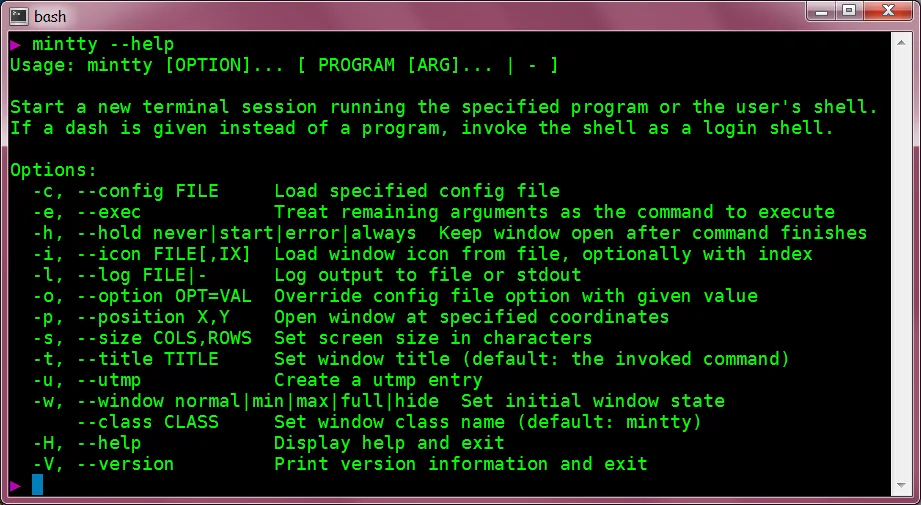
Cygwin brings a collection of GNU and other open-source tools to Windows, together with a DLL that provides substantial POSIX API functionality. It suits developers who want a Unix-style command-line environment or need to port source code to Windows. The Cygwin Terminal shortcut opens mintty, which starts your shell. The screenshot shows this terminal component displaying its help text, not the setup program.
The linked x64 EXE is the Cygwin setup program, not a complete offline distribution. Its default installation contains a minimal base environment; choose additional packages for the work you need, such as gcc-g++ for C++ compilation. Run setup again to add packages or update an existing installation. An internet installation obtains the selected packages from a mirror; installation from a prepared local package directory is also supported.
Cygwin does not run native Linux binaries directly. Applications must be rebuilt from source for Cygwin, and native Windows applications do not automatically gain its Unix functionality. The version and release date shown here refer to the Cygwin DLL, not the installer or the entire distribution: individual packages have their own release schedules.
What it offers
- Work with a Unix-style shell and a collection of GNU and other open-source tools on Windows.
- Use the Cygwin DLL's POSIX API functionality when porting applications from source.
- Select, add and update packages through the graphical setup program.
- Install selected packages from an internet mirror or a prepared local package directory.
- Open the default shell through the mintty-based Cygwin Terminal shortcut.
Good to know
- Native Linux binaries do not run directly; applications must be rebuilt from source for Cygwin.
- The default installation is a minimal base environment and does not include every available tool, including GCC.
- The linked setup EXE is a package installer, not the complete distribution; an internet installation downloads additional selected packages.
Product images
Sources
References used for this listing. Retrieval dates do not indicate hands-on testing.
- Cygwin — official project homepage ↗Retrieved
- Installing and Updating Cygwin Packages ↗Retrieved
- Cygwin Licensing Terms ↗Retrieved
- Cygwin User's Guide — Setting Up Cygwin ↗Retrieved
- Cygwin User's Guide — Quick Start Guide for Windows users ↗Retrieved
- Cygwin announcement — cygwin 3.6.12-1 ↗Retrieved
- Mintty — Cygwin Terminal emulator ↗Retrieved
More in development
View category ↗
010 Editor 17.0
Inspect and edit binary files on Mac with 010 Editor, a paid text and hex editor with Binary Templates, file comparison and a 30-day trial.
010 Editor 17.0
Inspect and edit binary files with 010 Editor for Windows, a text and hex editor with Binary Templates, file comparison and scripting. Includes a 30-day trial.
10x Editor
Edit and navigate C++ projects on Windows with a built-in parser, workspace search and Visual Studio project support. A paid license is required after the 30-day trial.