
Utilities Windows
Cyotek WebCopy
Copy websites to a Windows PC for offline browsing, remap local links, and control which pages and resources Cyotek WebCopy saves.
- Operating system
- Windows 10 version 1607 or later; Windows 8.1; Windows 7 SP1
- Architecture
- x64; separate x86 installer available
- Download package
- EXE installer
The 1.9 release history says Setup installs .NET Framework 4.8 if absent. General product footers still list older requirements; no installation or Windows 11 test is claimed.
Link checked · Download guidance
What is Cyotek WebCopy?
Cyotek WebCopy scans a website and saves its pages and linked resources locally. It remaps links to stylesheets, images and other pages to their local paths, making it useful for keeping an offline copy of a mostly static site or collecting selected resources. Rules can exclude sections or save a URL without crawling its links.
After a scan, the Link Map Viewer and reports help you inspect discovered links, errors, missing pages and media. These are useful for checking what the copy contains rather than assuming every part of the original site will work offline.
JavaScript-driven sites are a significant limitation. The standard crawler does not execute JavaScript, and links are remapped in HTML and CSS, not JavaScript. Version 1.9 documents an experimental Internet Explorer-based browser mode, but it does not automate interactions such as infinite scrolling or clicking a dynamic tree. WebCopy also cannot retrieve a website’s private server-side code or databases.
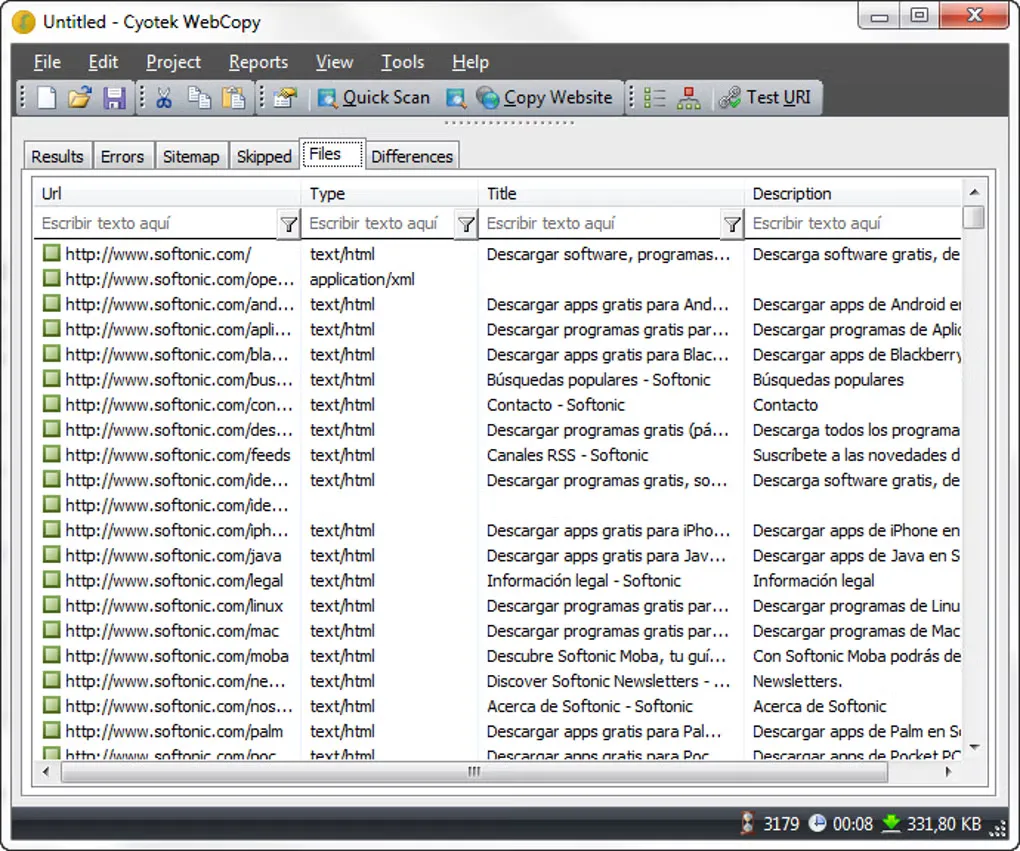
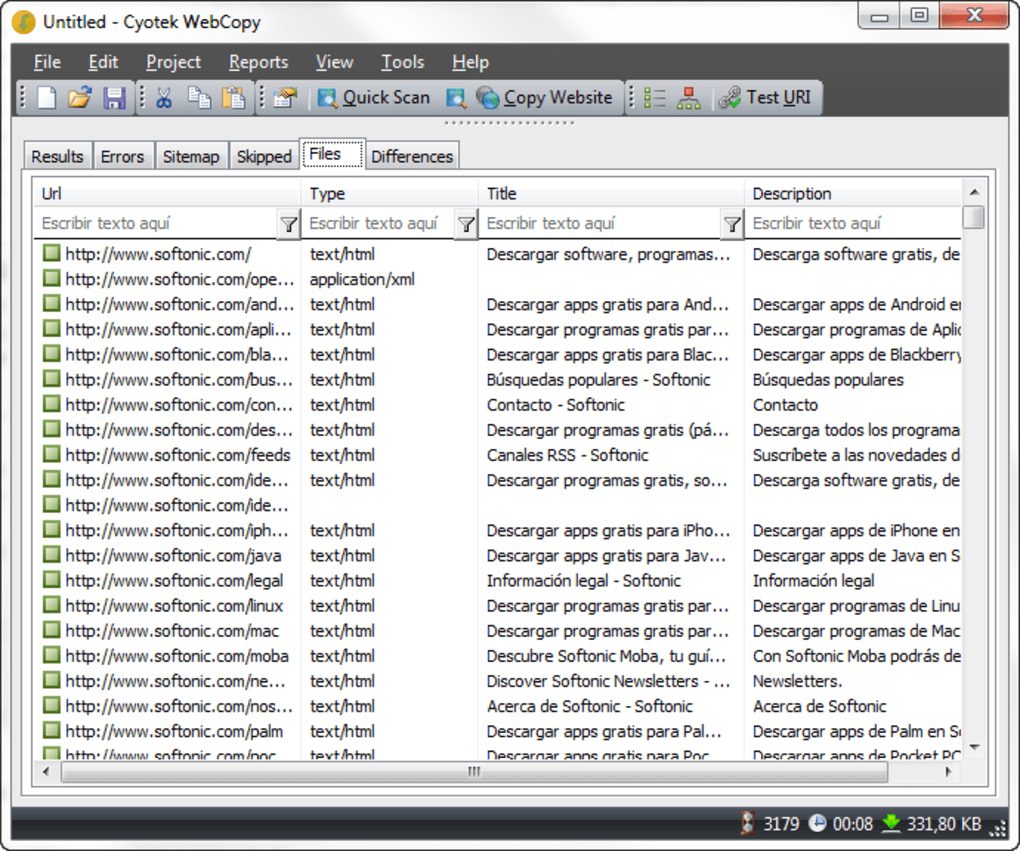
The selected download is the publisher-hosted x64 EXE for version 1.9.1.872; a separate x86 installer exists. The gallery image shows an older Windows interface and is not evidence of the selected build’s appearance. No installer was downloaded or run for this entry.
What it offers
- Save website pages and linked resources for local offline access.
- Remap links to locally saved pages, stylesheets and images.
- Use rules to exclude sections or download individual URLs without crawling them.
- Inspect internal and external links with the filterable Link Map Viewer.
- Review reports covering pages, errors, missing pages and media resources.
Good to know
- The standard crawler does not execute JavaScript; version 1.9’s experimental Internet Explorer mode is limited and does not automate clicks or infinite scrolling.
- Links are remapped in HTML and CSS, not JavaScript, so dynamic sites can remain incomplete offline.
- Only content returned by the server can be copied, not private server-side source code or databases.
Product images
Sources
References used for this listing. Retrieval dates do not indicate hands-on testing.
- Cyotek WebCopy — official overview ↗Retrieved
- Cyotek WebCopy — official features ↗Retrieved
- Cyotek WebCopy — official download catalog ↗Retrieved
- WebCopy 1.9 — crawl limitations ↗Retrieved
- WebCopy 1.9 — experimental JavaScript crawling ↗Retrieved
- Cyotek WebCopy — end-user license ↗Retrieved
- Cyotek WebCopy — revision history ↗Retrieved
- Cyotek — .NET Framework 4.8 support transition ↗Retrieved
- Scoop Extras — WebCopy manifest, endpoint discovery only ↗Retrieved
- Cyotek WebCopy - Download ↗Retrieved
More in utilities
View category ↗
1.1.1.1 with WARP 2026.8.2115.0
Encrypt traffic from your Mac to Cloudflare’s network with WARP, or use DNS-only mode for encrypted DNS queries to the 1.1.1.1 resolver.
1.1.1.1 with WARP 2026.8.2115.0
Encrypt traffic between your Windows PC and Cloudflare, or use encrypted DNS only, with the free 1.1.1.1 with WARP app.

3uTools 9.12.005
Manage iPhone and iPad photos, music, apps and backups from Windows with 3uTools, a free utility that also includes device checks and firmware flashing tools.