
Development Windows
Database .NET
Browse database objects, design tables, edit rows and run SQL queries with Database .NET for Windows. The linked 32-bit Free/Plus package includes a Free edition for non-commercial personal use.
- Operating system
- Windows Vista and Windows 7–11, as listed by the publisher
- Architecture
- 32-bit application; publisher lists 32-bit and 64-bit Windows compatibility
- Download package
- ZIP archive — DatabaseNet4.zip (Free/Plus editions)
Portable/no-installation description is publisher-stated. ODBC/OLE DB drivers must match the 32-bit application. Separate Standard/Professional packages are native 64-bit.
Link checked · Download guidance
What is Database .NET?
Database .NET brings several database systems into one Windows interface. Its object browser, table designer, row editor and query workspace suit inspecting a database structure, changing table data and running SQL without switching to a different client for each supported engine. The publisher lists connections for SQLite, SQL Server, MySQL, PostgreSQL, Oracle and other systems.
This entry links to DatabaseNet4.zip, the publisher's 32-bit Free/Plus package for release 36.5.9491, dated December 26, 2025. The Free edition is for non-commercial personal use; Plus is a paid commercial edition. The publisher describes the application as portable and supplied as a single executable without installation.
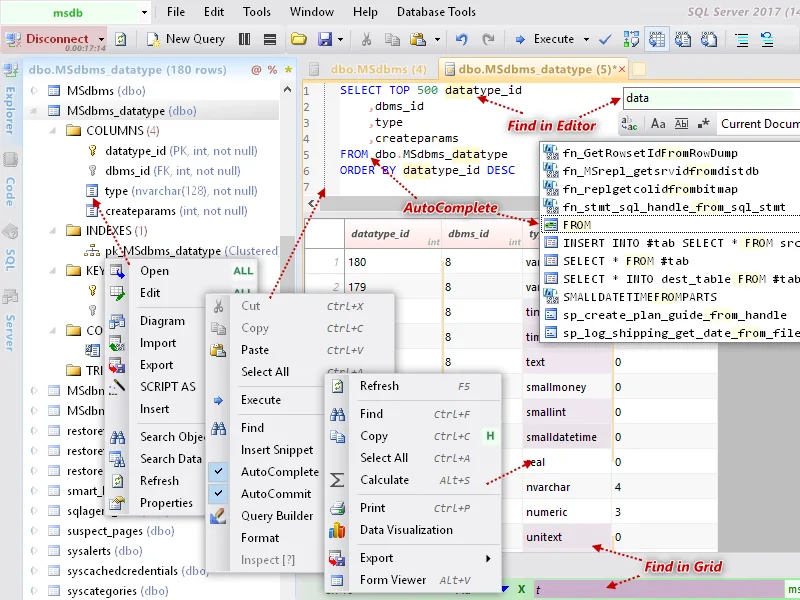
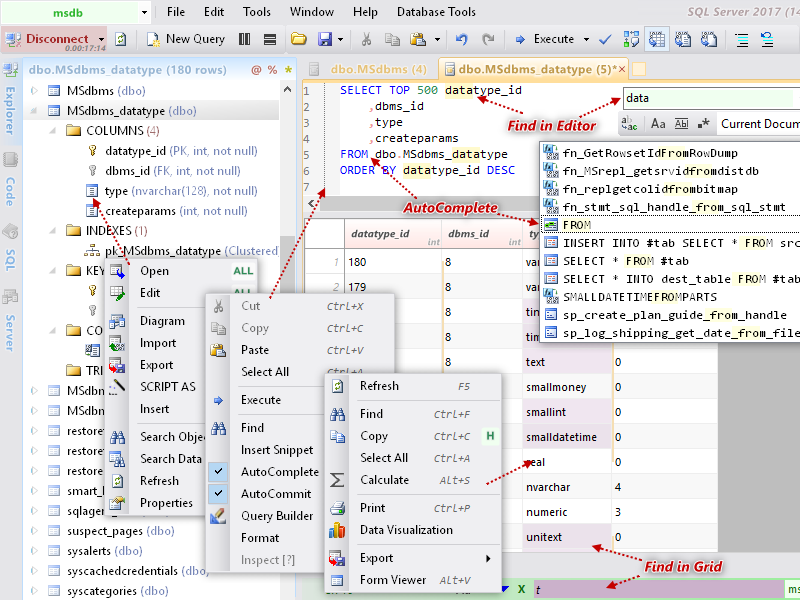
Edition choice matters more than the general product feature list. The Free edition covers core browsing, table design, row editing and SQL work, but the comparison table reserves tools such as autocomplete, Query Builder, SQL Profiler, script generation and data import/export for paid editions. The publisher screenshot illustrates the wider product family, including paid-edition controls; it is not a promise that every visible command is available for free.
Check provider requirements before choosing this package. Free and Plus use 32-bit ODBC/OLE DB drivers, and Access, Excel, dBase and text-file connections require the publisher-listed Access components. Standard and Professional are separate 64-bit editions, not the download selected here.
What it offers
- Browse database objects across supported engines, including SQLite, SQL Server, MySQL, PostgreSQL and Oracle.
- Design tables and browse or edit table rows through a graphical interface.
- Run SQL queries in the application's query workspace.
- Use database diagrams, data visualization and supported plain-text execution plans, listed across all editions.
- Publisher-described portable, single-executable application with a multilingual interface.
Good to know
- The Free edition is restricted to non-commercial personal use; commercial use requires a paid license.
- Autocomplete, Query Builder, SQL Profiler, script generation and data import/export are not included in Free, according to the edition comparison.
- This is the 32-bit Free/Plus ZIP. ODBC/OLE DB connections need matching 32-bit drivers; Access, Excel, dBase and text-file support requires Office Access or Access Database Engine.
- The selected Free/Plus editions do not support VistaDB or visual execution plans; those require the separate 64-bit editions.
Product images
Sources
References used for this listing. Retrieval dates do not indicate hands-on testing.
More in development
View category ↗
010 Editor 17.0
Inspect and edit binary files on Mac with 010 Editor, a paid text and hex editor with Binary Templates, file comparison and a 30-day trial.
010 Editor 17.0
Inspect and edit binary files with 010 Editor for Windows, a text and hex editor with Binary Templates, file comparison and scripting. Includes a 30-day trial.
10x Editor
Edit and navigate C++ projects on Windows with a built-in parser, workspace search and Visual Studio project support. A paid license is required after the 30-day trial.