

Development Windows
Database Workbench Pro for Windows
Write SQL, design database schemas and compare data with Database Workbench Pro, a Windows database IDE available as a time-limited trial.
Version Version 7 Release 2 (7.1.0) · Direct publisher file
Link checked · Download guidance
What is Database Workbench Pro?
Database Workbench Pro brings SQL editing, visual database design and data tools into one Windows workspace. It is intended for developers and database designers who need to inspect objects, build queries and maintain databases across supported engines. The publisher lists Oracle, Firebird, SQL Server, InterBase, PostgreSQL, SQLite, MySQL, MariaDB and NexusDB in the product family; access and features depend on the licensed modules and edition.
Use SQL Insight and the two-way Visual Query Builder to develop queries, diagramming and object editors to work on schemas, and import/export or comparison tools to move and inspect data. Professional is the edition the publisher describes as including testing and debugging tools. Debugging is database-specific rather than universal: stored procedure and function debugging is listed for Oracle, MySQL, PostgreSQL, Firebird and InterBase.
The linked EXE is the publisher’s full-install Pro trial, not the free Lite edition. The catalog labels it “Version 7 Release 2 (7.1.0)”, released October 28, 2026; that wording is retained because the release label and numeric version are not aligned. The trial is time-limited, and continued licensed use requires a purchase. Full SQLite support requires a licensed SQLite module.
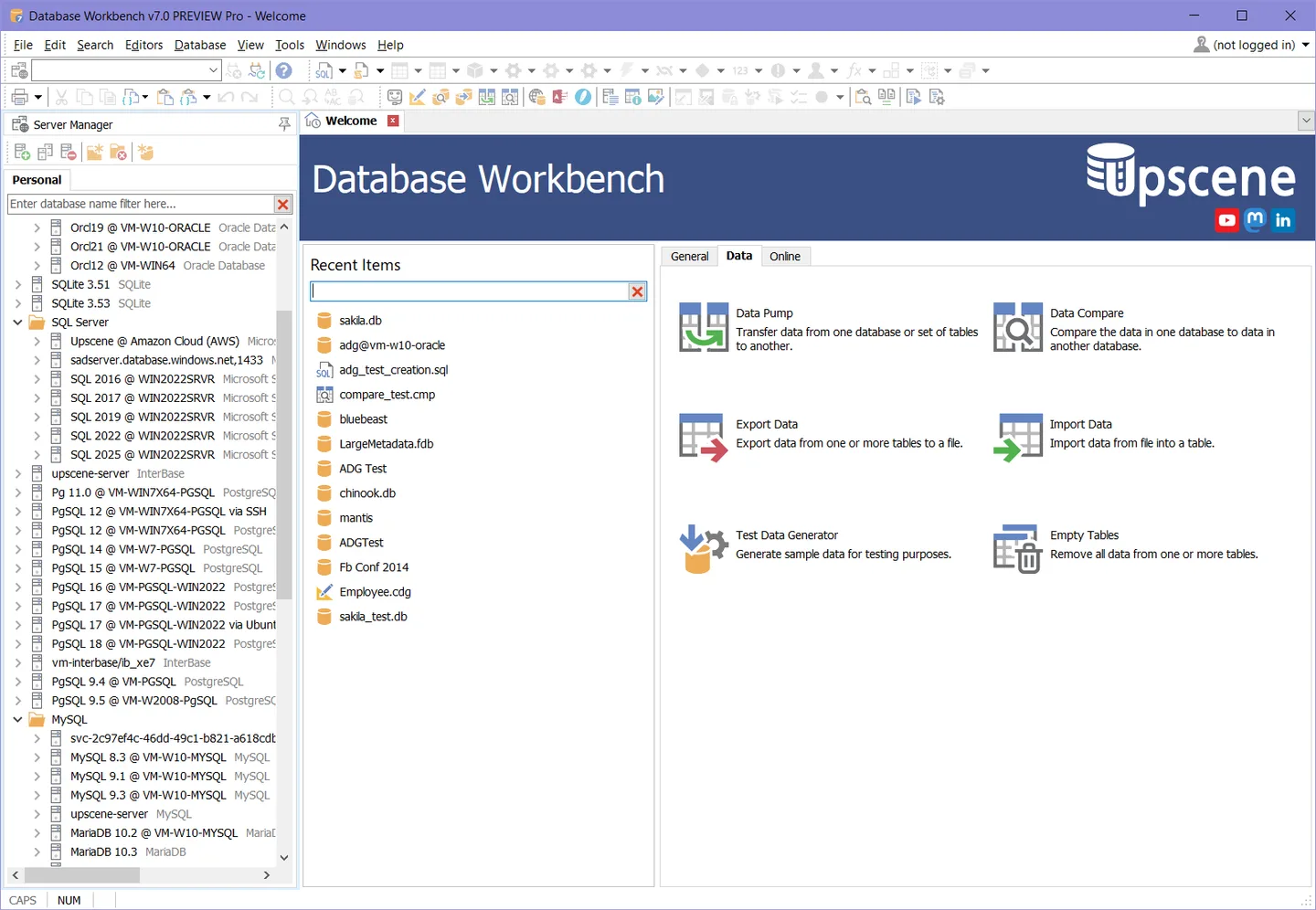
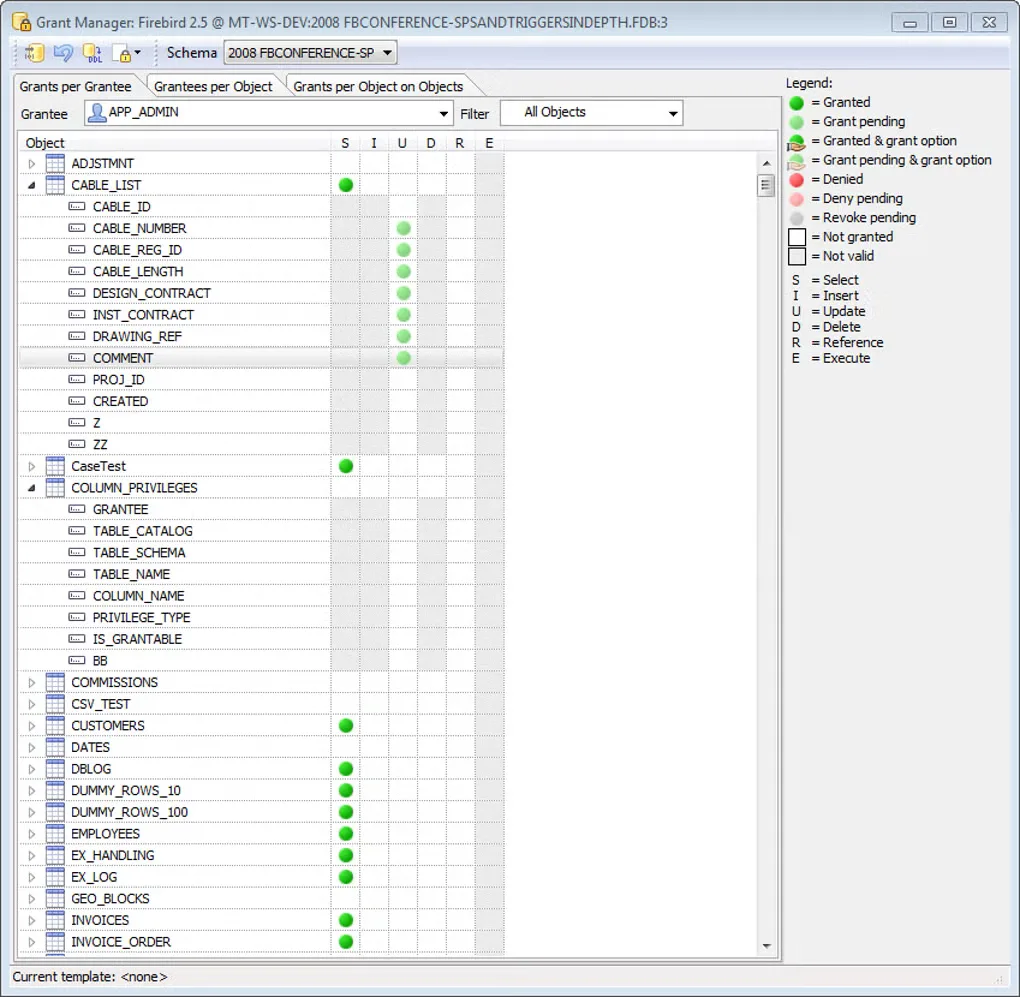
The first screenshot is the publisher’s Windows welcome screen, whose title identifies a v7.0 PREVIEW Pro build; it illustrates the workspace, not a verified capture of the linked release. The second is an older Grant Manager screenshot from the product’s Softonic gallery.
What it offers
- Edit SQL and procedural code with SQL Insight, or construct queries using a two-way Visual Query Builder.
- Use database diagramming, schema browsing and visual object editors for database design and maintenance.
- Compare and migrate database metadata across supported database systems.
- Import and export data, compare data, and create database documentation or data reports.
- Use Professional testing and debugging tools, including a test data generator and database-specific stored procedure debugging.
Good to know
- The Pro download is a time-limited evaluation version, not a free ongoing-use license; the reviewed license does not specify a trial duration.
- Full SQLite support requires a licensed SQLite module; without it, SQLite metadata access is read-only.
- Stored procedure and function debugging is listed for Oracle, MySQL, PostgreSQL, Firebird and InterBase, not every supported database engine.
Product images
Sources
References used for this listing. Retrieval dates do not indicate hands-on testing.
- Database Workbench — publisher product overview ↗Retrieved
- Downloads — Database Workbench Pro trial ↗Retrieved
- Database Workbench — available editions and feature notes ↗Retrieved
- Database Workbench license agreement 4.1 ↗Retrieved
- Database Workbench Pro - Download — passive browser observation ↗Retrieved
More in development
View category ↗

010 Editor 17.0
Inspect and edit binary files on Mac with 010 Editor, a paid text and hex editor with Binary Templates, file comparison and a 30-day trial.
010 Editor 17.0
Inspect and edit binary files with 010 Editor for Windows, a text and hex editor with Binary Templates, file comparison and scripting. Includes a 30-day trial.
10x Editor
Edit and navigate C++ projects on Windows with a built-in parser, workspace search and Visual Studio project support. A paid license is required after the 30-day trial.