

Development Windows
DbSchema for Windows
Visualize database schemas, draw ER diagrams and run SQL with DbSchema for Windows. A free Community edition covers live-database work; paid editions add saved models, documentation and schema synchronization.
What is DbSchema?
DbSchema turns a database schema into an interactive diagram so you can inspect tables, columns and relationships alongside your SQL. It suits developers and database teams working across engines such as PostgreSQL, MySQL, SQL Server, Oracle and MongoDB. The Community edition connects to databases, reverse-engineers their schemas and includes diagrams and a SQL editor.
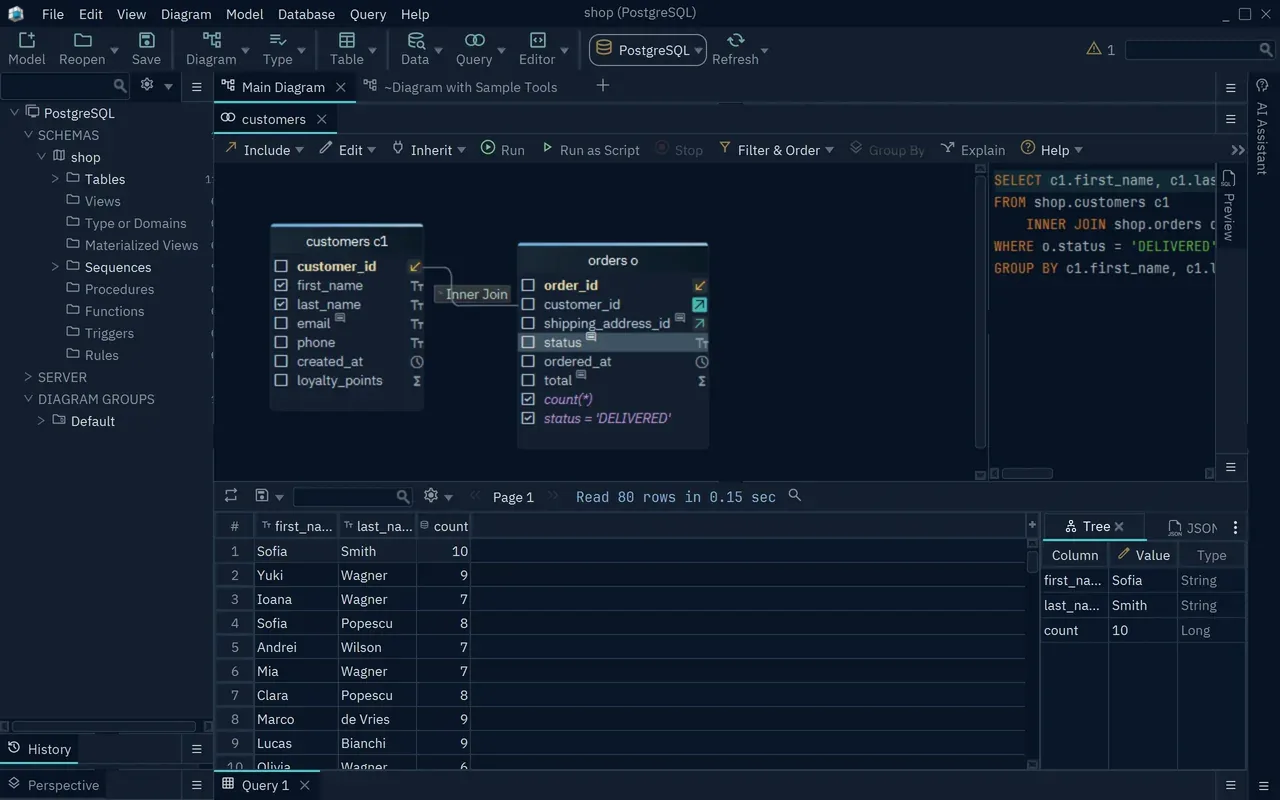
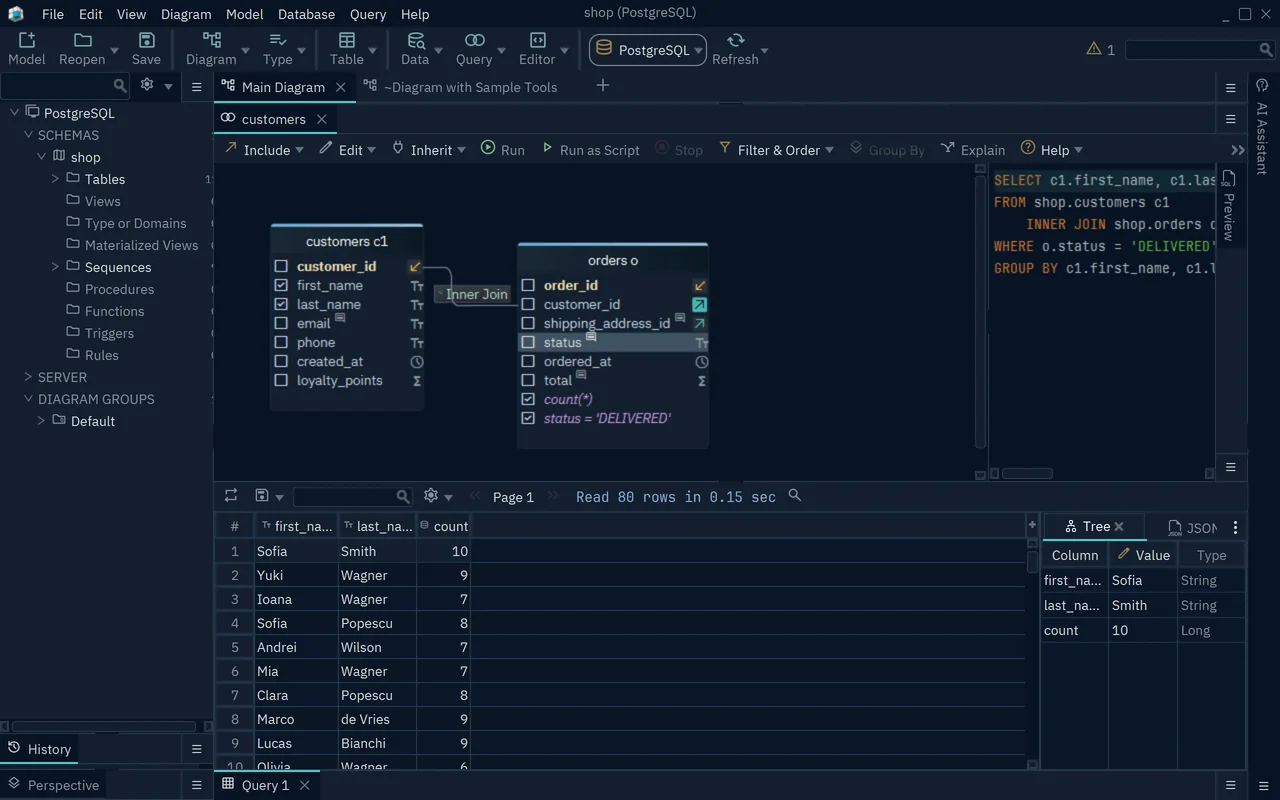
Pro adds a design model you can save to a file and edit offline, plus schema documentation, a visual query builder and schema comparison. The query builder follows table relationships and displays the generated SQL; schema synchronization lets you inspect differences and review migration statements before applying changes. Architect adds logical and conceptual modeling for work that starts before a physical database is chosen.
The Windows EXE links to the publisher's 10.6.0 installer. Community, Pro and Architect use the same installer, with a 15-day trial before you continue in Community or choose a paid license. Do not assume the trial's tools remain free: saving models, working offline, documentation, the visual query builder and schema synchronization require Pro or Architect. The screenshot shows the publisher's query-builder example, a paid-edition feature, rather than an installation tested by SoftGalaxy.
What it offers
- Reverse-engineer an existing database into interactive diagrams showing tables, columns and relationships.
- Write and execute SQL with schema-aware autocomplete in the SQL editor.
- Save database design models and work offline with Pro or Architect.
- Build joins visually and inspect the generated SQL with the Pro/Architect query builder.
- Generate schema documentation and compare or synchronize schemas with Pro or Architect.
Good to know
- Community does not include saving the design to a file, offline work, documentation, the visual query builder or schema synchronization; these require Pro or Architect after the trial.
- Logical and conceptual design require Architect rather than Community or Pro.
Product images
Sources
References used for this listing. Retrieval dates do not indicate hands-on testing.
- Download DbSchema Database Designer & SQL Client ↗Retrieved
- DbSchema Features - Database Design Tool, ER Diagram & SQL Client for 100+ Databases ↗Retrieved
- DbSchema Pricing – Free Community, Pro for every database, Architect for modeling ↗Retrieved
- Visual Query Builder: Build SQL Joins Without Writing SQL | DbSchema ↗Retrieved
- Wise Coders ↗Retrieved
- DbSchema End-User License Agreement ↗Retrieved
More in development
View category ↗
010 Editor 17.0
Inspect and edit binary files on Mac with 010 Editor, a paid text and hex editor with Binary Templates, file comparison and a 30-day trial.
010 Editor 17.0
Inspect and edit binary files with 010 Editor for Windows, a text and hex editor with Binary Templates, file comparison and scripting. Includes a 30-day trial.
10x Editor
Edit and navigate C++ projects on Windows with a built-in parser, workspace search and Visual Studio project support. A paid license is required after the 30-day trial.