
Utilities Windows
DeskLock
Prevent accidental desktop-icon dragging with DeskLock, a freeware Windows utility with tray controls and a disable hotkey. Modern Windows compatibility is unconfirmed.
- Operating system
- Windows; Softonic lists Windows XP
- Architecture
- Not specified by the publisher
- Download package
- ZIP archive
Archived legacy utility. Current Windows compatibility is unconfirmed; publisher-page comments report Windows 10 problems. Package contents were not downloaded or inspected.
Link checked · Download guidance
What is DeskLock?
DeskLock is a small Windows utility for keeping desktop icons from being moved by dragging. Skrommel's publisher page describes controls for disabling left dragging and the right mouse button, with a tray icon that enables or disables the restrictions. Version 1.2 also adds a disable hotkey. It is an icon-movement utility, not a file manager or a substitute for Windows account locking.
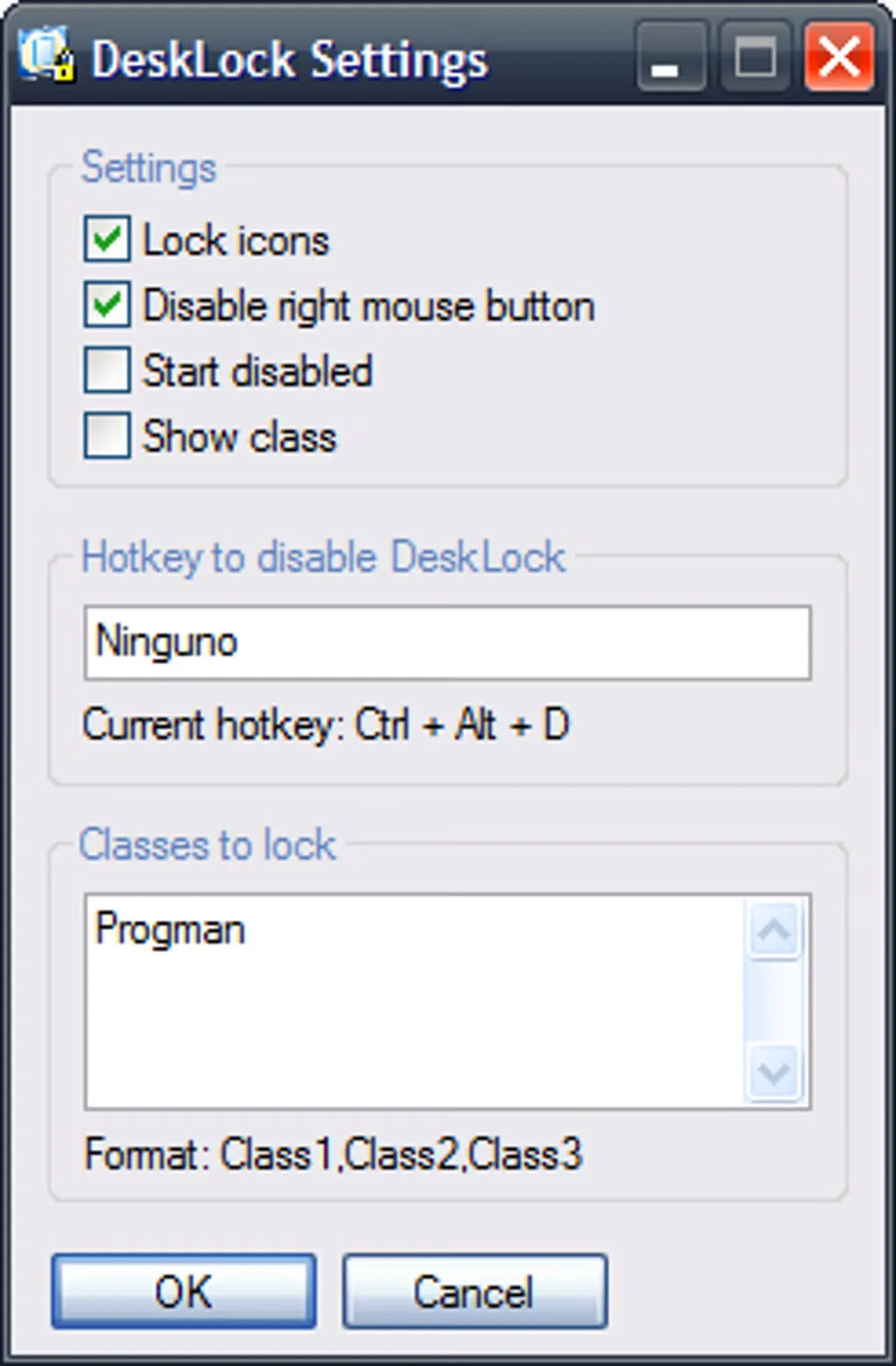
The settings dialog includes Lock icons, Disable right mouse button, Start disabled and Show class options, plus fields for a disable hotkey and classes to lock. This gives users control over the interaction restrictions rather than treating the desktop as a password-protected session.
This is a legacy download from an archived DonationCoder member site. The publisher lists version 1.2 and a 2006 changelog; its 2017 page-update timestamp is not evidence of a new software release. Softonic lists Windows XP. Modern Windows support has not been established, and comments on the publisher page report Windows 10 cases where icons could still move or were rearranged after reboot. Do not rely on it to preserve an icon layout across system-driven changes.
What it offers
- Restrict desktop-icon movement by disabling left dragging.
- Optionally disable the right mouse button.
- Enable or disable restrictions by double-clicking the tray icon, as documented by the publisher.
- Configure a disable hotkey and classes to lock in the settings dialog.
Good to know
- The publisher site is archived; compatibility with current Windows versions is unconfirmed. Publisher-page comments report failures on Windows 10.
- Preventing manual dragging does not establish protection against icons being rearranged by Windows or games; user reports describe layouts changing despite DeskLock.
- The documented purpose is controlling icon movement, not password-protecting a Windows session or securing files.
Product images
Sources
References used for this listing. Retrieval dates do not indicate hands-on testing.
- DeskLock – Skrommel's One Hour Software ↗Retrieved
- DeskLock - Download ↗Retrieved
More in utilities
View category ↗
1.1.1.1 with WARP 2026.8.2115.0
Encrypt traffic from your Mac to Cloudflare’s network with WARP, or use DNS-only mode for encrypted DNS queries to the 1.1.1.1 resolver.
1.1.1.1 with WARP 2026.8.2115.0
Encrypt traffic between your Windows PC and Cloudflare, or use encrypted DNS only, with the free 1.1.1.1 with WARP app.

3uTools 9.12.005
Manage iPhone and iPad photos, music, apps and backups from Windows with 3uTools, a free utility that also includes device checks and firmware flashing tools.