
Development Windows
Difftastic
Compare code by syntax rather than lines with Difftastic, a free command-line diff tool for Windows. Review highlighted changes directly or through Git.
- Operating system
- Windows; minimum version not specified in the consulted publisher installation guide
- Architecture
- x86_64 (x64); separate ARM64 package available
- Download package
- ZIP archive containing a pre-built executable (MSVC)
Selected download is the x64 archive, not the ARM64 archive. Extract the difft executable as directed by the manual. No installation or runtime testing claimed.
Link checked · Download guidance
What is Difftastic?
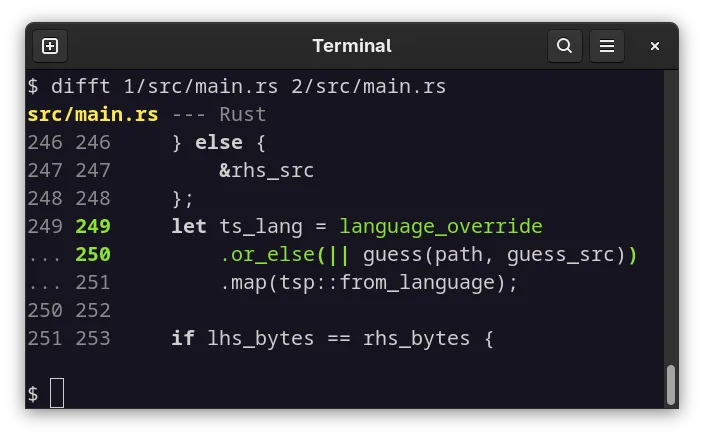
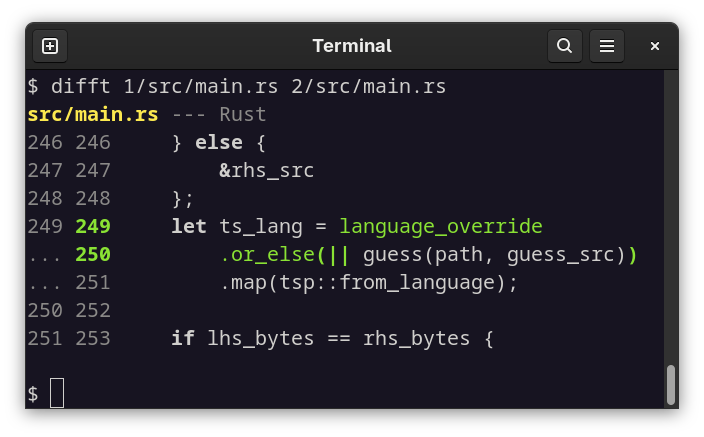
Difftastic helps you review what changed in source code when a line-by-line comparison is cluttered by formatting or extra nesting. It parses supported languages with tree-sitter and highlights changed syntax in context, with line numbers for both versions. It is a terminal tool rather than a graphical merge editor.
Run the difft command with two file paths to compare them, or configure Git to use it as an external diff tool. Unsupported file extensions use a line-oriented comparison with word highlighting; parse errors also trigger a line-oriented fallback by default. Difftastic can display the two sides of a file containing merge-conflict markers, but it does not resolve the conflict or merge files.
This download is the publisher’s 0.72.0 Windows x64 MSVC ZIP archive. The manual instructs users to choose the package for their operating system and CPU, then extract the difft executable. A separate Windows ARM64 archive is available from the same release. The publisher does not specify a minimum Windows version in the installation instructions consulted. The screenshot is a publisher-supplied terminal example, not a Windows installation or runtime test.
What it offers
- Compare supported source files structurally using tree-sitter parsing.
- Highlight changed syntax and display old and new line numbers in terminal output.
- Integrate with Git through the publisher’s external-diff configuration.
- Fall back to a line-oriented diff with word highlighting for unrecognised extensions.
- Compare the conflicting versions represented by merge-conflict markers in a single file.
Good to know
- Output is for human review; it does not generate patches that can be applied later.
- Difftastic does not merge files or resolve merge conflicts.
- Files with many changes can take substantial memory and scale poorly.
- Parse errors trigger a line-oriented fallback by default; unsupported syntax may therefore lose structural comparison.
Product images
Sources
References used for this listing. Retrieval dates do not indicate hands-on testing.
- Difftastic - Download ↗Retrieved
- Difftastic — publisher README ↗Retrieved
- Installation — Difftastic Manual ↗Retrieved
- Difftastic 0.72.0 — publisher release assets ↗Retrieved
- Difftastic — official product page ↗Retrieved
- Difftastic MIT License ↗Retrieved
More in development
View category ↗
010 Editor 17.0
Inspect and edit binary files on Mac with 010 Editor, a paid text and hex editor with Binary Templates, file comparison and a 30-day trial.
010 Editor 17.0
Inspect and edit binary files with 010 Editor for Windows, a text and hex editor with Binary Templates, file comparison and scripting. Includes a 30-day trial.
10x Editor
Edit and navigate C++ projects on Windows with a built-in parser, workspace search and Visual Studio project support. A paid license is required after the 30-day trial.