
Utilities Windows
Directory List & Print
List and print Windows folder contents with Directory List & Print. Basic listing is free; Pro adds advanced filters, formatting and export options.
- Operating system
- Windows 7, 8, 10 and 11, as listed by the publisher
- Architecture
- 32-bit and 64-bit Windows supported; executable architecture not independently inspected
- Download package
- English ZIP download from the publisher's installer section
A separate no-install ZIP is also offered; it is not the linked package. Archive contents and executable architecture were not inspected. Pro features require a paid license key.
Link checked · Download guidance
What is Directory List & Print?
Directory List & Print turns a Windows folder and its subfolders into a file list that you can print or use as a directory inventory. It suits documenting a folder tree or preparing a list of files without manually copying each name. The free edition provides basic listing and printing.
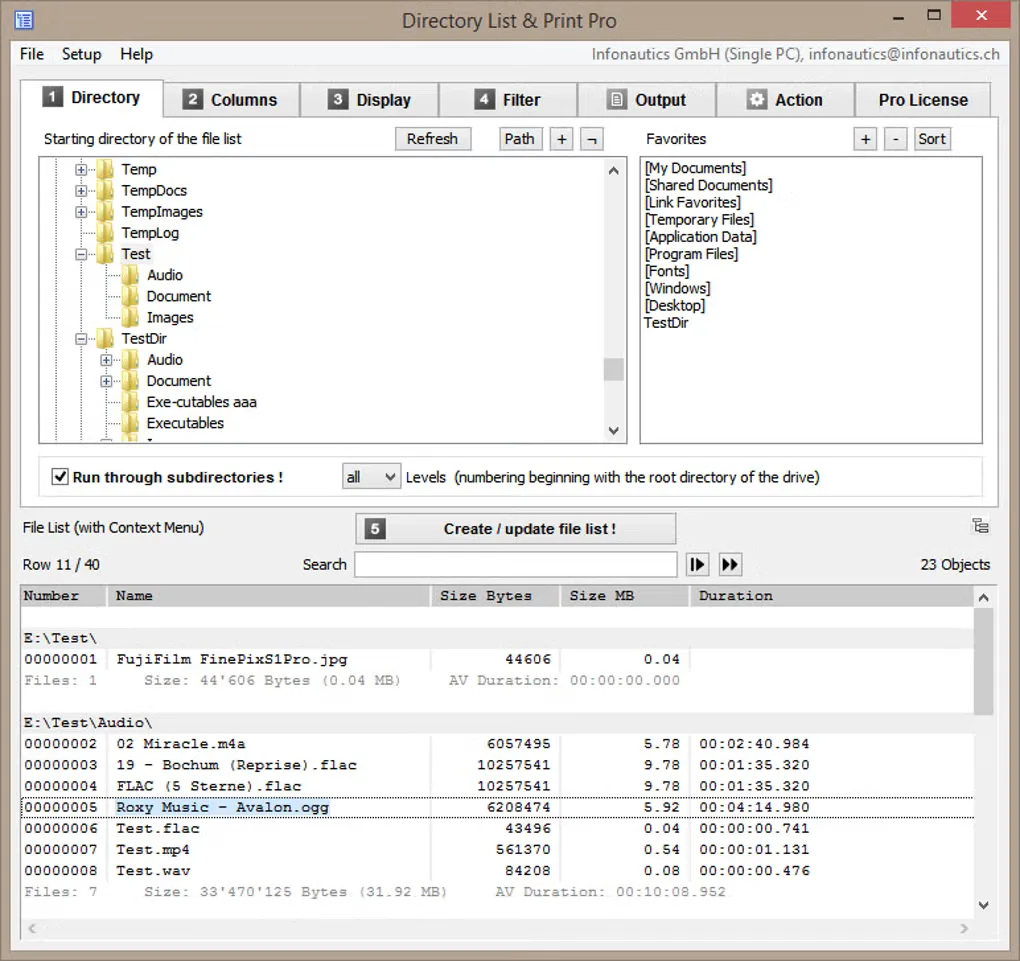
The paid Pro edition adds more control over filters, formatting and output. The publisher lists exports to Word, Excel, OpenOffice Writer and Calc, plus text, PDF, HTML and XML output for Pro. Metadata columns can add details from documents, images, audio and video to the listing. These advanced capabilities should not be assumed to be included in the free edition.
The linked English ZIP is listed in the publisher's installer section, not its separate no-install package section. Archive contents were not downloaded or inspected. The screenshot illustrates the Pro interface, not a verified view of version 4.42. Software was not installed or run for this entry.
What it offers
- List folder contents, including subfolders when needed, and print the resulting file list.
- Use the free edition for basic directory listing and printing.
- Pro adds file-list filters and formatting options for more specific inventories.
- Pro supports Office and OpenOffice output, plus text, PDF, HTML and XML exports.
- Pro can include metadata from supported image, audio, video and document files.
Good to know
- Advanced filters, formatting and output options require the paid Pro edition; some Pro features are inactive in freeware mode.
- The publisher says PDF creation with Asian characters requires an additional PDF printer driver.
Product images
Sources
References used for this listing. Retrieval dates do not indicate hands-on testing.
More in utilities
View category ↗
1.1.1.1 with WARP 2026.8.2115.0
Encrypt traffic from your Mac to Cloudflare’s network with WARP, or use DNS-only mode for encrypted DNS queries to the 1.1.1.1 resolver.
1.1.1.1 with WARP 2026.8.2115.0
Encrypt traffic between your Windows PC and Cloudflare, or use encrypted DNS only, with the free 1.1.1.1 with WARP app.

3uTools 9.12.005
Manage iPhone and iPad photos, music, apps and backups from Windows with 3uTools, a free utility that also includes device checks and firmware flashing tools.